Overview
This guide provides step-by-step instructions for making a Pension Payment to the General Pension and Social Security Authority (GPSSA) using the iBusiness Web Portal
Step 1: Log in to iBusiness
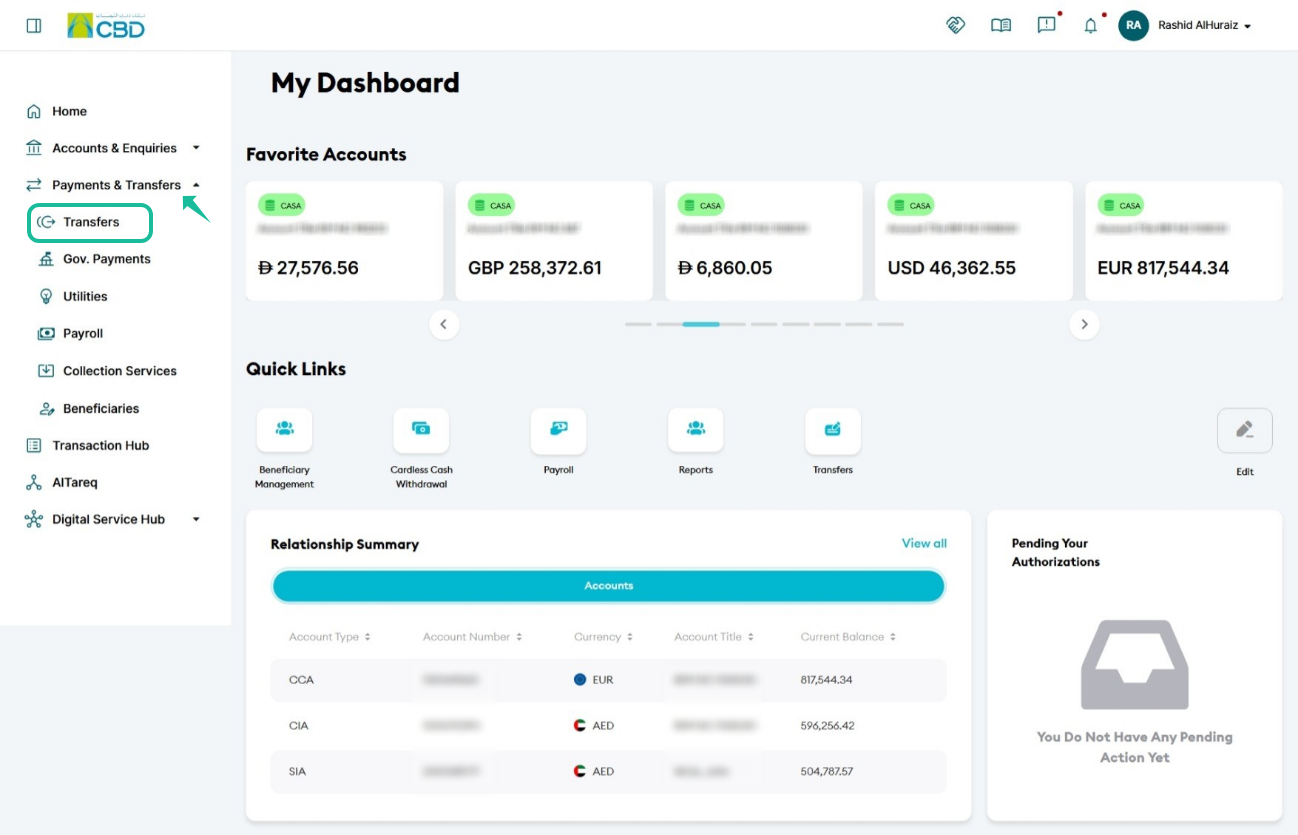
From the iBusiness dashboard, navigate to Payments & Transfers from the left-hand menu.
Step 2: Navigate to Transfers
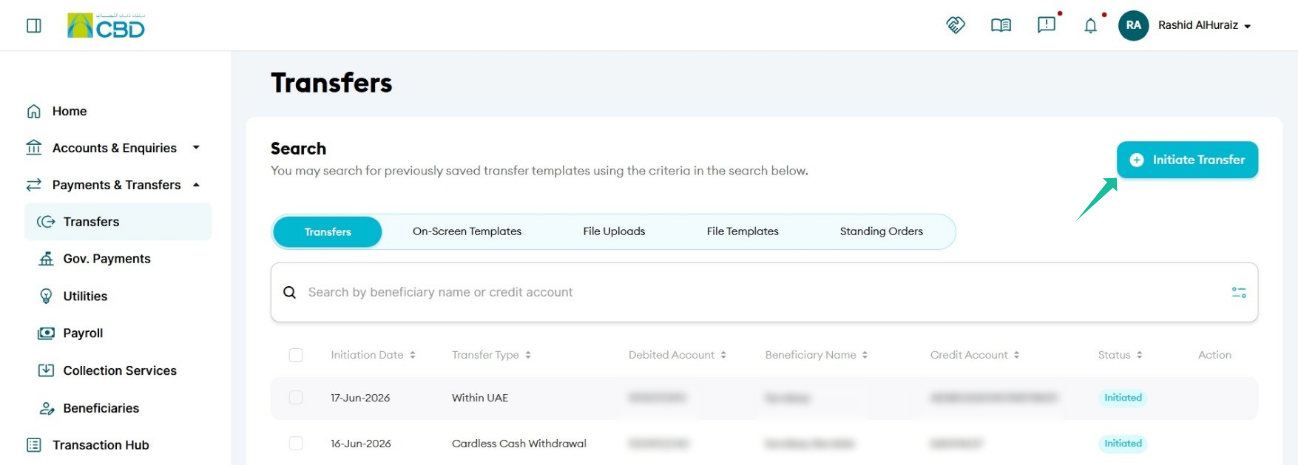
Navigate to: Payment & Transfers > Transfers > Initiate Transfer
Step 3: Select the Transfer Method
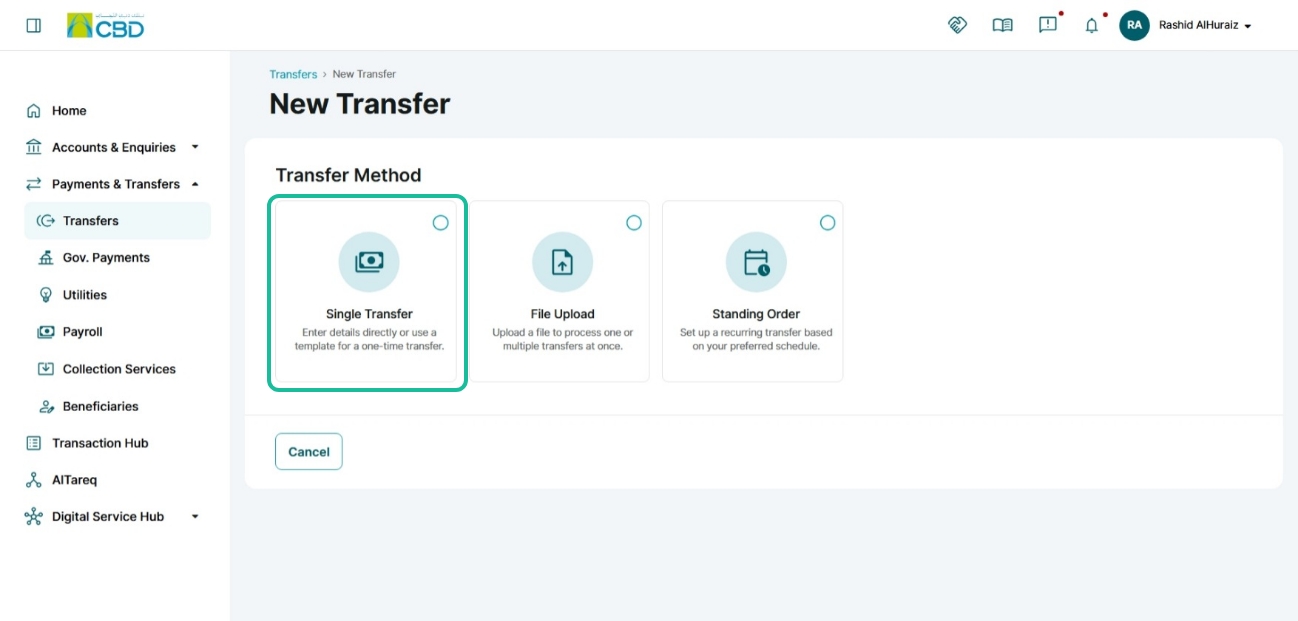
On the Transfer Method screen, select Single Transfer.
Click Proceed to continue.
Step 4: Select the Transfer Type
From the available transfer types, select Local Transfers.
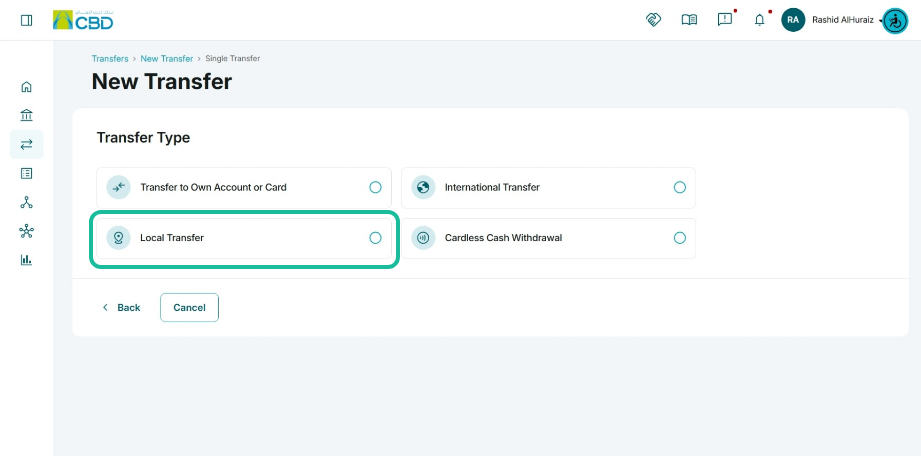
Step 5: Enter Beneficiary Details
Option 1: Search for excising beneficiary
Enter the beneficiary information:
- Beneficiary Name
- IBAN
- Bank Name
- Beneficiary Bank Country
Option 2: enter the beneficiary IBAN
- enter the beneficiary IBAN and click verify
- verify the bank details
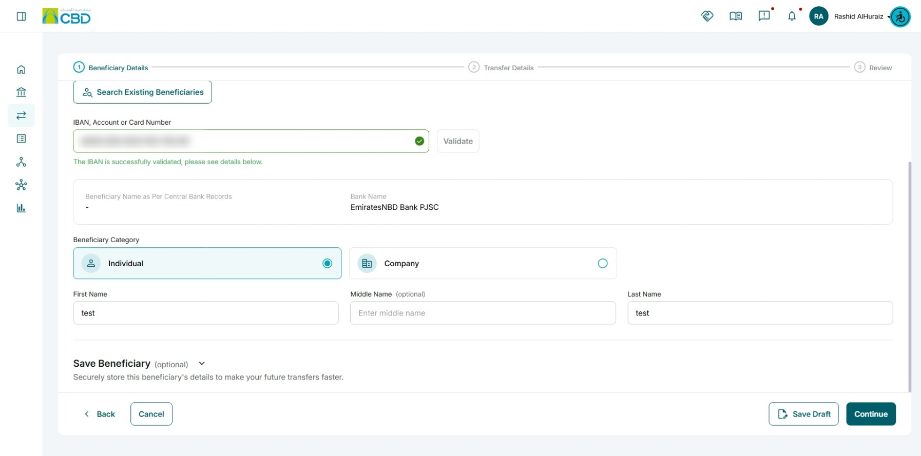
To save the beneficiary for future use, enable Save as New Beneficiary.
Step 6: Complete Transfer Details
Enter all mandatory payment information.
Transfer Amount
Enter the amount you want to transfer.
Charges
Select who will bear the transfer charges:
- OUR – The sender pays all charges.
- BEN – The beneficiary pays all charges.
- SHA – Charges are shared between the sender and beneficiary.
Charge Account
Select the account that will be used to pay any applicable transfer charges.
Purpose of Payment
Select Pension as the payment purpose.
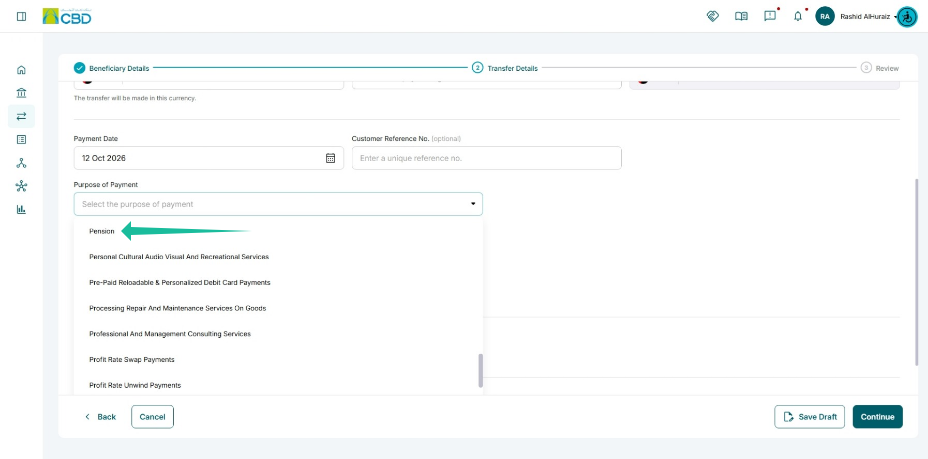
Invoice Number
Enter the GPSSA Invoice Number in the designated field.
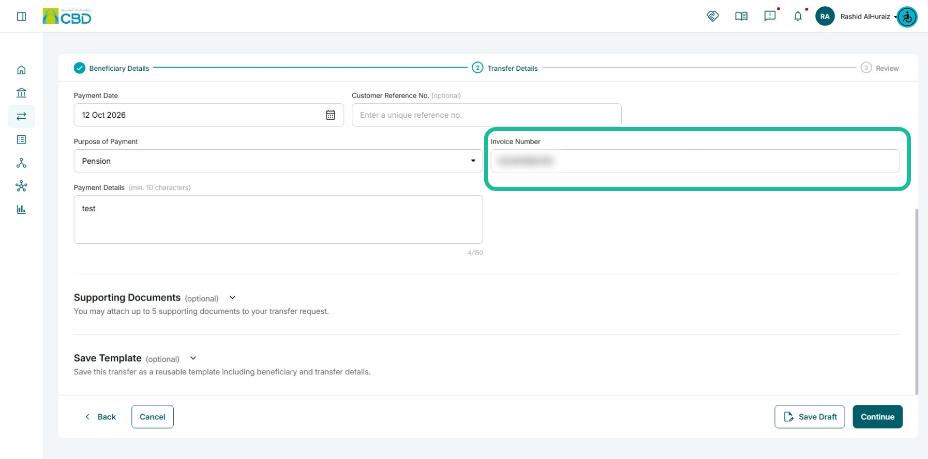
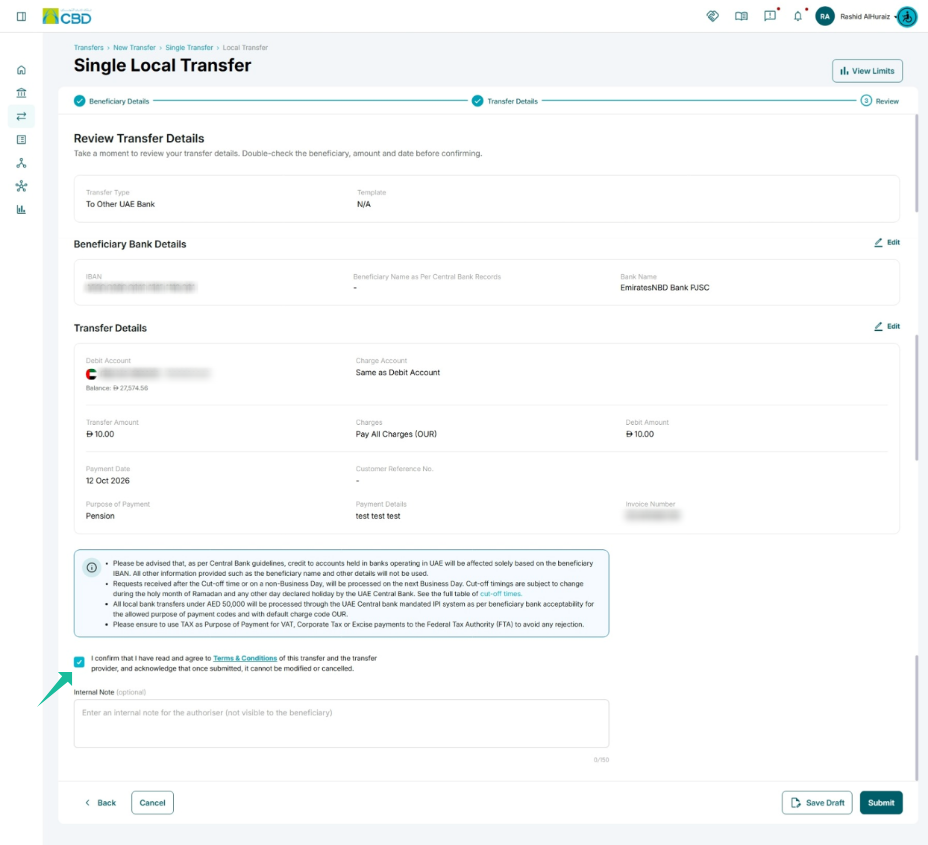
Step 7: Review the Details
- Review all beneficiary and transfer information to ensure accuracy before proceeding.
- Accept the Terms & Conditions
- Click Submit
Step 9: Authorize the Beneficiary Registration
The approver can authenticate the transaction using either of the following methods:
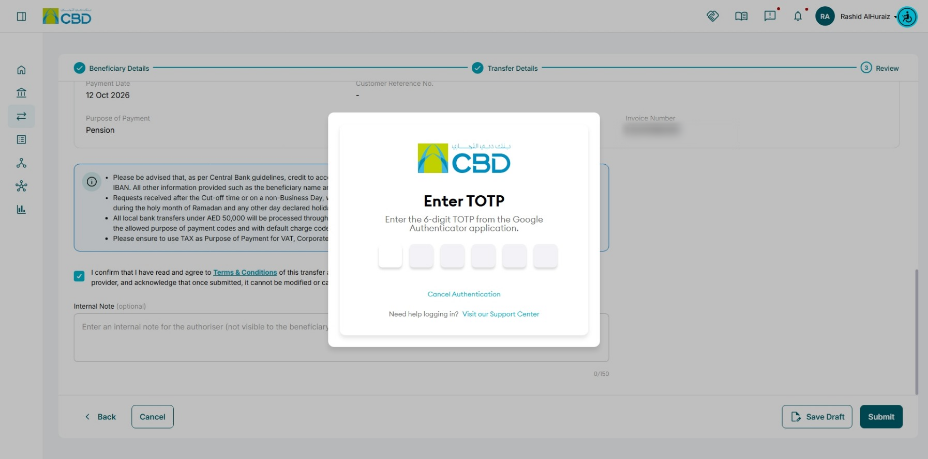
• Google Authenticator: Enter the One-Time Password (OTP) generated in the Google Authenticator application.
• Mobile App Authentication: Approve the transaction through the iBusiness Mobile App by reviewing the request and confirming the authorization.