
Overview:
As a Corporate Admin, you are empowered to update expired identification documents (Emirates ID or Passport) for individuals affiliated with the entity. This includes shareholders, signatories, ultimate beneficial owners, and other affiliates. Please note that this functionality is limited to those individuals linked to the entity and does not extend to users who are corporate users only.
How to Access the Document Update Feature
1. Log in to iBusiness as Corporate Admin and go to the Service Requests section.
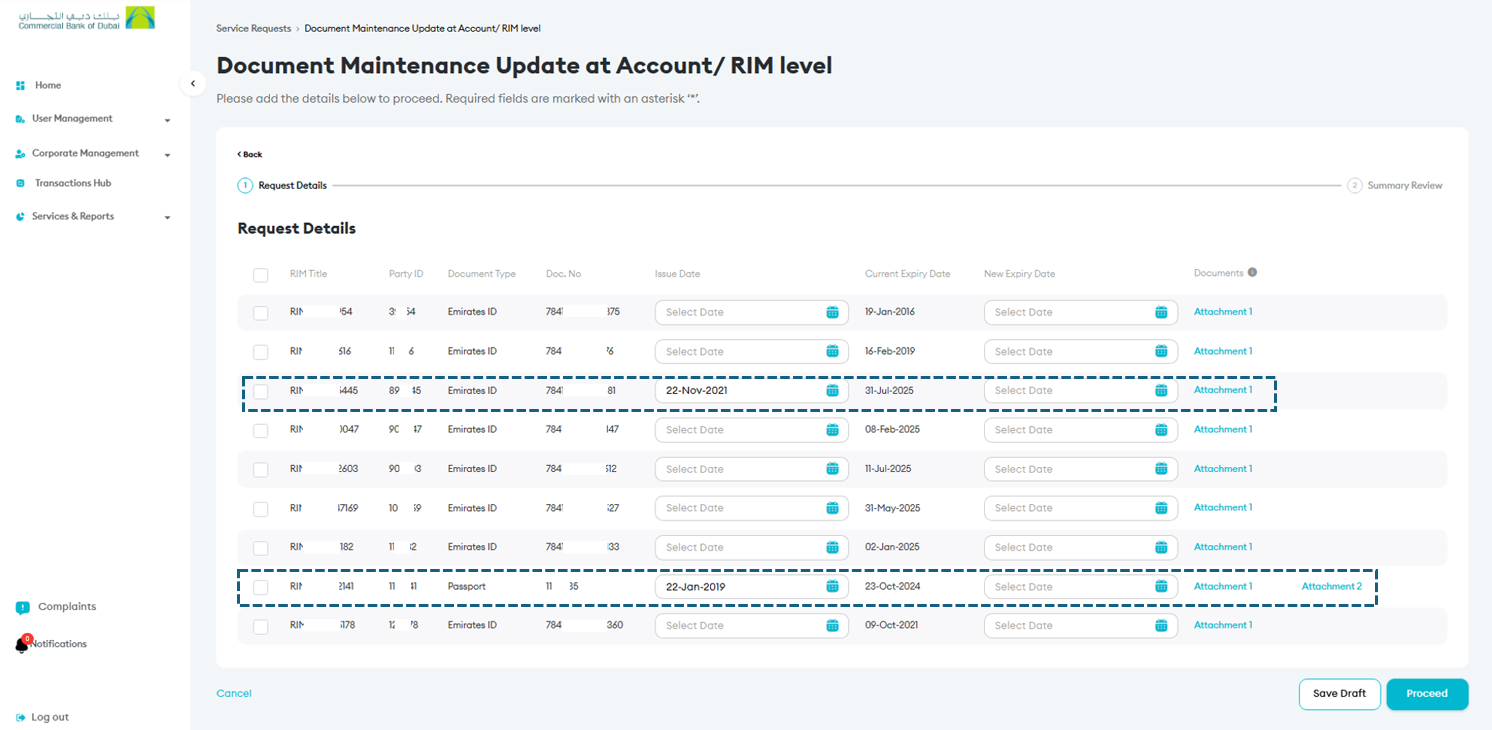
2. Choose the Document Maintenance option. If any affiliated individual has an expiring or expired ID, their information will appear in the list.

3. Once you see the affiliate listed, you have the option to update their new identification details.
What Information Can Be Updated?
- Emirates ID: Enter the new issue and expiry dates. Attach a copy of the updated document.
- Passport: Provide the new passport number by updating the Doc. No column, issue and expiry dates, and upload copies of the document’s front and back.
After completing the updates, submit the request in iBusiness. The service request will follow the same authorization rules already set for that respective Corporate Admin.
Note: This functionality is only available on iBusiness desktop.