
Overview:
This guide provides step-by-step instructions for initiating a Single International Transfer in Next Gen CIB using the iBusiness platform.
Use this process for:
- Cross-border payments
- International beneficiary transfers
- Foreign currency payments
Step 1: Navigate to International Transfers
- Log in to iBusiness.
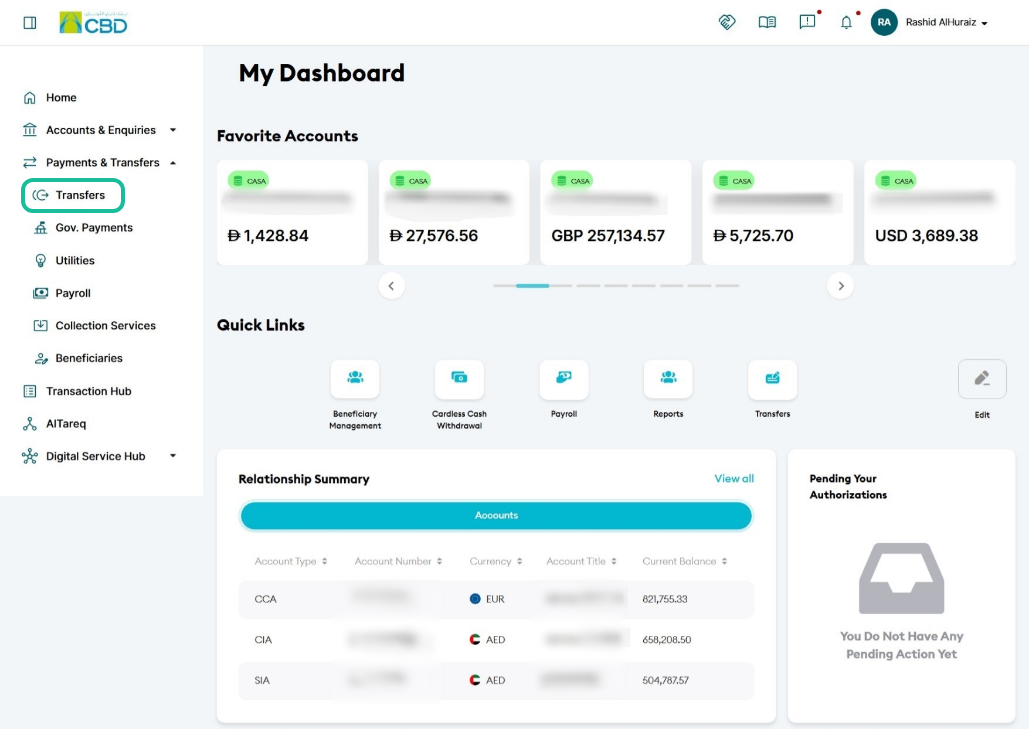
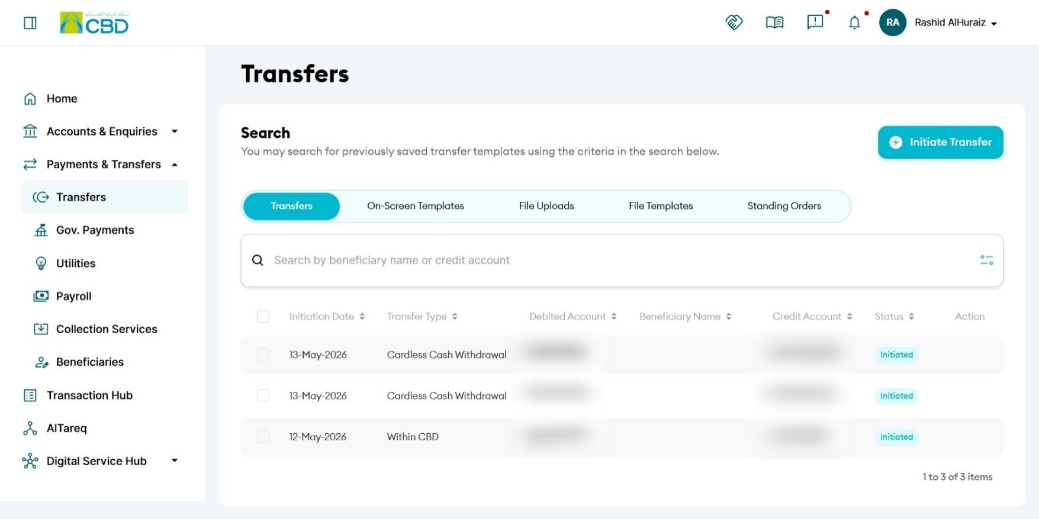
- Navigate to: Payment & Transfers > Transfers > Initiate Transfer
Step 2: Select Transfer Type
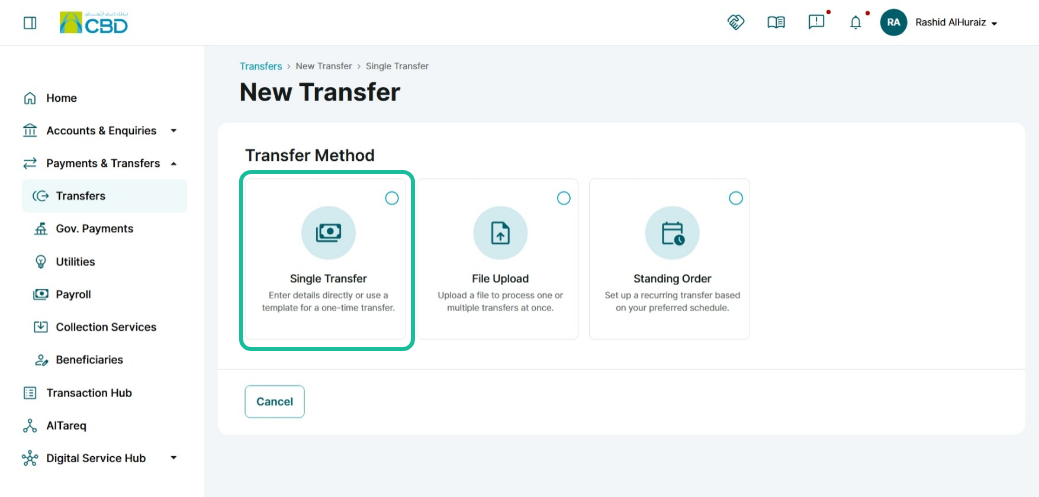
Select Single Transfer.
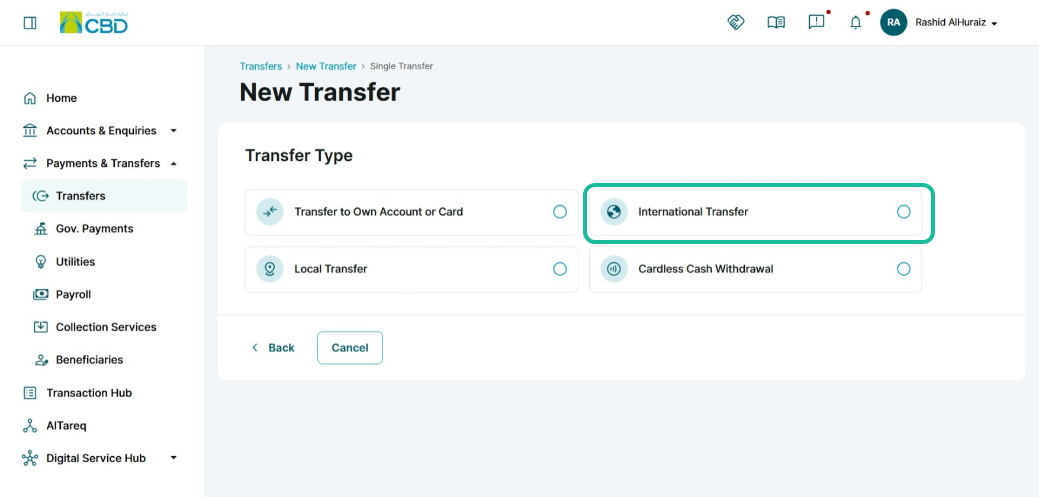
Choose International Transfer as the transfer type.
Step 3: Select or Add Beneficiary
Existing Beneficiary
- Use the search bar to locate an existing beneficiary.
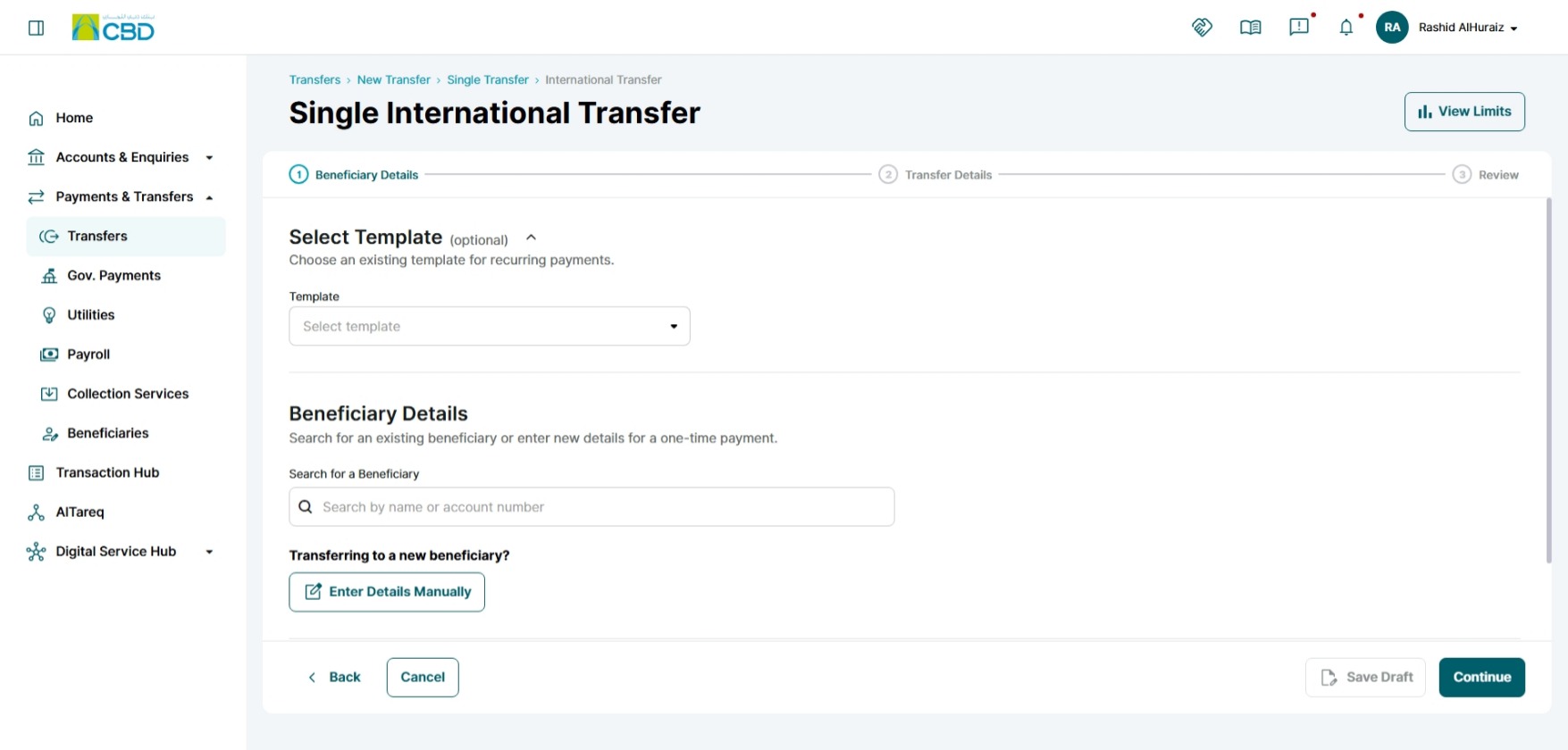
New Beneficiary
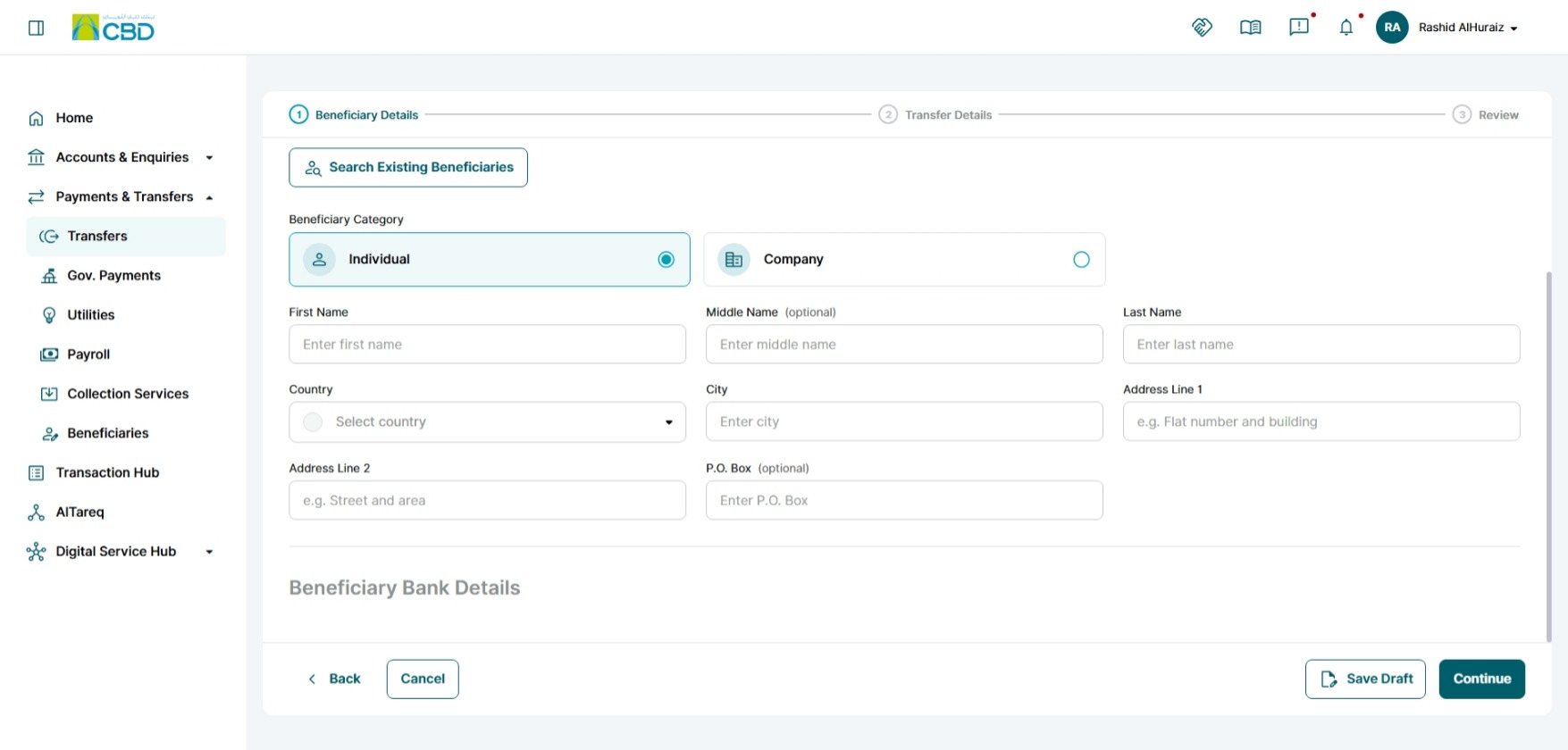
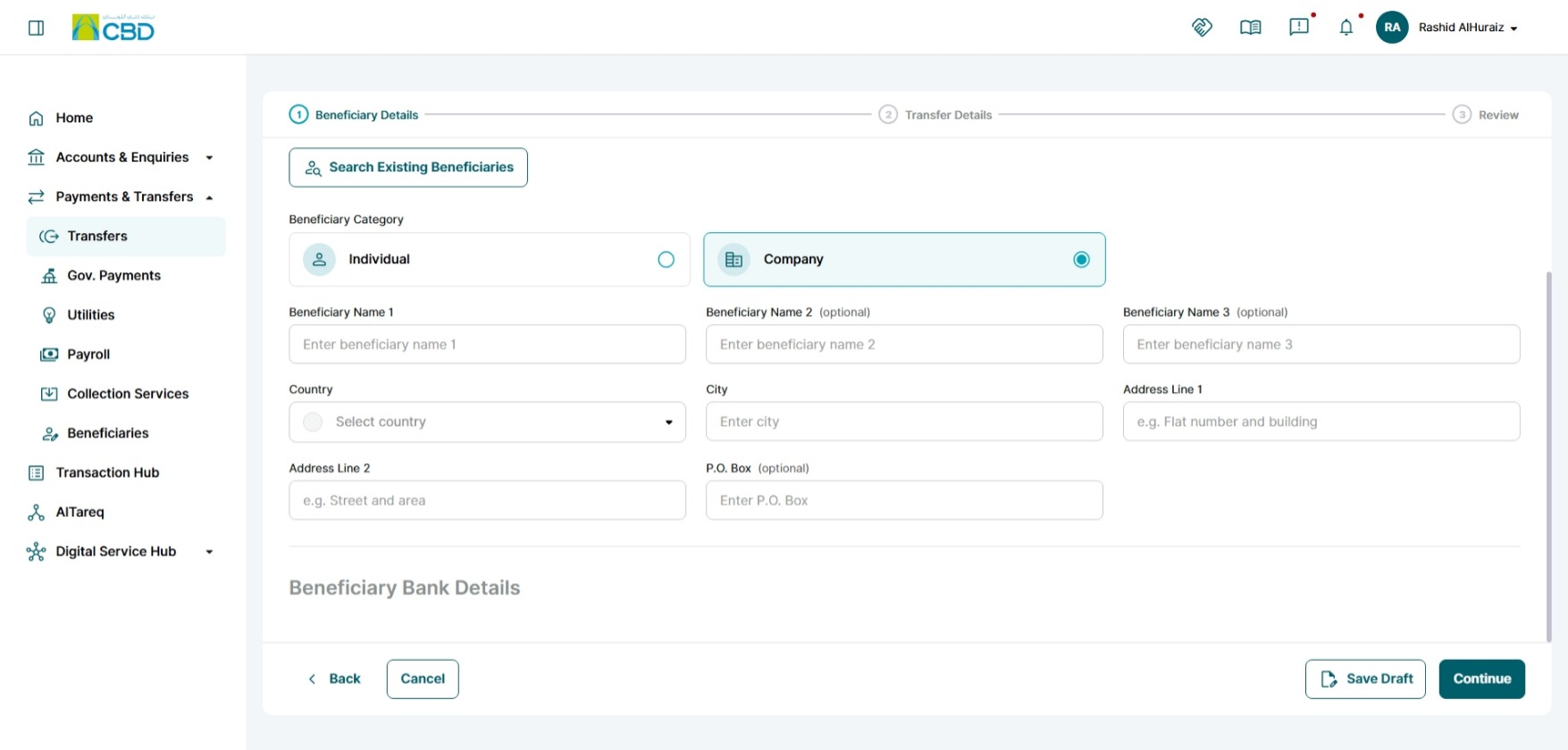
You can manually add a new beneficiary by entering
- Individual beneficiary details
- Company beneficiary details
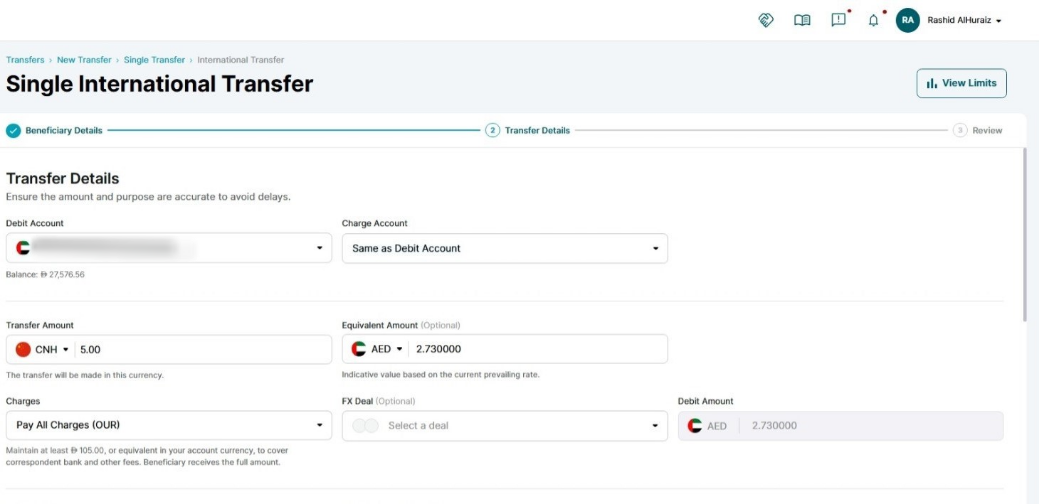
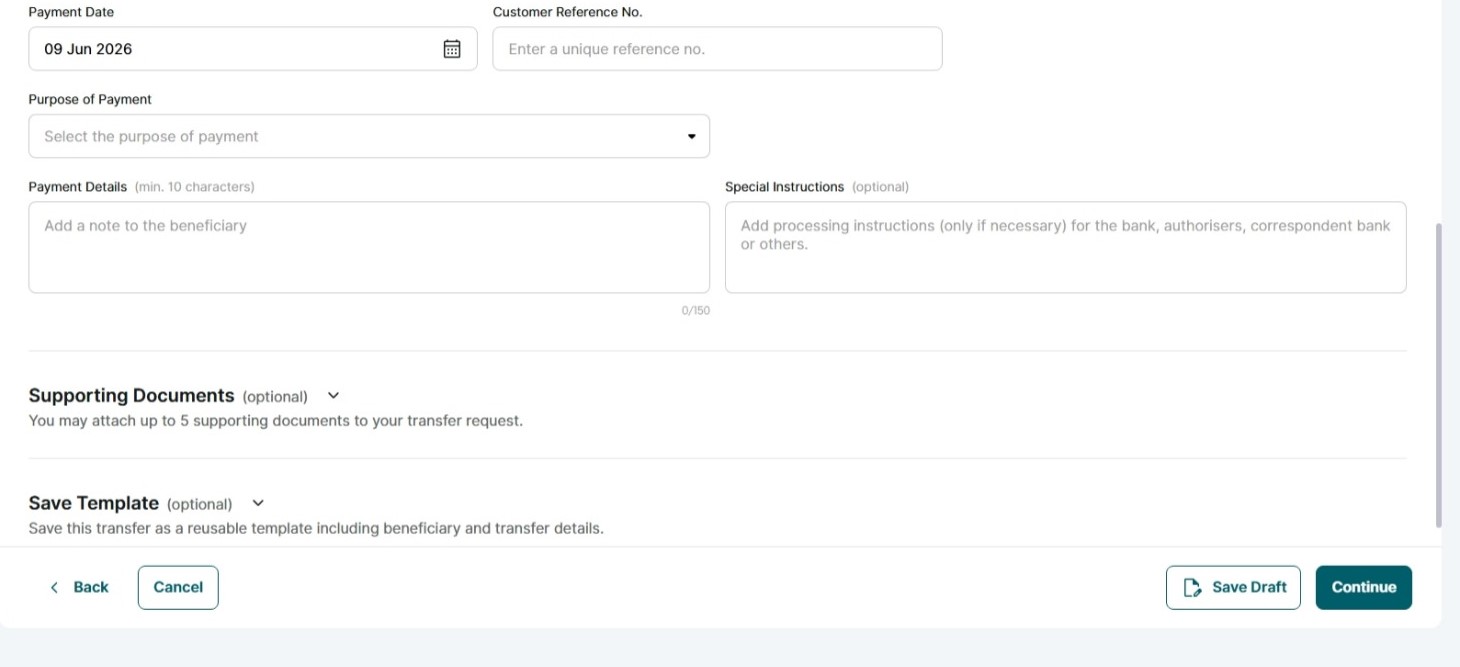
Complete the required transfer information:
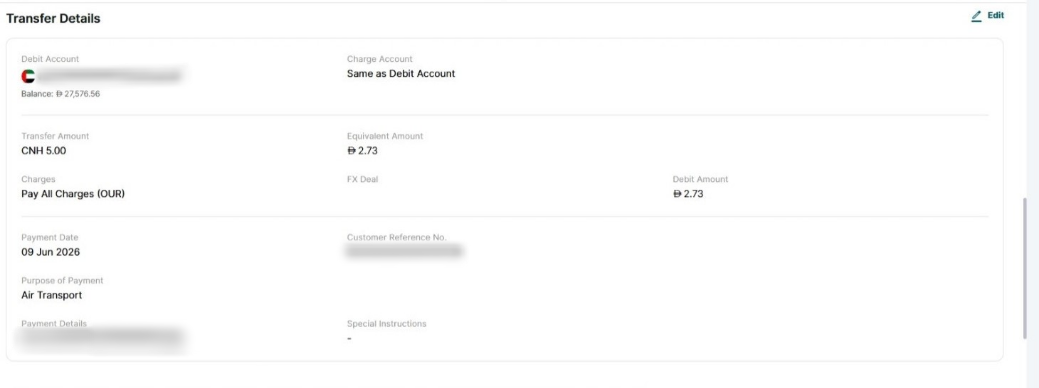
Debit Account: The bank account from which the money will be deducted for the transfer.
Charges Account: The account that will be used to pay the transfer fees or bank charges. This can be the same as the debit account or a different account.
Transfer Amount: The amount of money you want to send to the beneficiary. (Example: AED 5,000.00)
Currency: The currency in which the transfer will be made. (Example: AED, USD, EUR, GBP).
Transfer Charges: Indicates who will bear the transfer fees.
- OUR: Sender pays all charges
- BEN: Beneficiary pays all charges
- SHA: Charges are shared between sender and beneficiary
Customer Reference Number: a unique number assigned to the customer
Payment Date: The date on which the transfer will be processed or sent.
Purpose of Payment: The reason for sending the money, often required for compliance and regulatory purposes.
(Example: Computer Services, Rent Payments, Air Transport, Supplier Payment, etc...)
Payment Details: Additional information or remarks related to the payment that may be visible to the beneficiary.
Once completed, click Continue.
Step 5: Review and Submit
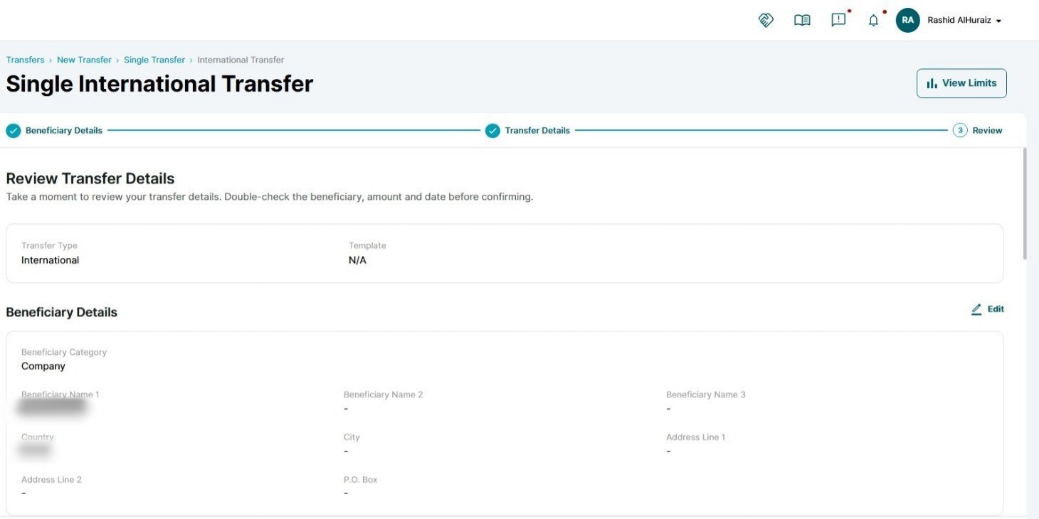
- Review all transfer details carefully.
- Accept the Terms and Conditions.
- Click Submit.
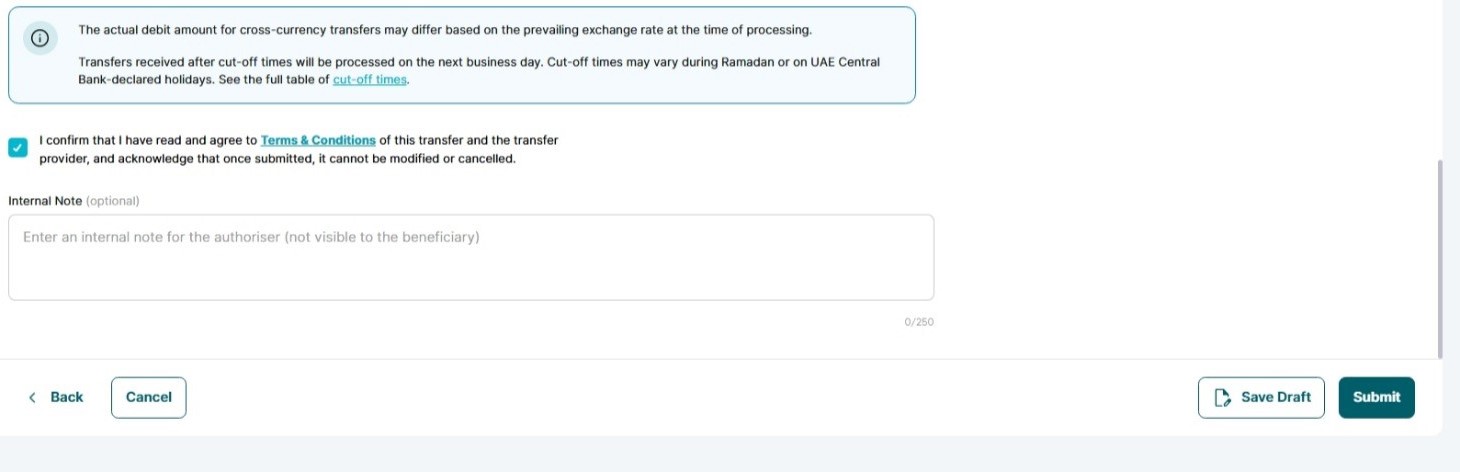
Note: The cut-off time for International Payments
To view the cut-off times, click on the link below to see the complete table of cut-off times. Transfers received after cut-off times will be processed on the next business day.

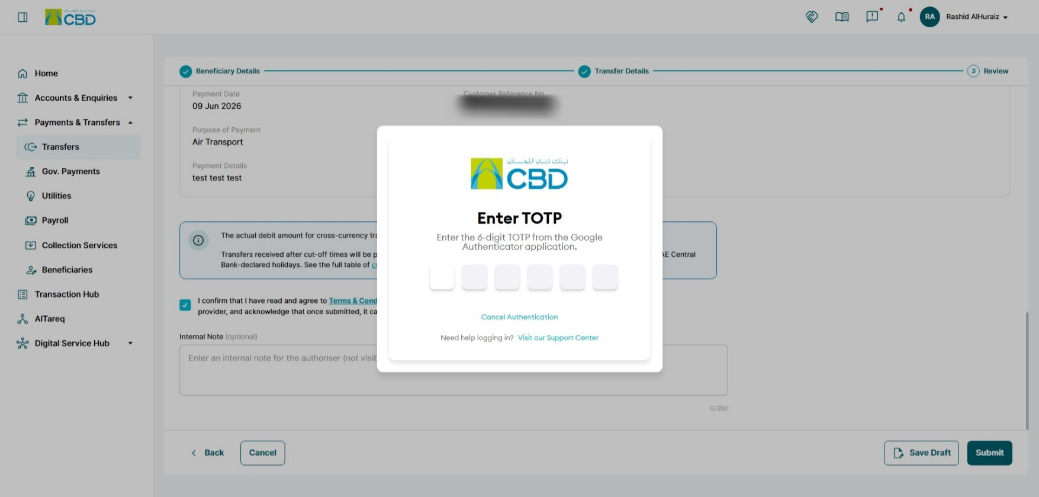
Step 6: Authenticate the Request
Complete authentication using one of the following methods:
Mobile App Authentication
- Approve the request via the iBusiness mobile app notification
- Use biometric or device verification
Google Authenticator
- Enter the One-Time Password (OTP) generated from the app
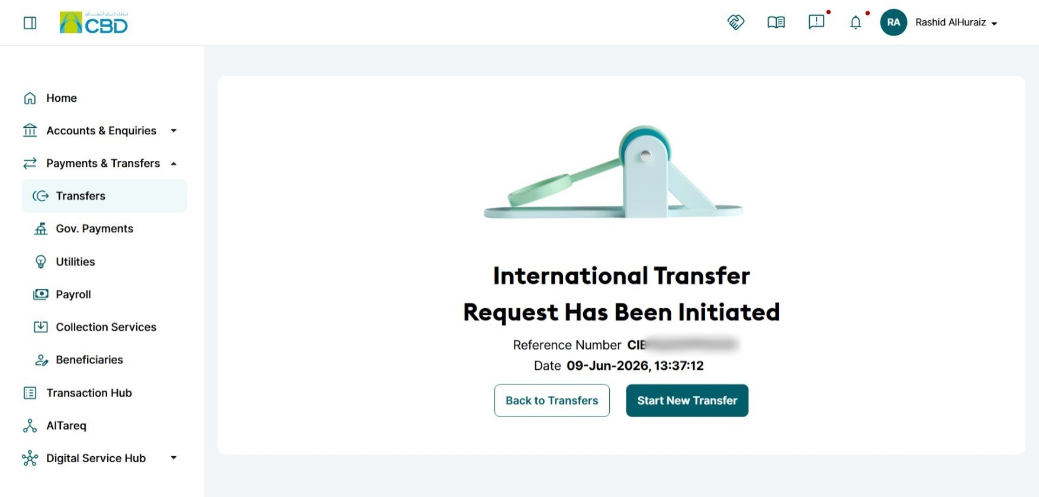
Once authenticated successfully, a confirmation screen with a reference number will be generated.
Step 7: Approval (If Maker–Checker is Enabled)
If a Maker–Checker setup is configured:
- The request is routed to a Checker/Approver.
- The Approver must:
- Log in to iBusiness
- Navigate to Transactions Hub > Pending Your Authorizations
- Locate the transaction under:
- International Transfer
- Review the request and select:
- Approve
- Reject
Support Notes / Best Practices
- Verify beneficiary details before submission
- Ensure the correct transfer currency is selected
- Confirm sufficient available balance before initiating the transfer
- Validate SWIFT/BIC and account information carefully
- Track the generated reference number for support and audit purposes
Note: The cut-off time for International Payments
Currency | Cut-off Time | Value Date |
Australian Dollar (AUD) | 16:30 | T+1 |
Bahraini Dinar (BHD) | 12:00 | Same day |
Canadian Dollar (CAD) | 16:00 | Same day |
Swiss Franc (CHF) | 16:00 | Same day |
Chinese Yuan (CNH) | 16:30 | T+1 |
Danish Krone (DKK) | 16:00 | Same day |
Euro (EUR) | 16:00 | Same day |
Pound Sterling (GBP) | 16:00 | Same day |
Hong Kong Dollar (HKD) | 16:30 | T+1 |
Indian Rupee (INR) | 12:00 | Same day |
Jordanian Dinar (JOD) | 12:00 | Same day |
Japanese Yen (JPY) | 16:30 | T+1 |
Kuwaiti Dinar (KWD) | 12:00 | Same day |
Sri Lankan Rupee (LKR) | 12:00 | Same day |
Moroccan Dirham (MAD) | 16:30 | T+1 |
Norwegian Krone (NOK) | 16:00 | Same day |
New Zealand Dollar (NZD) | 12:00 | Same day |
Omani Rial (OMR) | 12:00 | Same day |
Pakistani Rupee (PKR) | 12:00 | Same day |
Qatari Riyal (QAR) | 12:00 | Same day |
Saudi Arabian Riyal (SAR) | 12:00 | Same day |
Swedish Krona (SEK) | 16:00 | Same day |
Singapore Dollar (SGD) | 16:30 | T+1 |
Thai Baht (THB) | 16:30 | T+1 |
Turkish Lira (TRY) | 16:00 | Same day |
United States Dollar (USD) | 16:00 | Same day |
South African Rand (ZAR) | 16:00 | Same day |