
Overview
This guide explains how to use the Mobile Banner feature in the iBusiness Mobile App.
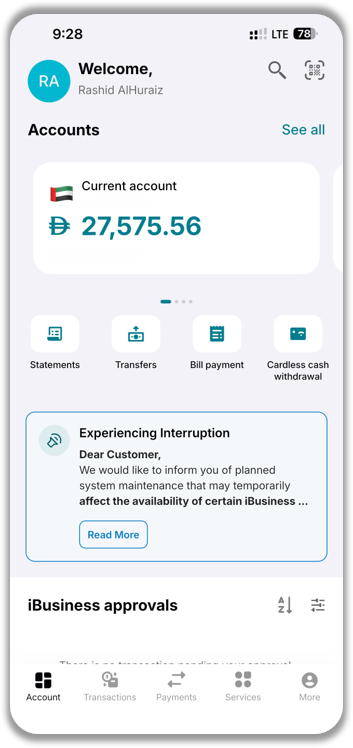
The Mobile Banner appears on the app's home screen and is used to display important announcements, service updates, and maintenance notifications. The banner helps keep users informed about changes that may affect services available within the app.
Information Displayed in the Mobile Banner
The Mobile Banner may be used to communicate:
- Service announcements
- New features and enhancements
- Important updates
- Scheduled maintenance notifications
- Planned service interruptions
- Expected maintenance start and end times
- Estimated service downtime
This allows users to stay informed about important updates that may impact their use of iBusiness.
View the Mobile Banner
- Log in to the iBusiness Mobile App.
- Navigate to the Account Screen.
View Additional Details
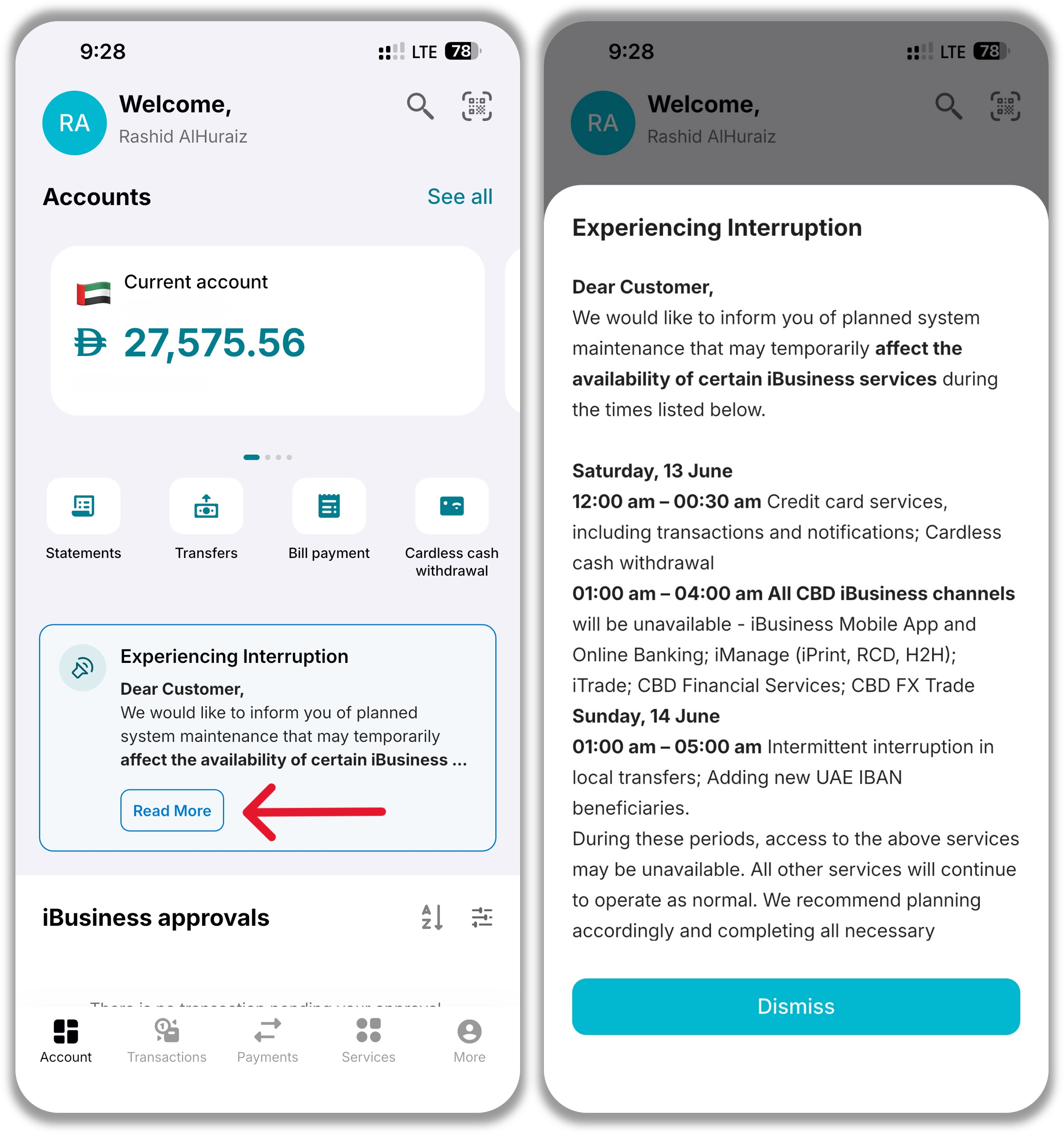
- Tap Read More on the banner.
- The app will display the full announcement, including any additional information related to the notification.
Users can review the complete message for more details about the update or maintenance activity.
Support Notes / Best Practices
- Review banner notifications regularly to stay informed about service updates.
- Check maintenance announcements before performing important transactions.
- Use the Read More option to view complete announcement details.
- Planned maintenance notifications may include information about service availability and expected downtime.
- If a service is unavailable, check the Mobile Banner for any active maintenance notices before contacting support.