
Overview
This guide provides step-by-step instructions for requesting a Balance Confirmation Letter or Audit Confirmation Letter through the iBusiness Mobile App.
This service allows customers to request an official confirmation letter for audit, financial verification, or account confirmation purposes directly from the mobile application.
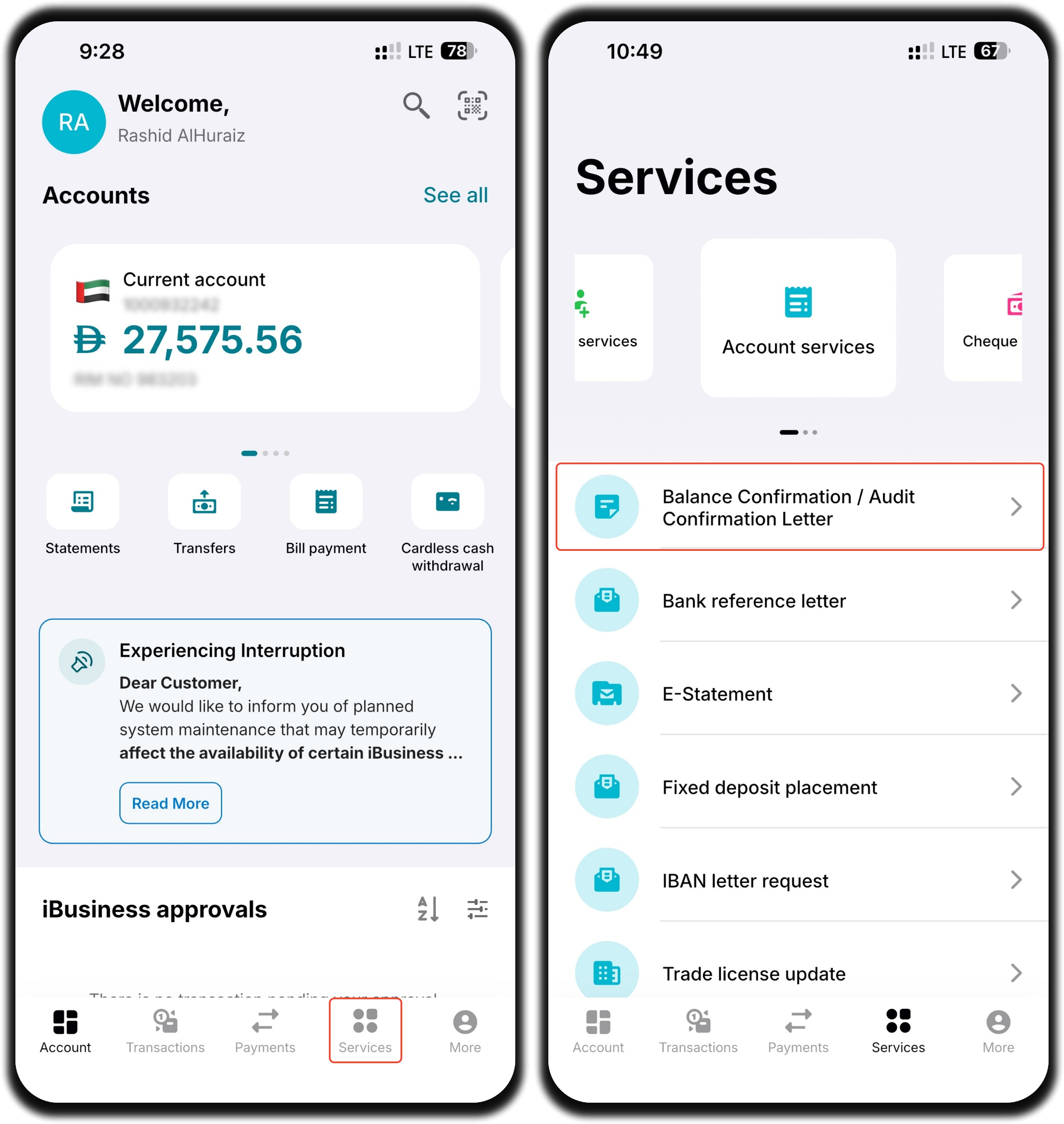
Step 1: Access the Service
- Log in to the iBusiness Mobile App.
- Navigate to: Services ➜ Account Services ➜ Balance Confirmation / Audit Confirmation Letter
This will open the Balance Confirmation / Audit Confirmation Letter request form.
Step 2: Complete the Request Details
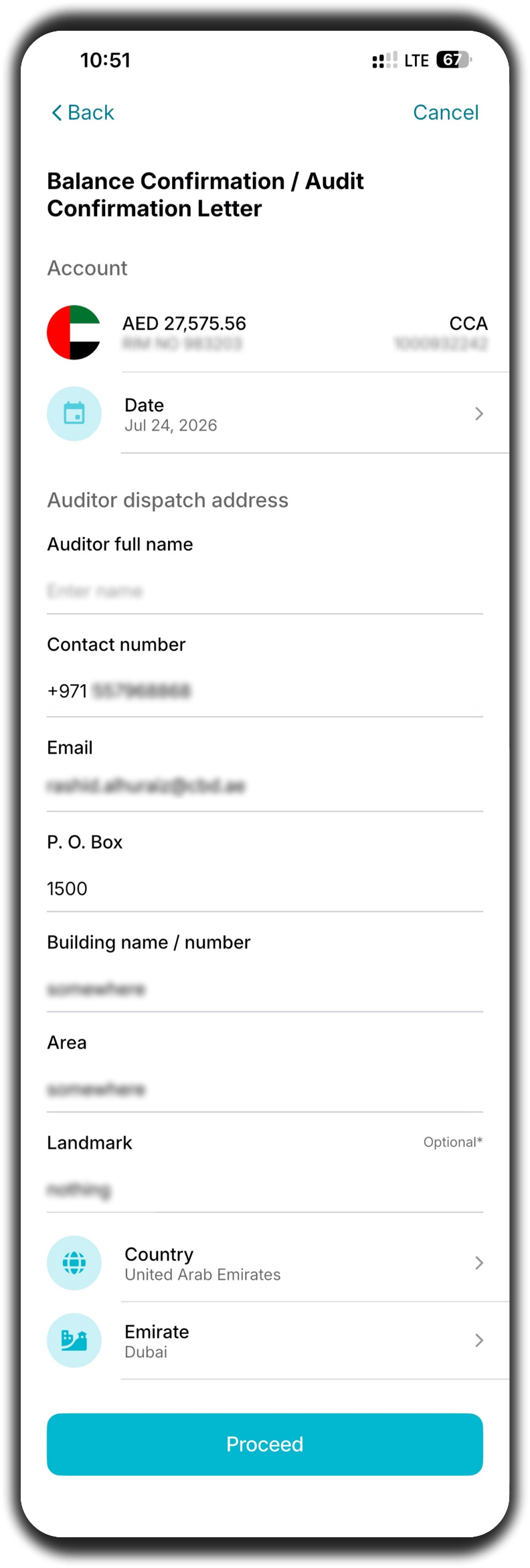
Enter the required information for the request.
Account Information
- Account – Select the account for which the confirmation letter is required.
- Date – Select the required confirmation date.
Auditor Details
Enter the auditor's information, including:
- Auditor Name
- Contact Details
- Address Information
- Country
- Any other mandatory fields displayed on the screen
After completing all required fields, tap Proceed.
Step 3: Review and Submit
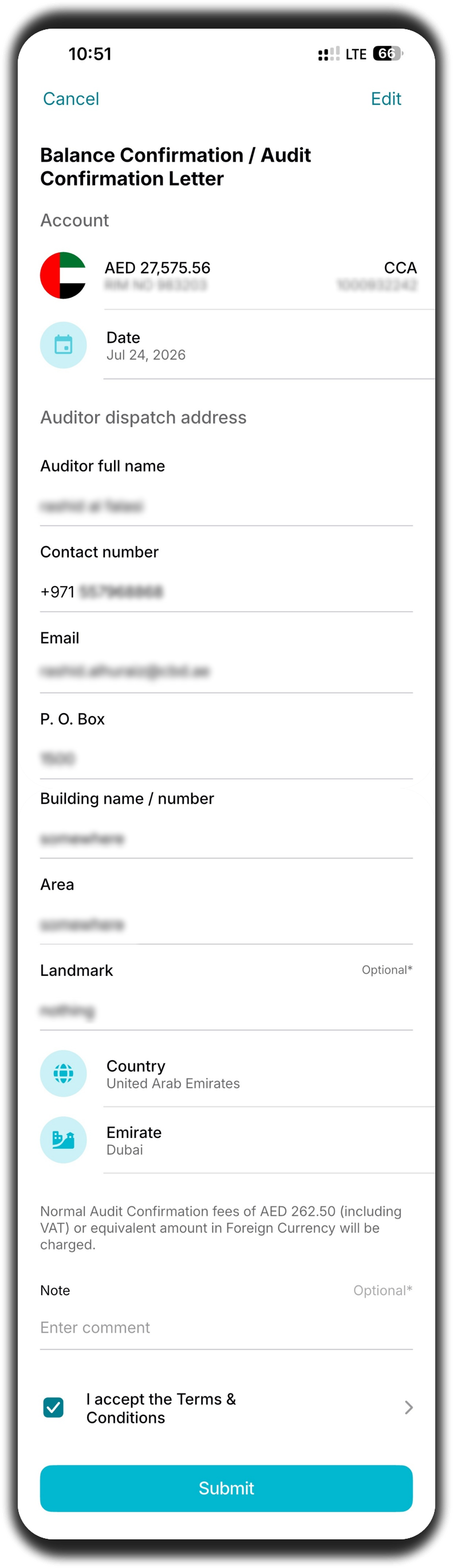
Review the request details carefully before submission.
Verify:
- Selected Account
- Confirmation Date
- Auditor Details
You may also:
- Add a Note (optional)
- Review the Terms and Conditions
Once you have verified the information:
- Accept the Terms and Conditions.
- Tap Submit.
Important: Ensure all auditor details are accurate before submitting the request to avoid processing delays.
Step 4: Confirmation
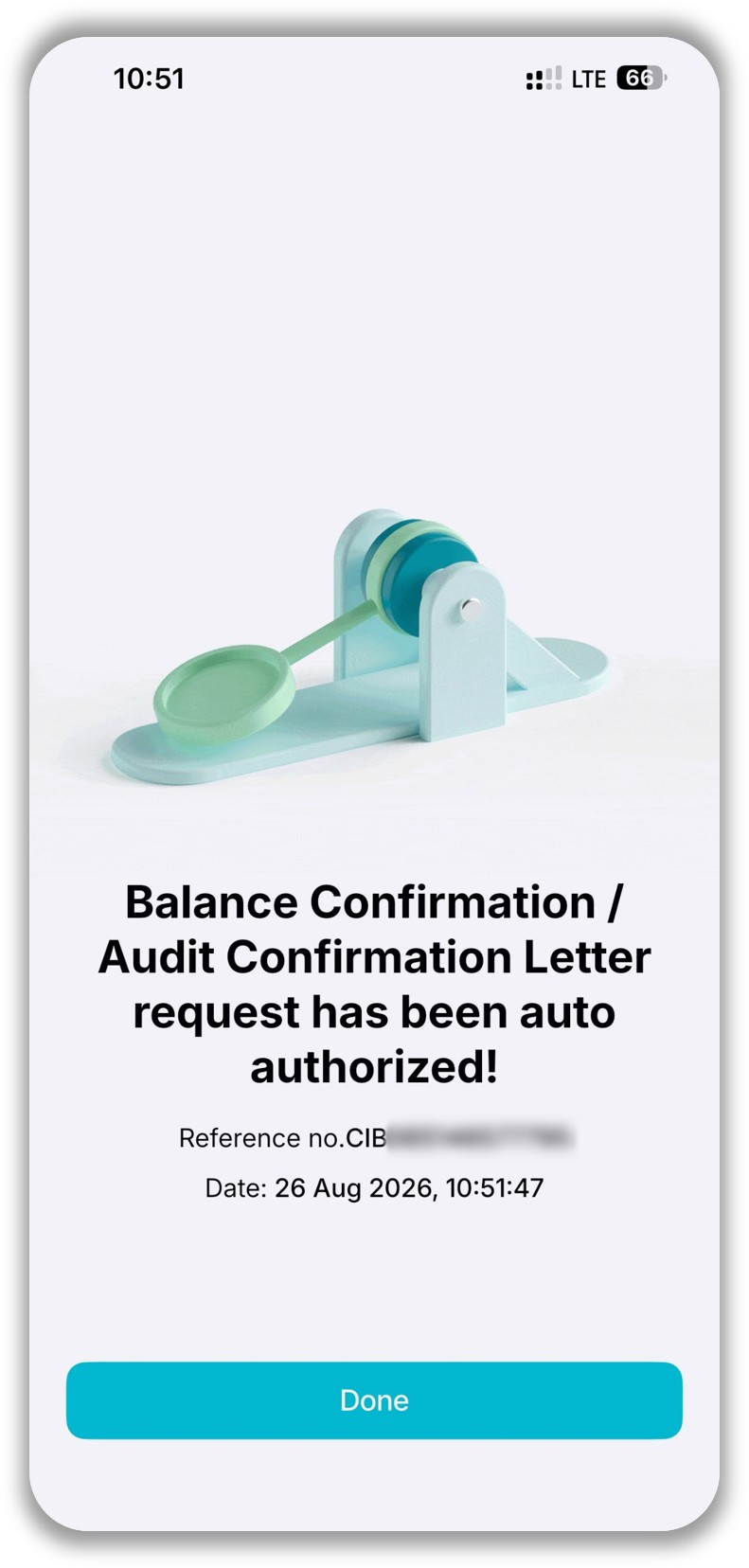
After the request has been submitted successfully:
- A confirmation screen will be displayed.
- A unique reference number will be generated.
Use the reference number to track the status of the request if required.
Support Notes / Best Practices
- Ensure the correct account is selected before submitting the request.
- Verify all auditor details carefully, especially names and contact information.
- Review the confirmation date before proceeding.
- Use the optional note field to provide any additional instructions if required.
- Retain the reference number for future tracking and support enquiries.