
Overview
This guide provides step-by-step instructions for viewing your assigned Relationship Manager (RM) details in the iBusiness Mobile App. Users can view contact information, save Relationship Manager details to their device contacts, and access Relationship Support details if no Relationship Manager is assigned.
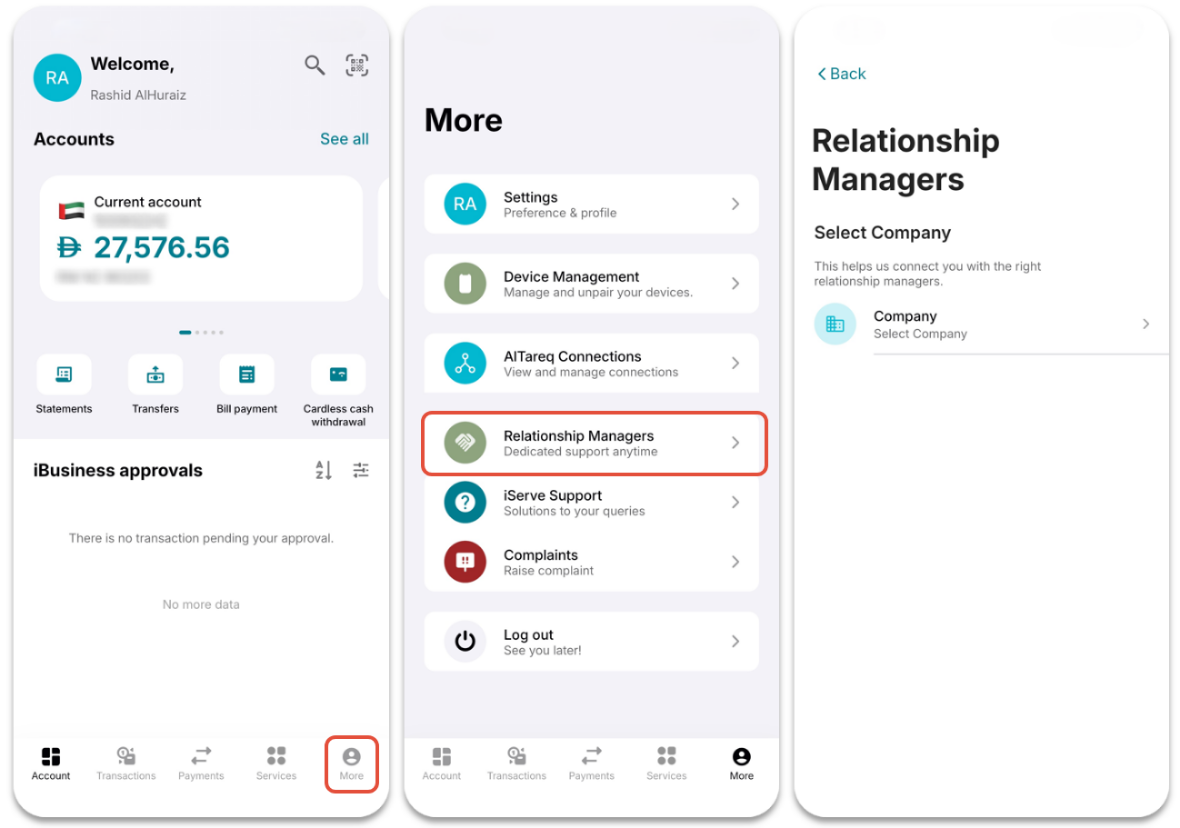
Access Relationship Management
- Log in to the iBusiness Mobile App.
- Tap More
 from the bottom navigation menu.
 - Select Relationship Management.
- If multiple companies are linked to your profile, select the company for which you want to view Relationship Manager details.
View Relationship Manager Details
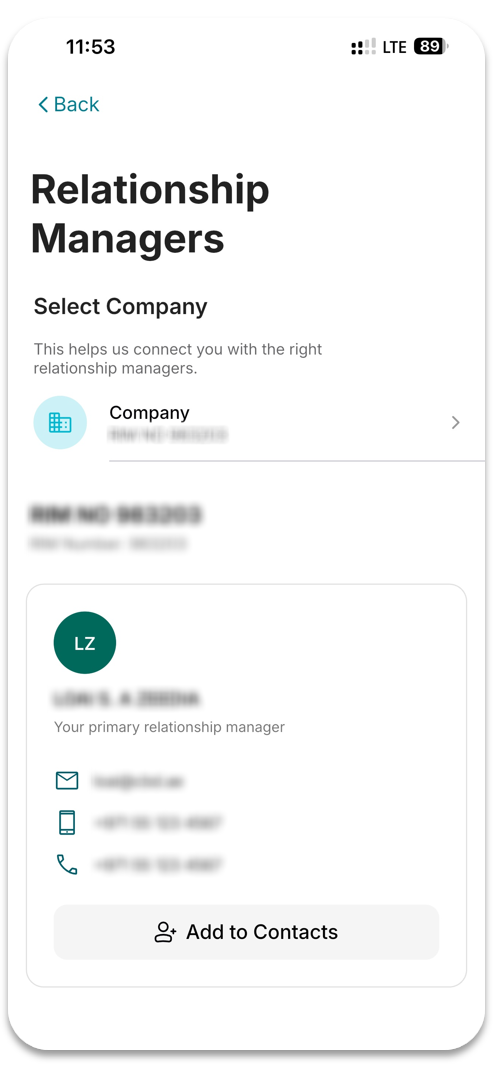
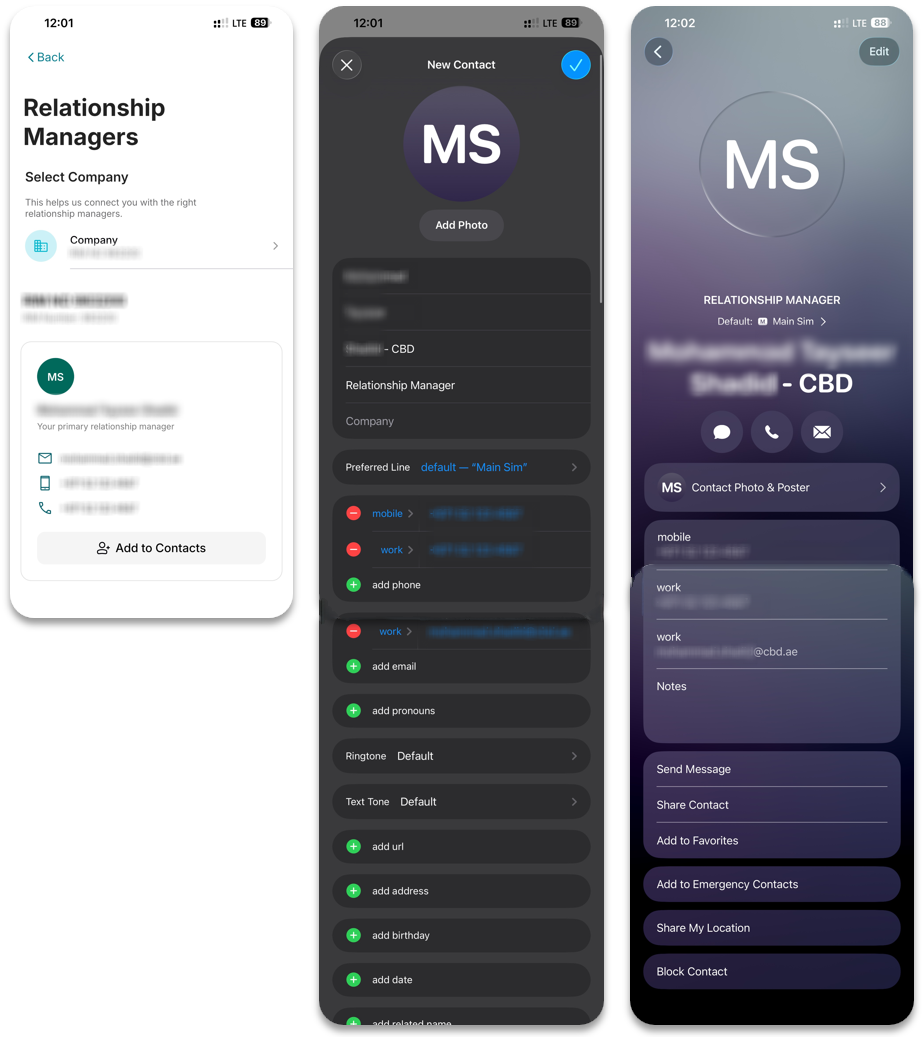
Once a company is selected, the assigned Relationship Manager's details will be displayed, including:
- Name
- Email Address
- Mobile Number
- Phone Number
You can also save the Relationship Manager directly to your device contacts.
Add Relationship Manager to Contacts
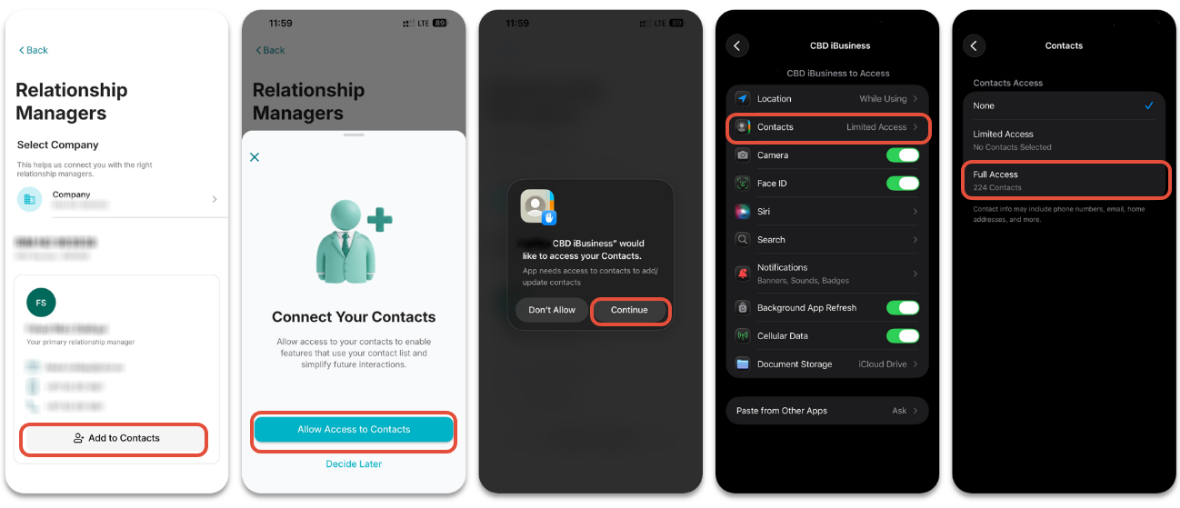
- Tap Add to Contacts.
- If contact permissions have not been granted, the application will display a permission screen.
- Tap Allow Access to Contacts.
- Follow the on-screen prompts to grant contact access.
Granting Contact Access Through Device Settings
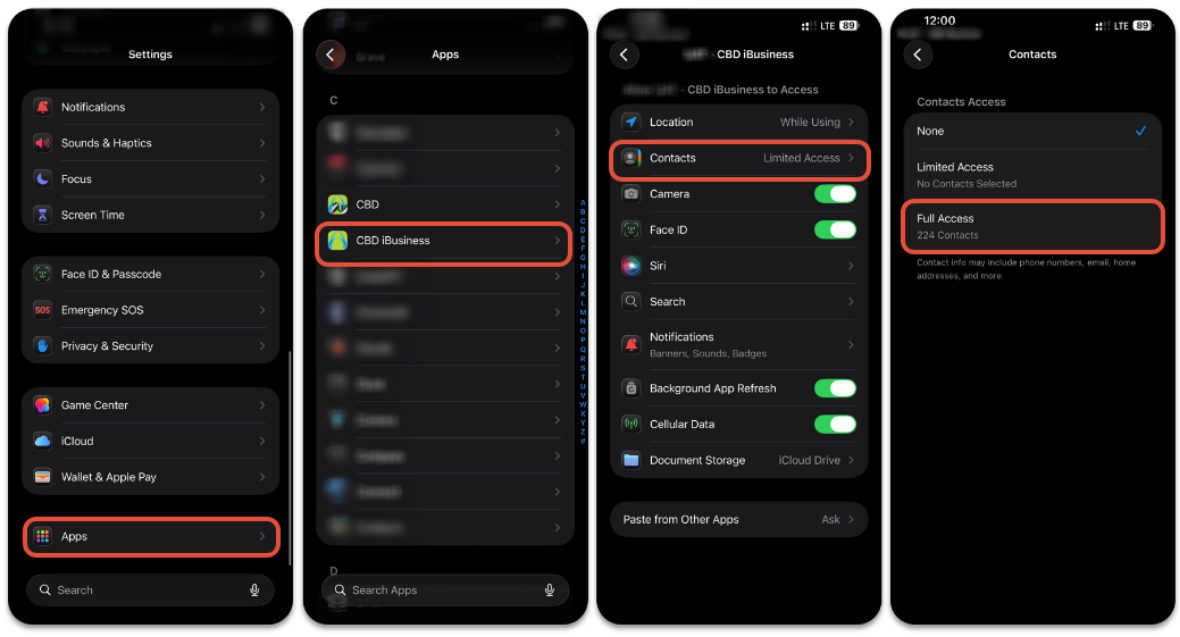
If access was previously denied:
- Open your device Settings.
- Navigate to: Apps / Applications ➜ iBusiness ➜ Permissions ➜ Contacts
- Select Allow or Full Access.
Save the Contact
After contact access has been granted:
Tap Add to Contacts.
The application will create a contact containing the Relationship Manager's:
- Name
- Email Address
- Mobile Number
- Phone Number
Save the contact to your device.
If No Relationship Manager Is Assigned
If a Relationship Manager has not been assigned to your company, the application will display Relationship Support details instead.
The following information will be available:
- Relationship Support Email Address
- Relationship Support Phone Number
- Add to Contacts option
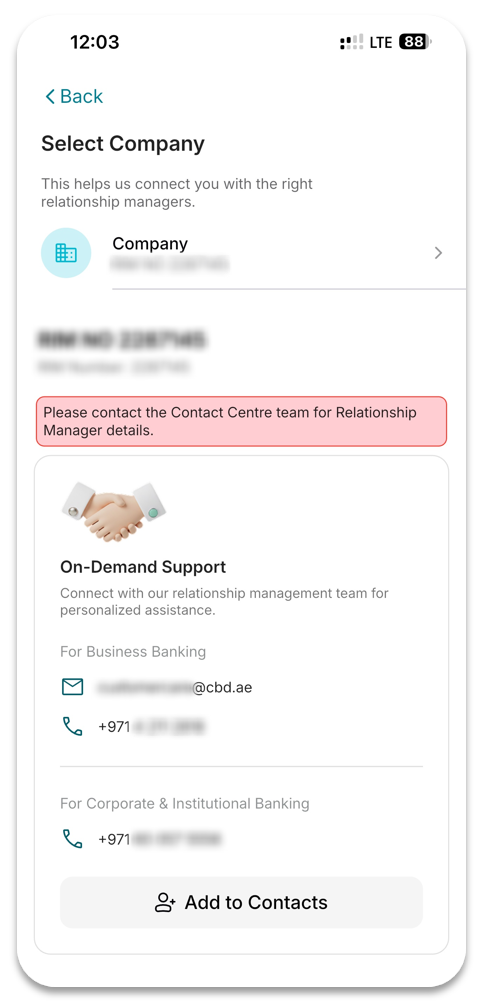
Users can save the Relationship Support details directly to their device contacts using the same process described above.
Support Notes / Best Practices
- Ensure the correct company is selected before viewing Relationship Manager details.
- If multiple companies are linked to your profile, Relationship Manager assignments may vary by company.
- Grant contact permissions to use the Add to Contacts feature.
- If no Relationship Manager is assigned, use the available Relationship Support contact information for assistance.
- Periodically verify saved contact details to ensure they remain up to date.