
Important Notes:
- User permissions should be in place to initiate payments. If not, contact your Corporate Administrator and follow the guidance in the following guide: How to Enable Mobile App Access for Corporate Users?
- Biometric authentication must be enabled to initiate transactions. If not, please enable biometrics by following these steps: from the Main Menu > More > Settings > Enable Biometrics
Step 1: Initiating Trade License Update
- Login to the iBusiness Mobile App
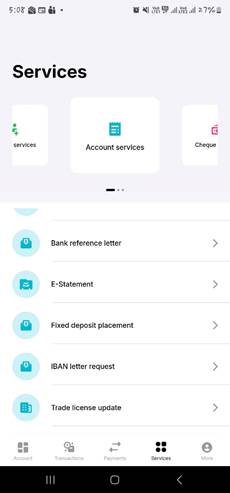
- Select "Account Services" from the Services menu from the dashboard
- From account services, select the “Trade License Update”
Step 2: Submitting the Trade License Update
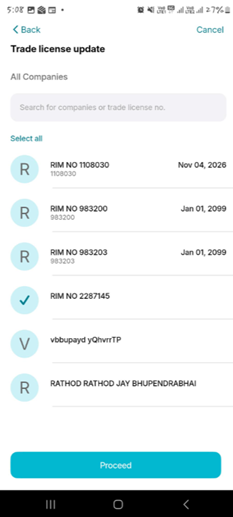
- Select the “Company (ies)” that require trade licence update(s).
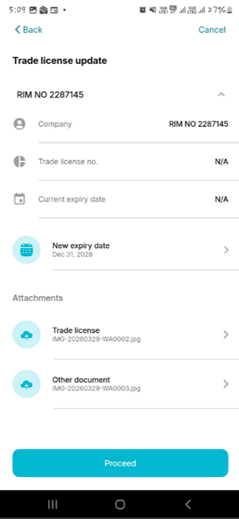
- The Company names, trade license number and current expire date will be displayed.
- Insert the “new expire date(s)” and “upload the updated trade licence”.
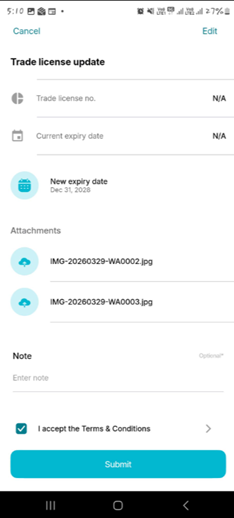
- Review the information, submit, authenticate and acknowledge.
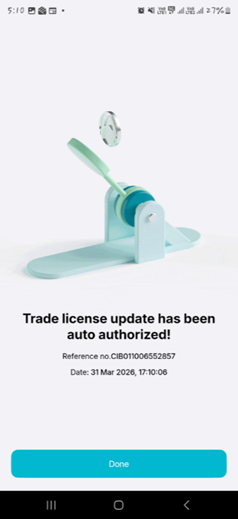
Note: The approval process for Trade Licence Update will depend on the setup done by the iBusiness System Administrator of the respective organization.