
Overview
This guide provides step-by-step instructions for submitting Disposal Instructions for an Import Letter of Credit through iTrade.
Disposal Instructions are submitted when action is required on an Import Letter of Credit transaction and the bank has requested disposal instructions from the customer.
Prerequisite: The user must have the appropriate permissions to access and manage Import Letter of Credit transactions.
Step 1: Access Import Letter of Credit Services
- From the iTrade Dashboard, select Trade Services.
- Click Import Letter of Credit.
This will open the Import Letter of Credit Dashboard.
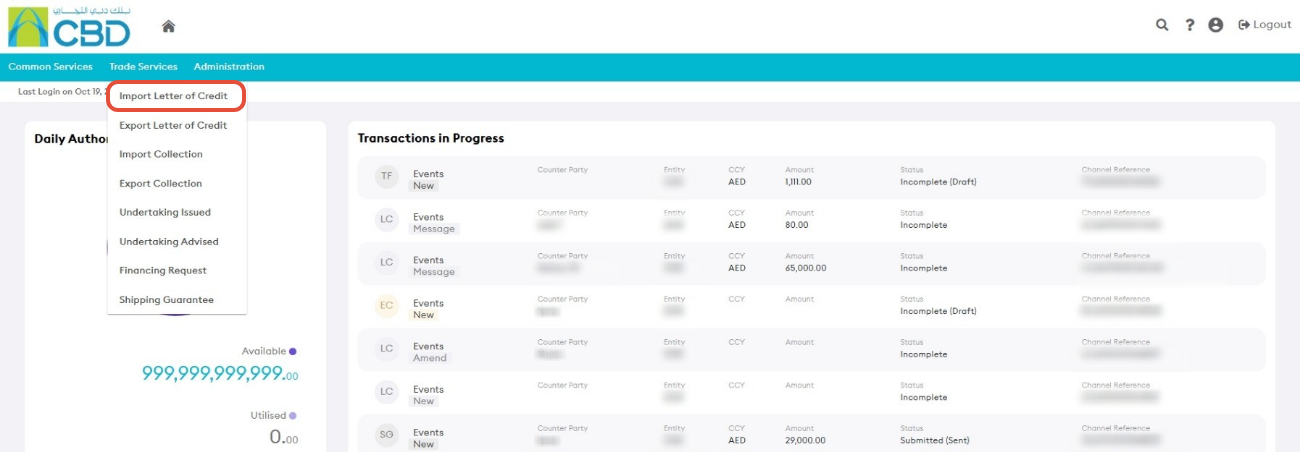
Step 2: Open the Actions Tab
- Select the Actions tab.
The Actions tab displays Import Letter of Credit transactions that require customer action.
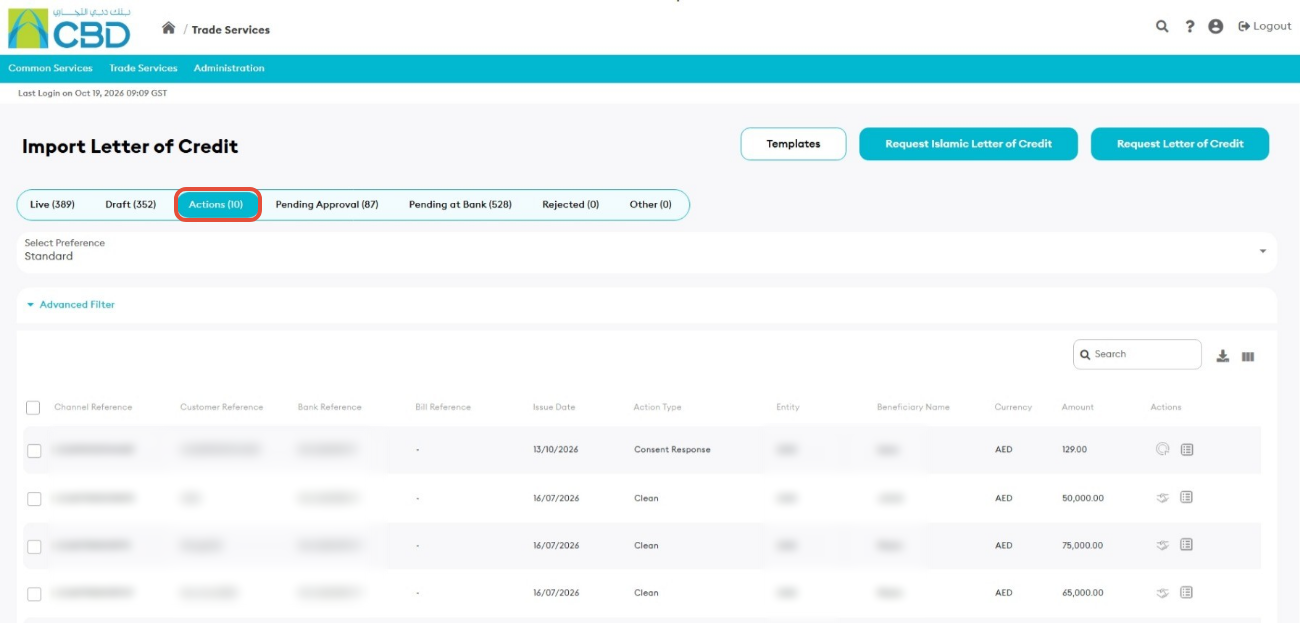
Step 3: Open the Disposal Instructions Request
- Locate the Import Letter of Credit that requires disposal instructions.
- Click Disposal Instructions for the relevant transaction.
This will open the Disposal Instructions request screen for the selected Import Letter of Credit.
Disposal Instruction icon:
Support Tip: Verify that you have selected the correct Import Letter of Credit before submitting disposal instructions.
Step 4: Review and Submit
- Review the disposal instruction details.
- Complete any required information displayed on the screen.
- Verify that all details are correct.
- Click Submit.
Once submitted successfully, the request will be sent for processing
Step 5: Confirmation
After the request has been submitted successfully:
- An acknowledgment message will be displayed.
- The transaction status will be updated accordingly.
- The request will be forwarded for processing.