
Overview
This guide provides step-by-step instructions for creating and submitting an Import Letter of Credit (LC) through iTrade.
An Import Letter of Credit is a trade finance instrument issued by the bank on behalf of the applicant to facilitate payment to a beneficiary under agreed terms and conditions.
Prerequisite: Users must have the appropriate permissions to create Import Letter of Credit requests. Contact your Corporate Administrator if access is unavailable.
Step 1: Access Import Letter of Credit Services
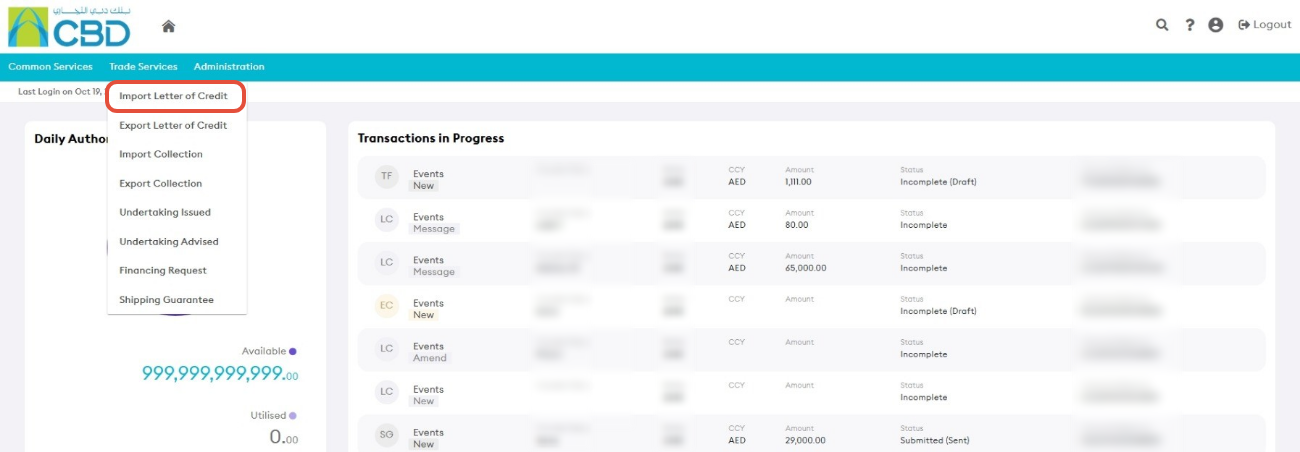
- From the iTrade Dashboard, select Trade Services.
- Click Import Letter of Credit.
This will open the Import Letter of Credit Dashboard.
Step 2: Create a New Import Letter of Credit
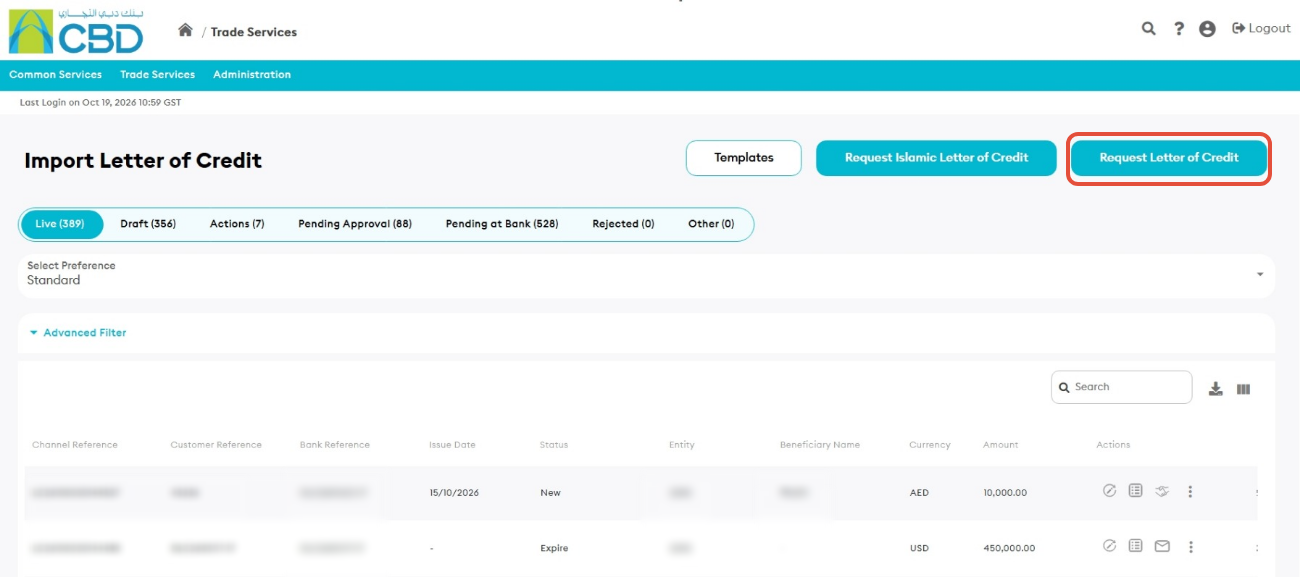
- Click Request Letter of Credit.
The Import Letter of Credit application form will open.
Step 3: Complete the General Details
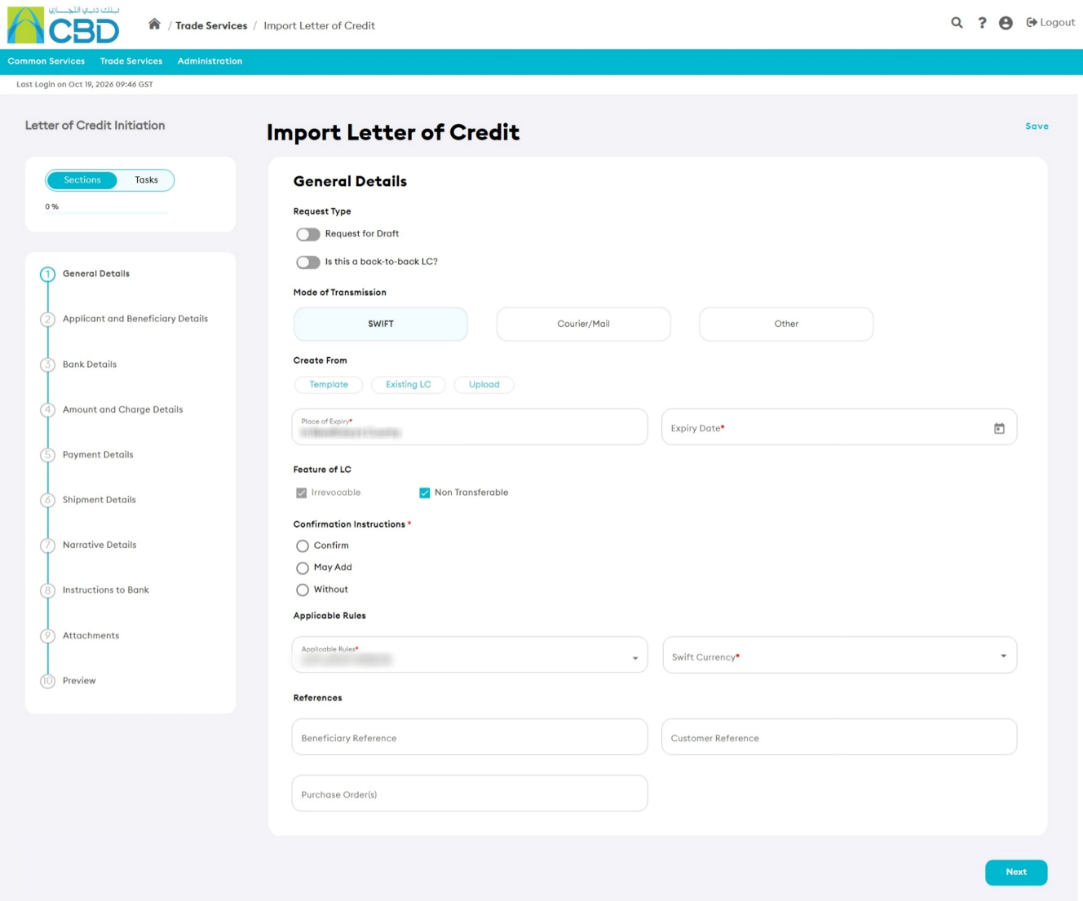
Fill in all mandatory fields marked with a red asterisk (*).
Navigation Tips
You can move through the application by:
- Clicking Next or Previous
- Selecting a section directly from the navigation panel on the left side of the screen
General Details Fields
Request for Draft
Enable this option to request a draft Letter of Credit for wording review before issuance.
- Status initially appears as Wording Under Review
- Once agreed, the status changes to Final Wording
- After issuance, the status changes to New
Back-to-Back Letter of Credit
Enable this option if the Import Letter of Credit is linked to an existing Export Letter of Credit.
You must select the relevant Export Letter of Credit using the Browse option.
Mode of Transmission
Select one of the following:
- SWIFT
- Courier / Mail
- Other
If Other is selected, additional details must be provided.

Create From
You may create the Letter of Credit using:
- Template
- Existing LC
- Upload
Expiry Date
Enter the date on or before which documents must be presented under the Letter of Credit. The date must be later than the application date.
Place of Expiry
The default value is In Beneficiary's Country.
Feature of LC
Define the characteristics of the Letter of Credit. Examples include:
- Irrevocable
- Non-Transferable
- Confirmation Instructions
Applicable Rules
Select the rules governing the Letter of Credit.
References
- Beneficiary Reference
- Customer Reference
Step 4: Complete Applicant and Beneficiary Details
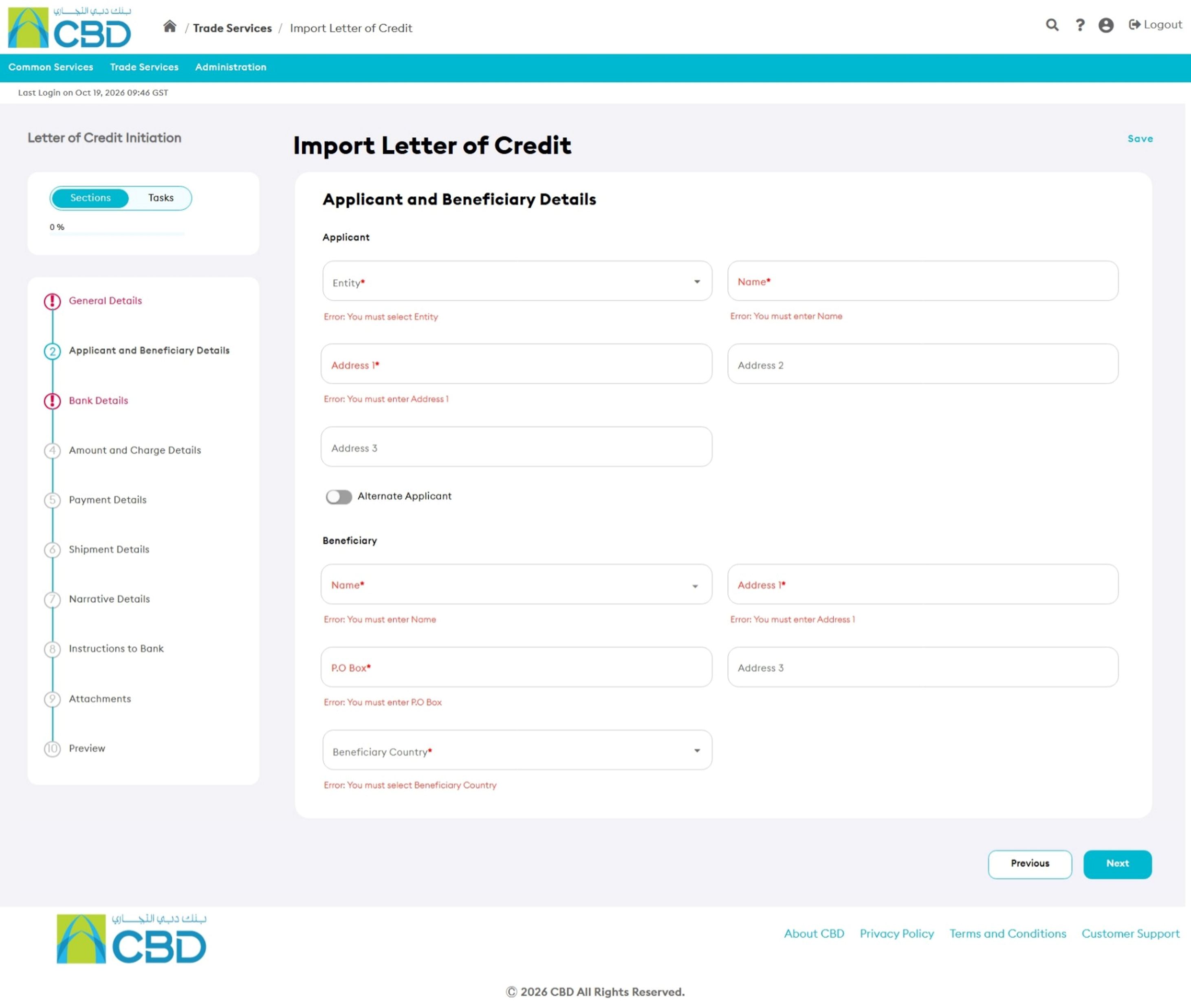
Enter or review the applicant and beneficiary information.
Applicant
The Applicant information defaults from the company profile and is generally non-editable.
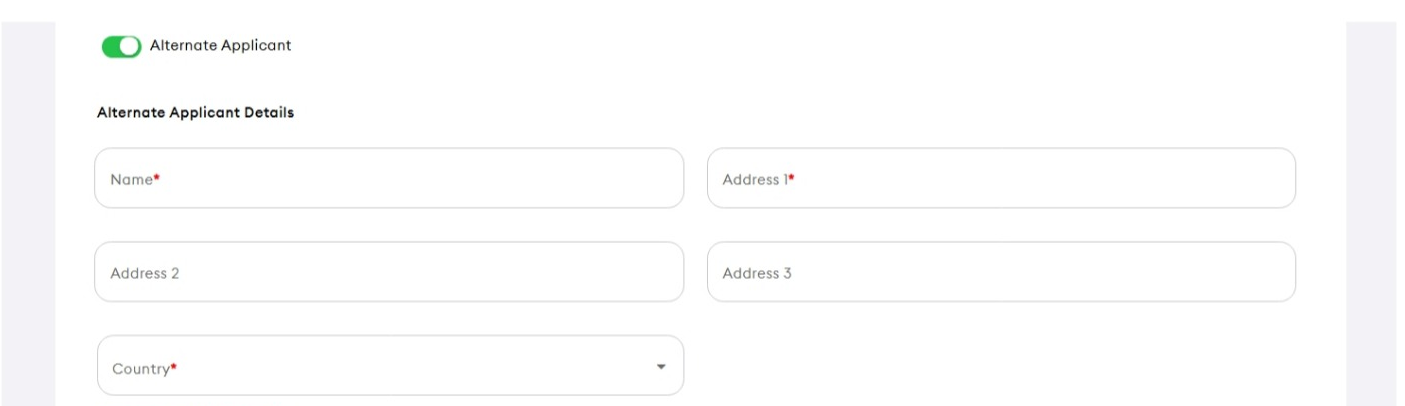
Alternate Applicant
Complete this section if the Letter of Credit is being requested on behalf of another entity.
Beneficiary
Enter or select:
- Beneficiary Name
- Beneficiary Address
- Beneficiary Country
You may also create and save a new beneficiary for future use.
Step 5: Complete Bank Details
Provide the banking information associated with the Letter of Credit.
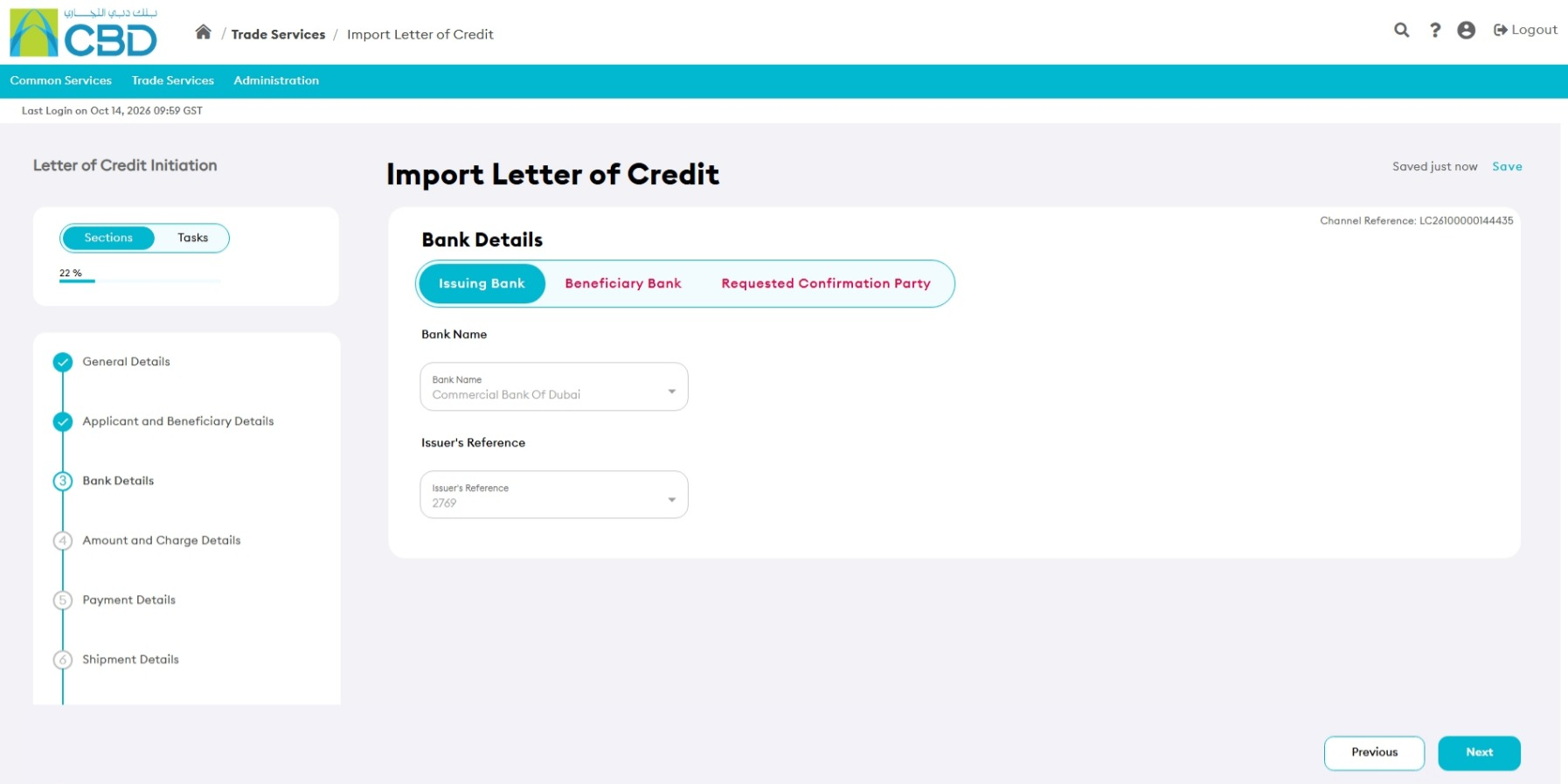
Issuing Bank
The default Issuing Bank is Commercial Bank of Dubai (CBD).
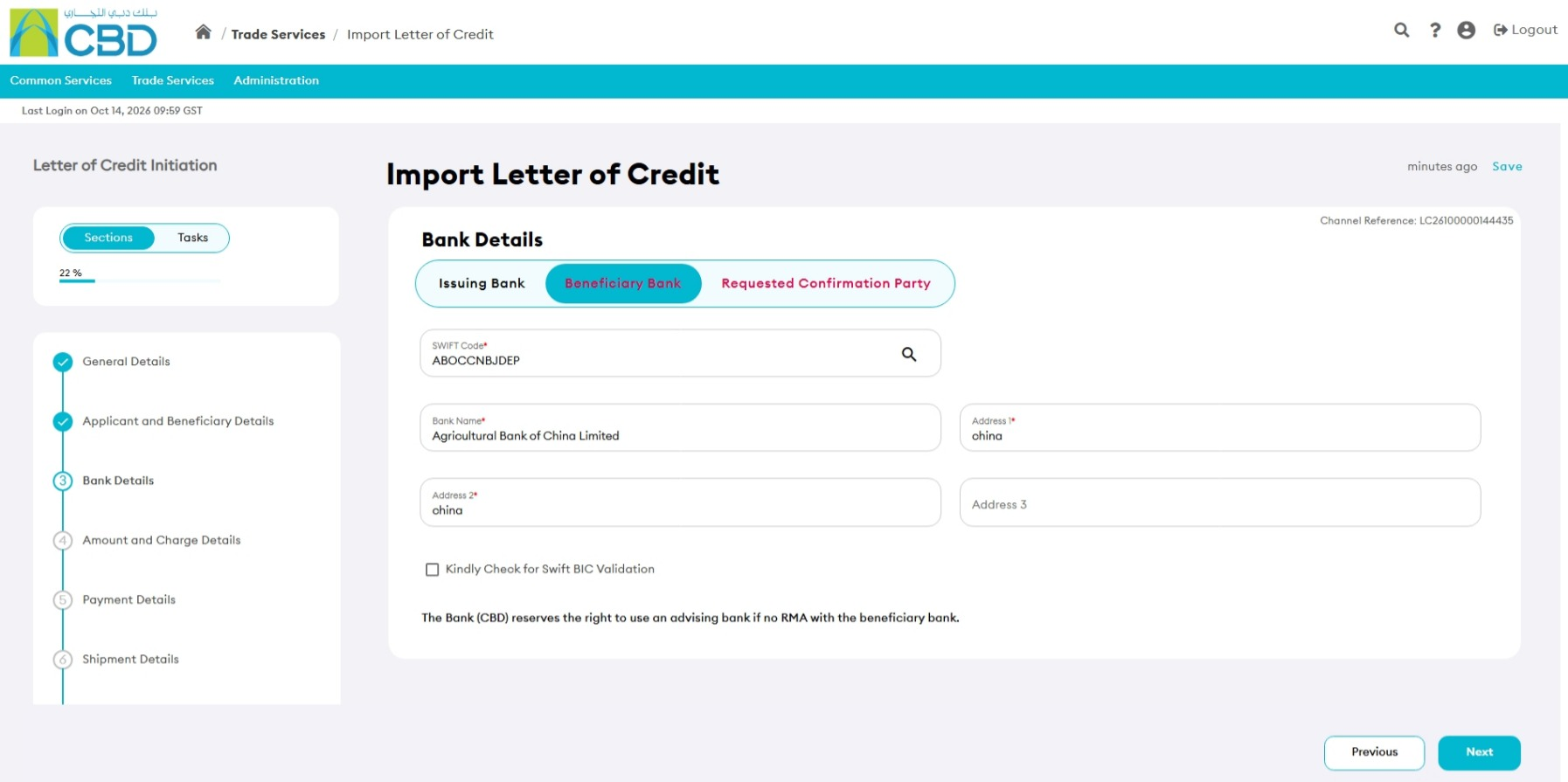
Beneficiary Bank
Provide:
- SWIFT Code
- Bank Name
- Bank Address
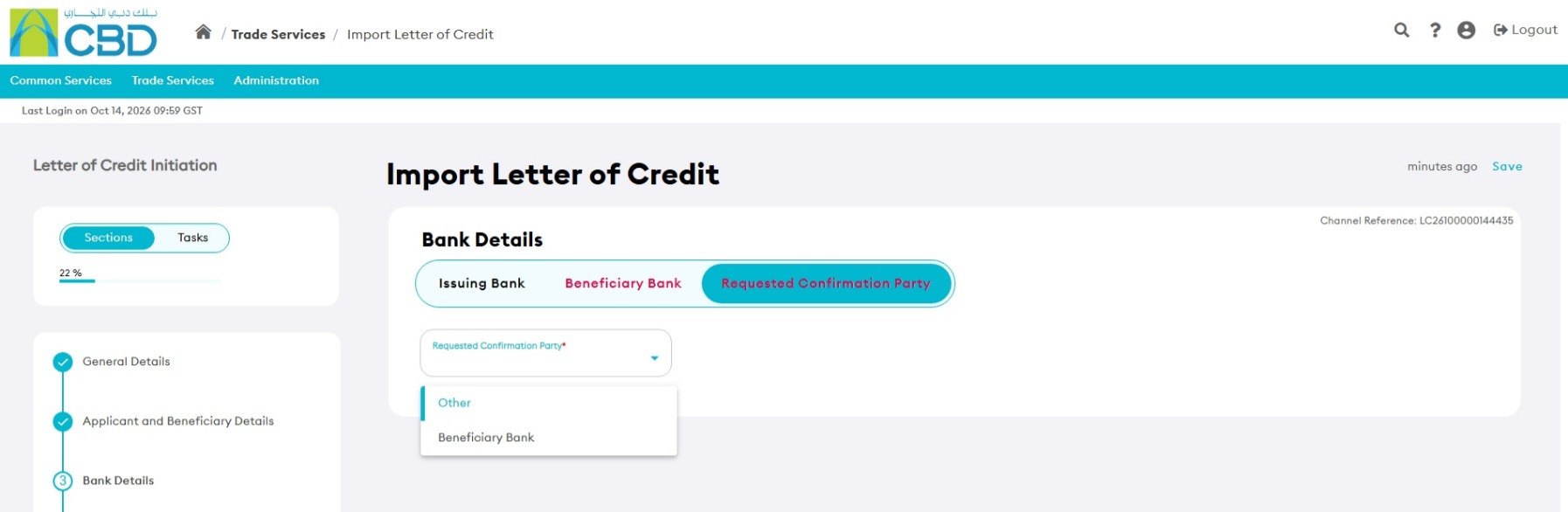
Requested Confirmation Party
Select:
- Beneficiary Bank
- Other
If Other is selected, additional bank details are required.
Step 6: Complete Amount and Charge Details
Provide the financial details of the Letter of Credit.
LC Amount
Enter:
- LC Currency
- LC Amount
Variation in Drawing
Specify permitted overdraw or shortfall percentages.
Issuing Bank Charges
Choose who will bear the charges:
- Applicant
- Beneficiary
- Shared
Additional Amount Covered
Specify any additional amounts such as:
- Insurance
- Freight
- Interest
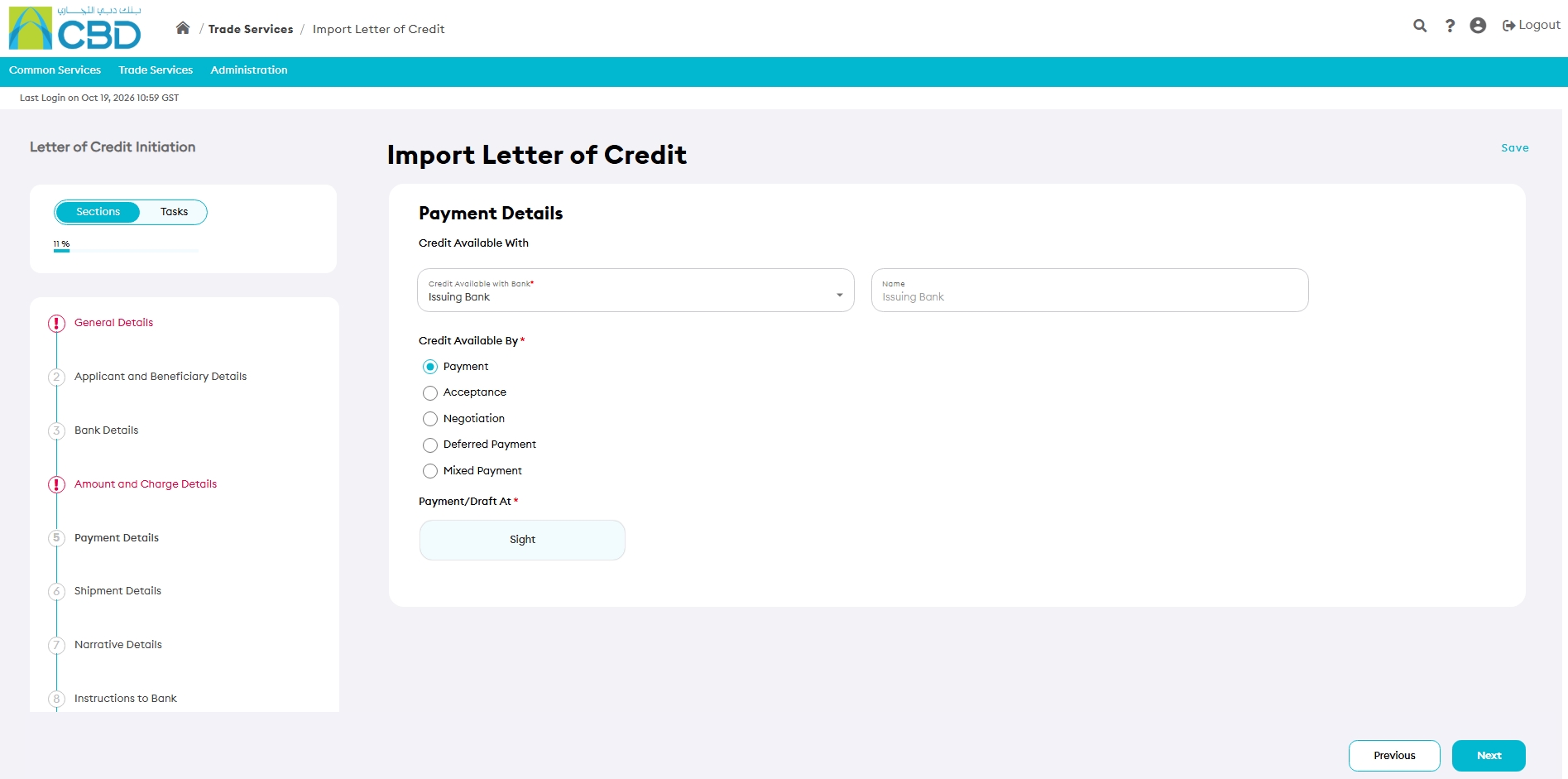
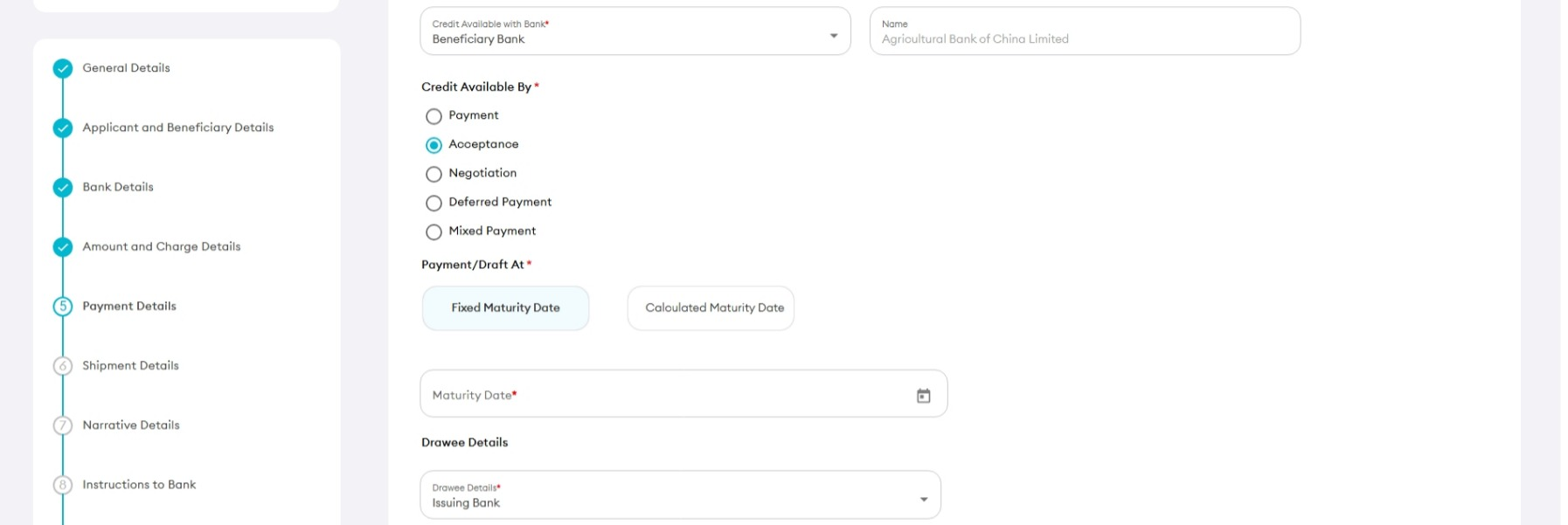
Step 7: Complete Payment Details
Configure the payment terms for the Letter of Credit.
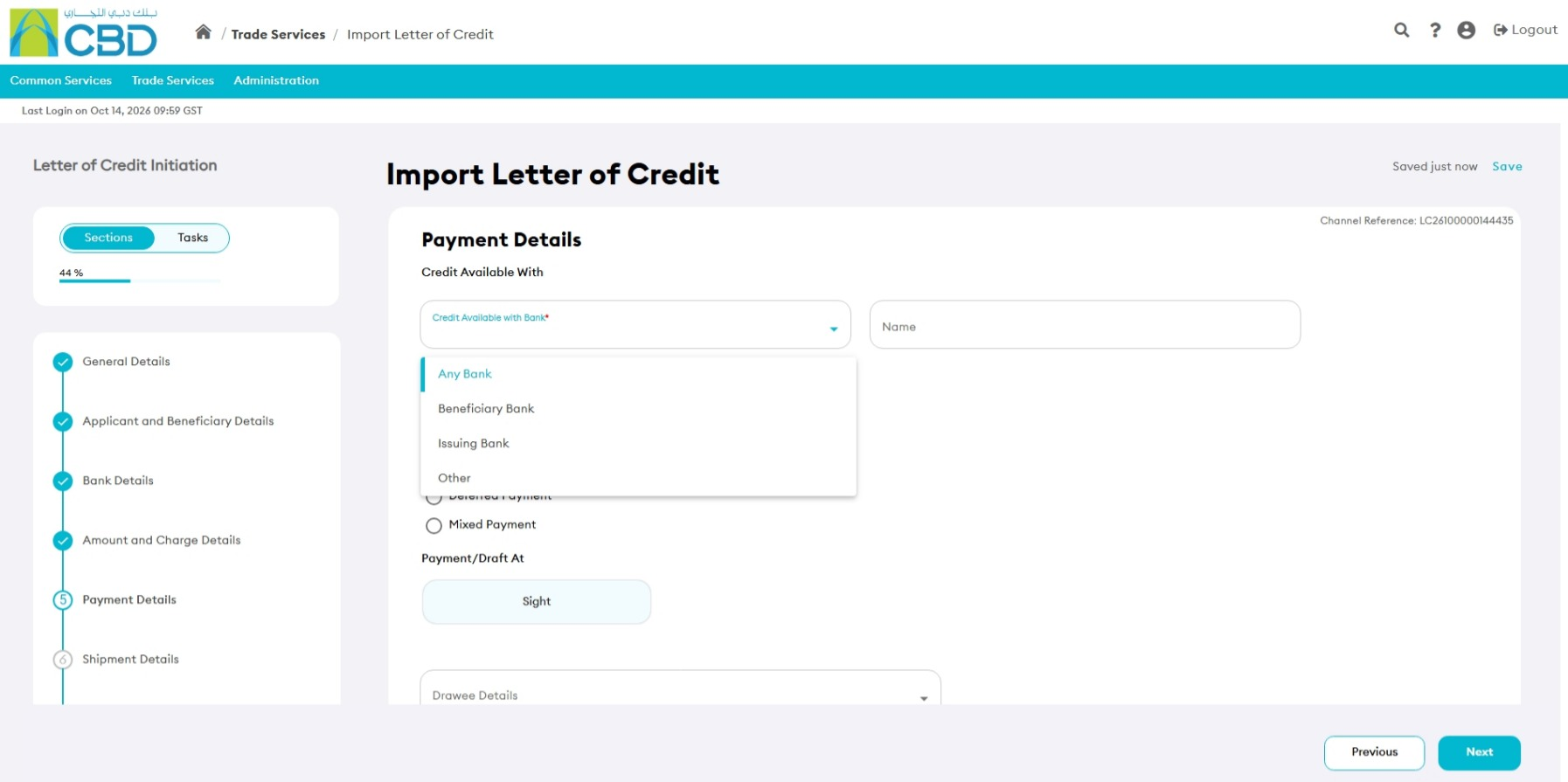
Examples of other include:
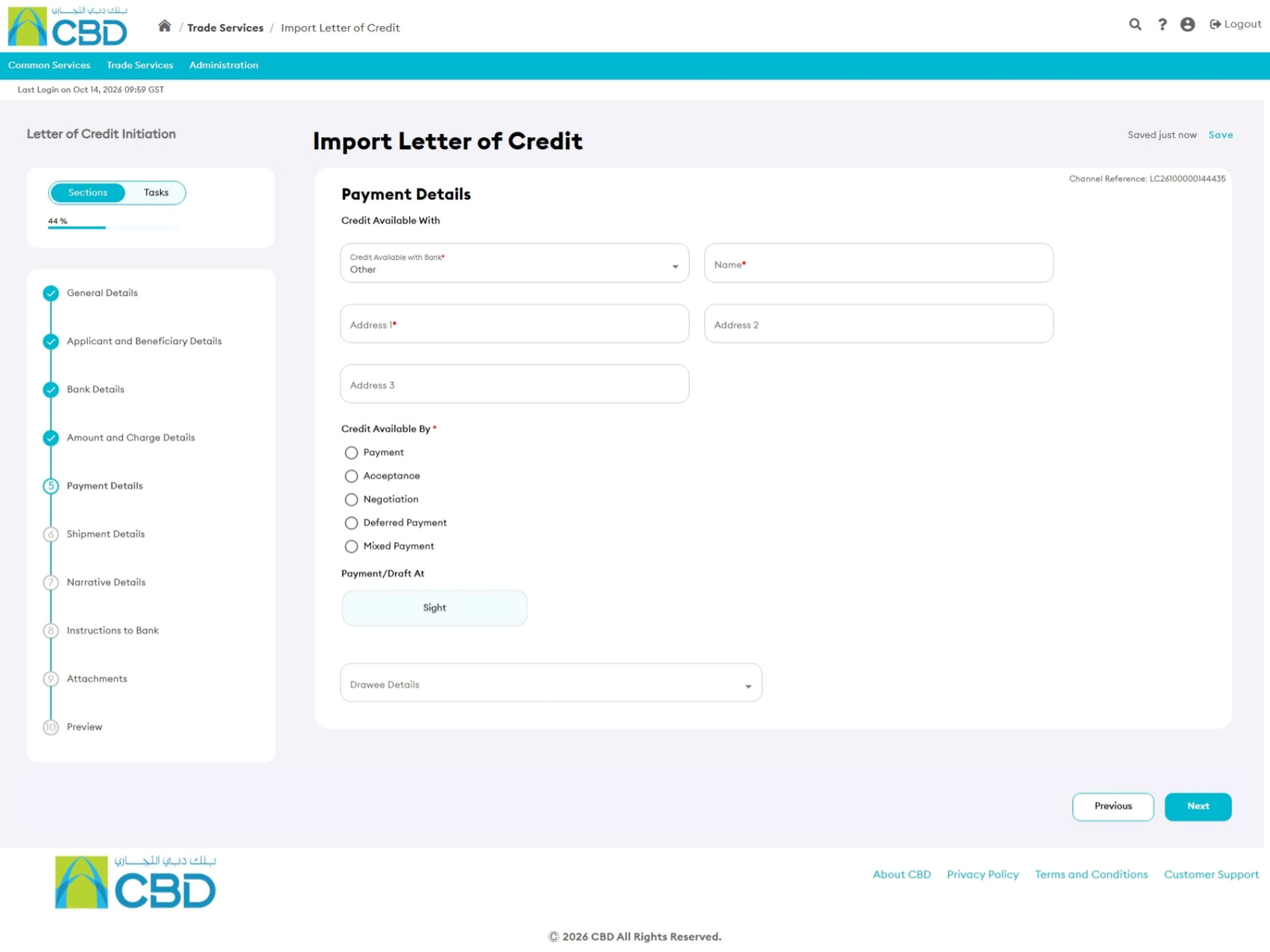
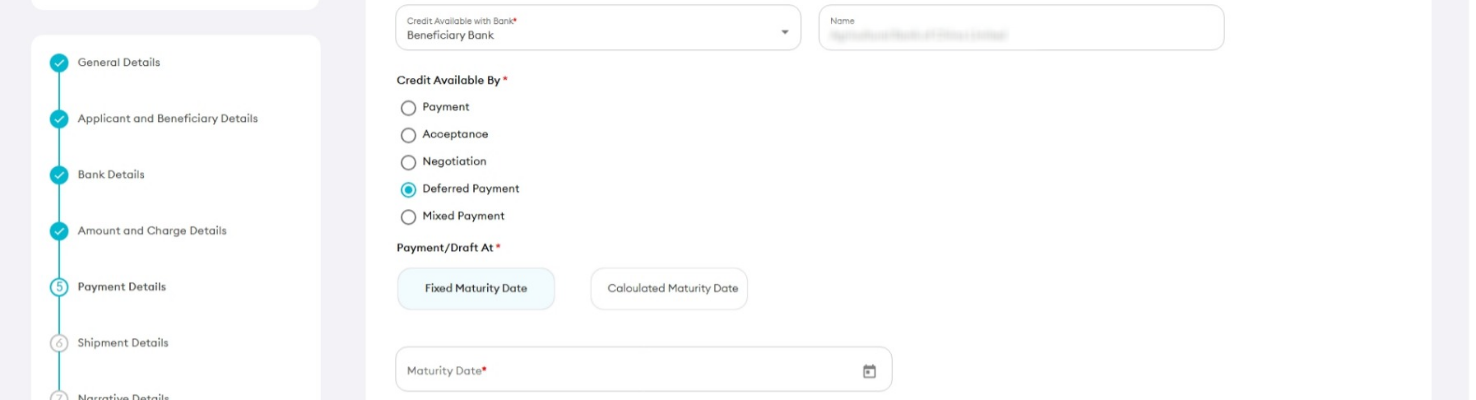
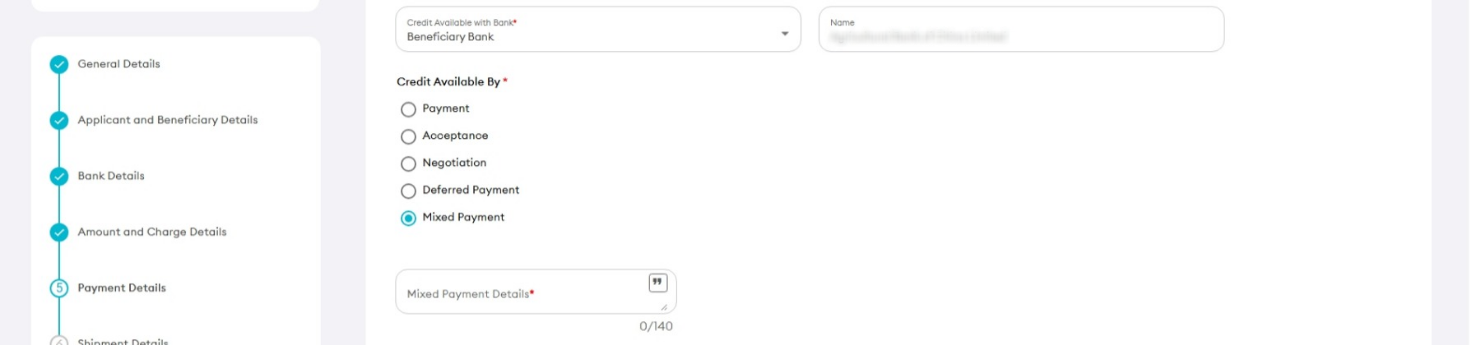
Credit Available By
- Payment
- Acceptance
- Negotiation
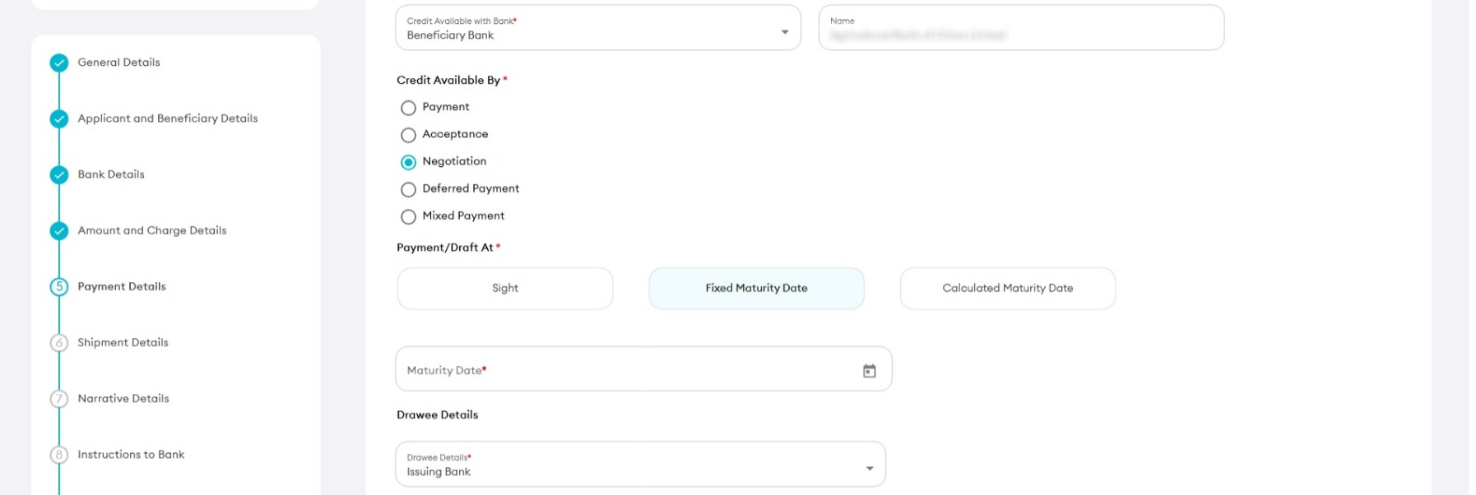
- Deferred Payment
- Mixed Payment
Payment Draft Terms
- Sight
- Fixed Maturity Date
- Calculated Maturity Date
Drawee Details
Select the applicable party, such as:
- Issuing Bank
- Confirming Bank
- Beneficiary Bank
- Negotiating Bank
- Other
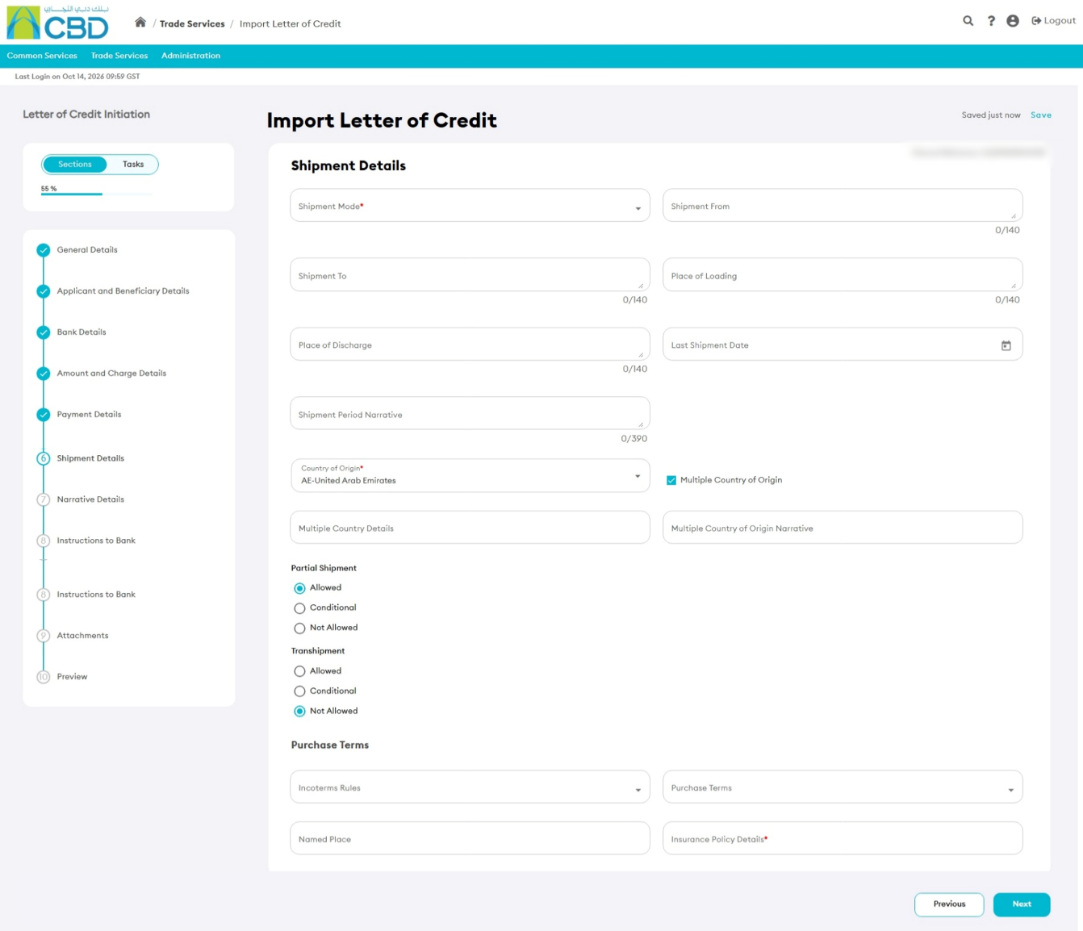
Step 8: Complete Shipment Details
Enter the shipment information required for the Letter of Credit.
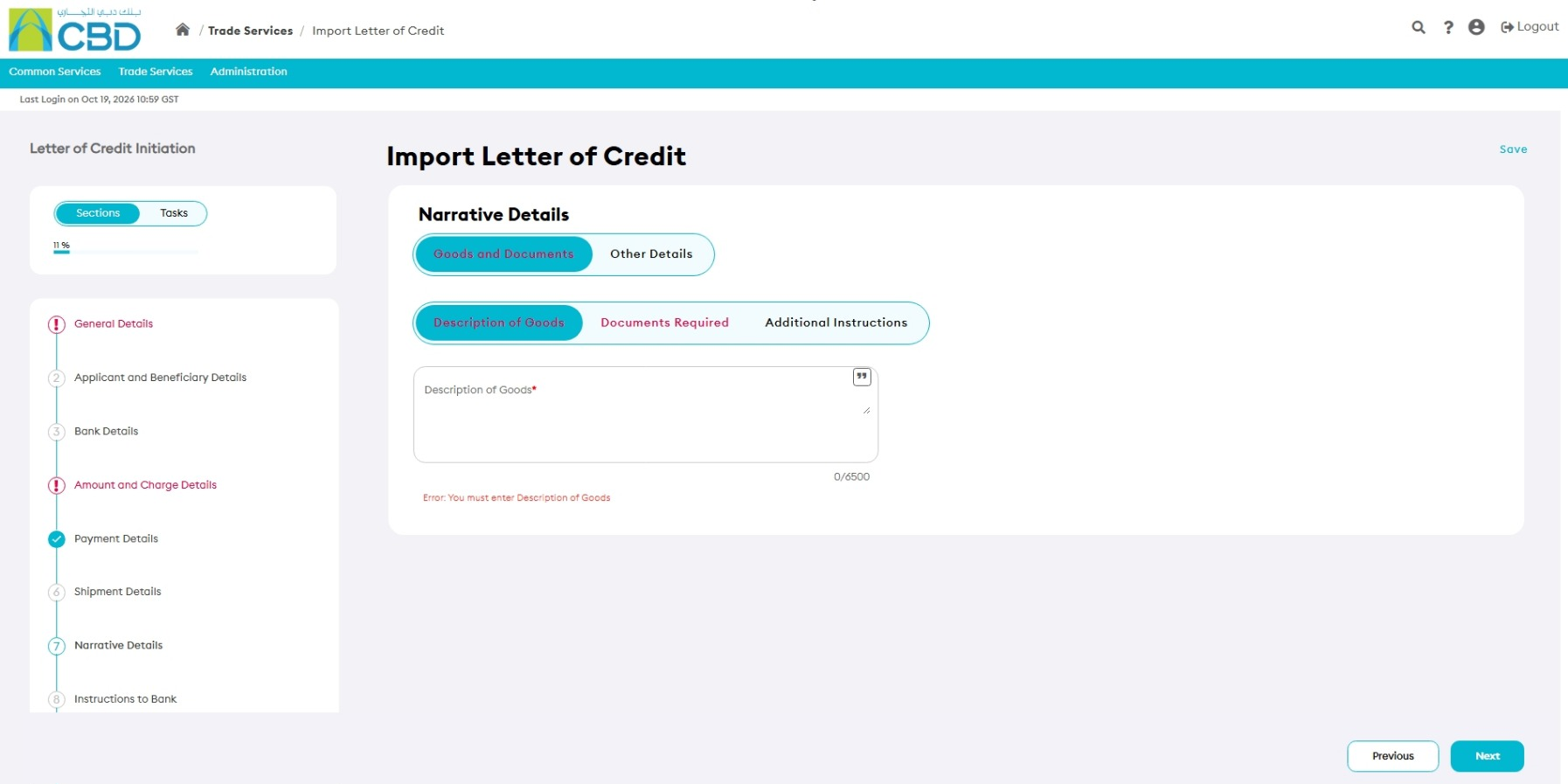
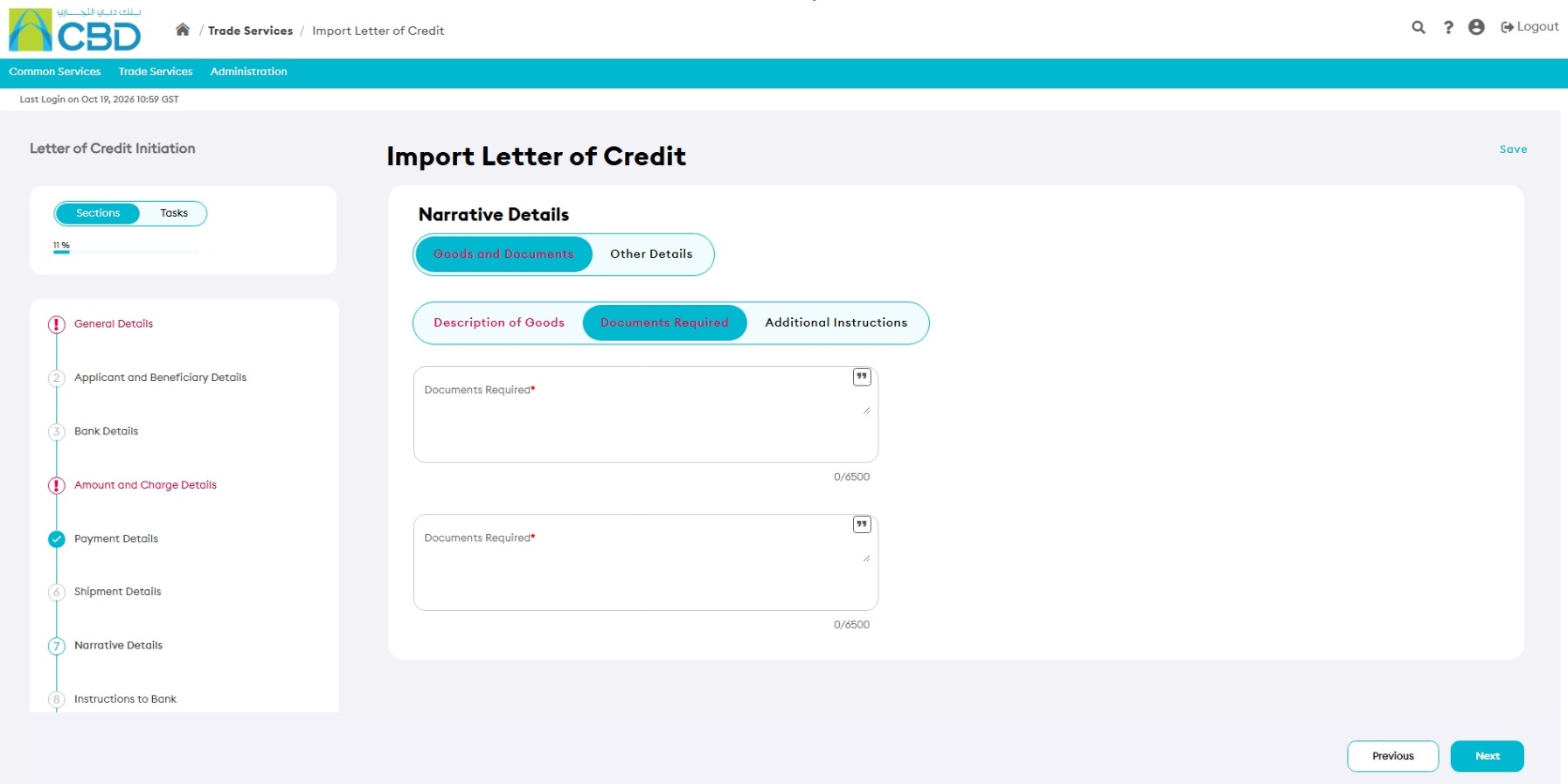
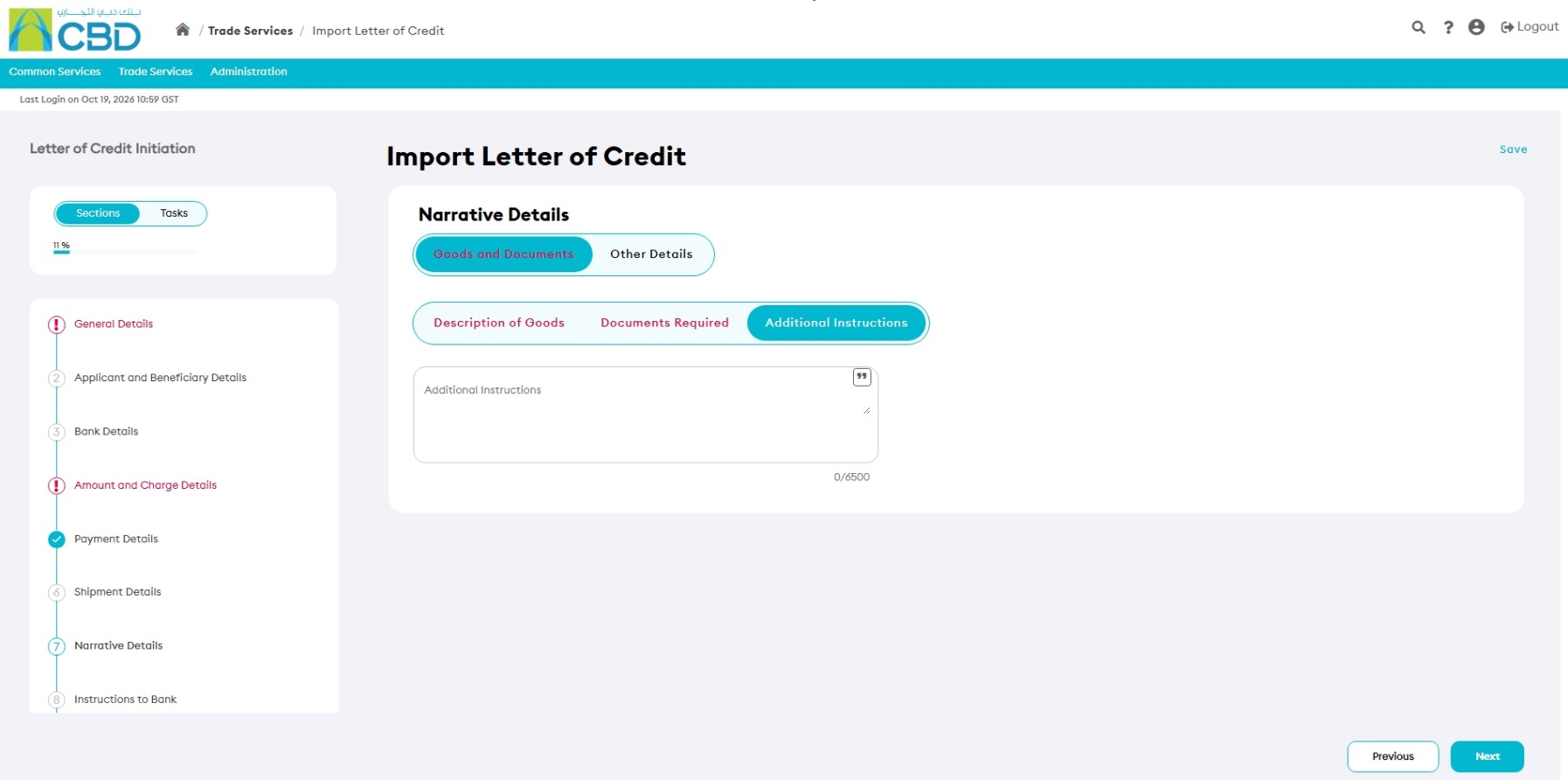
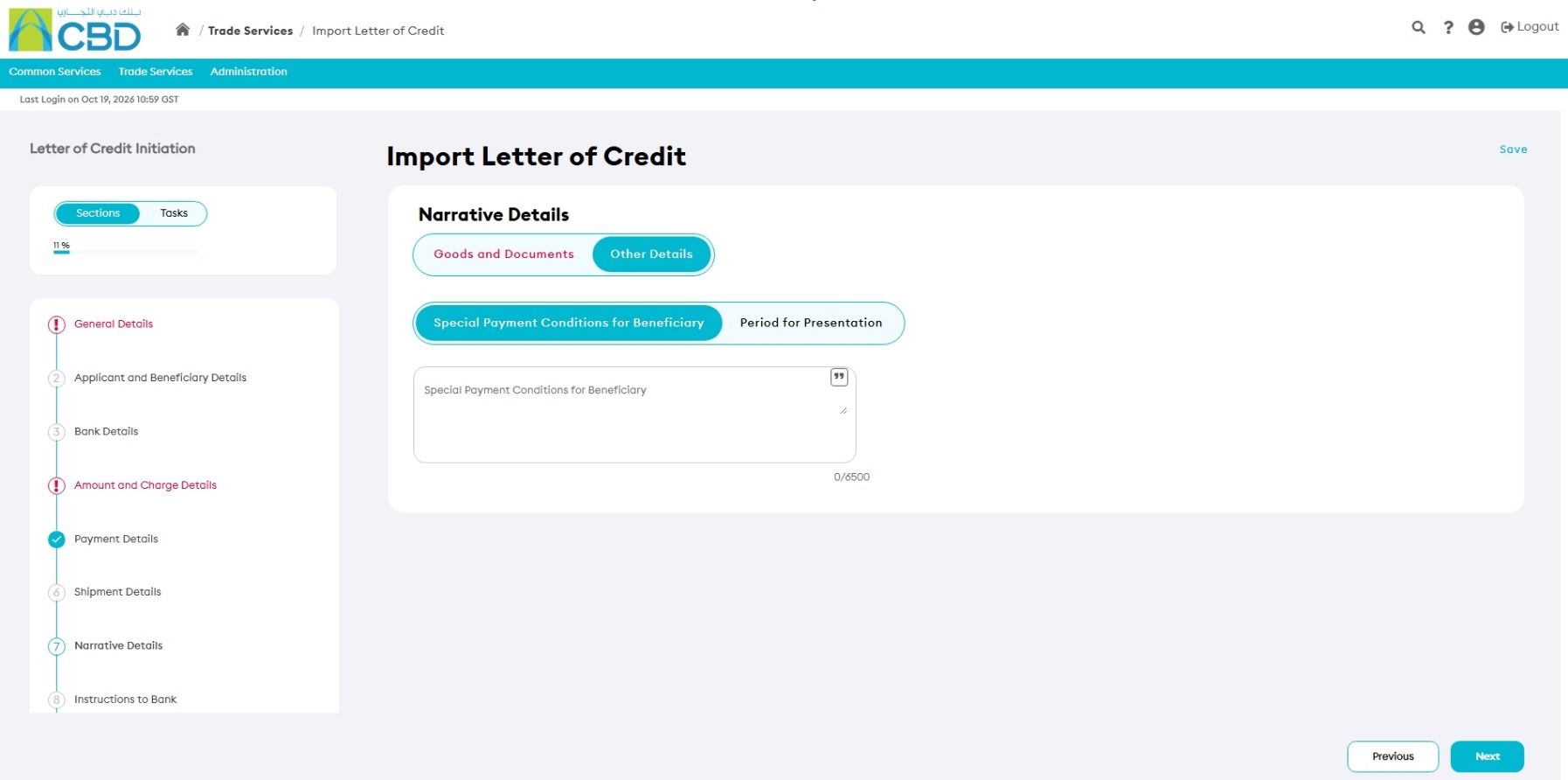
Step 9: Complete Narrative Details
Enter any narrative information required for the Letter of Credit.
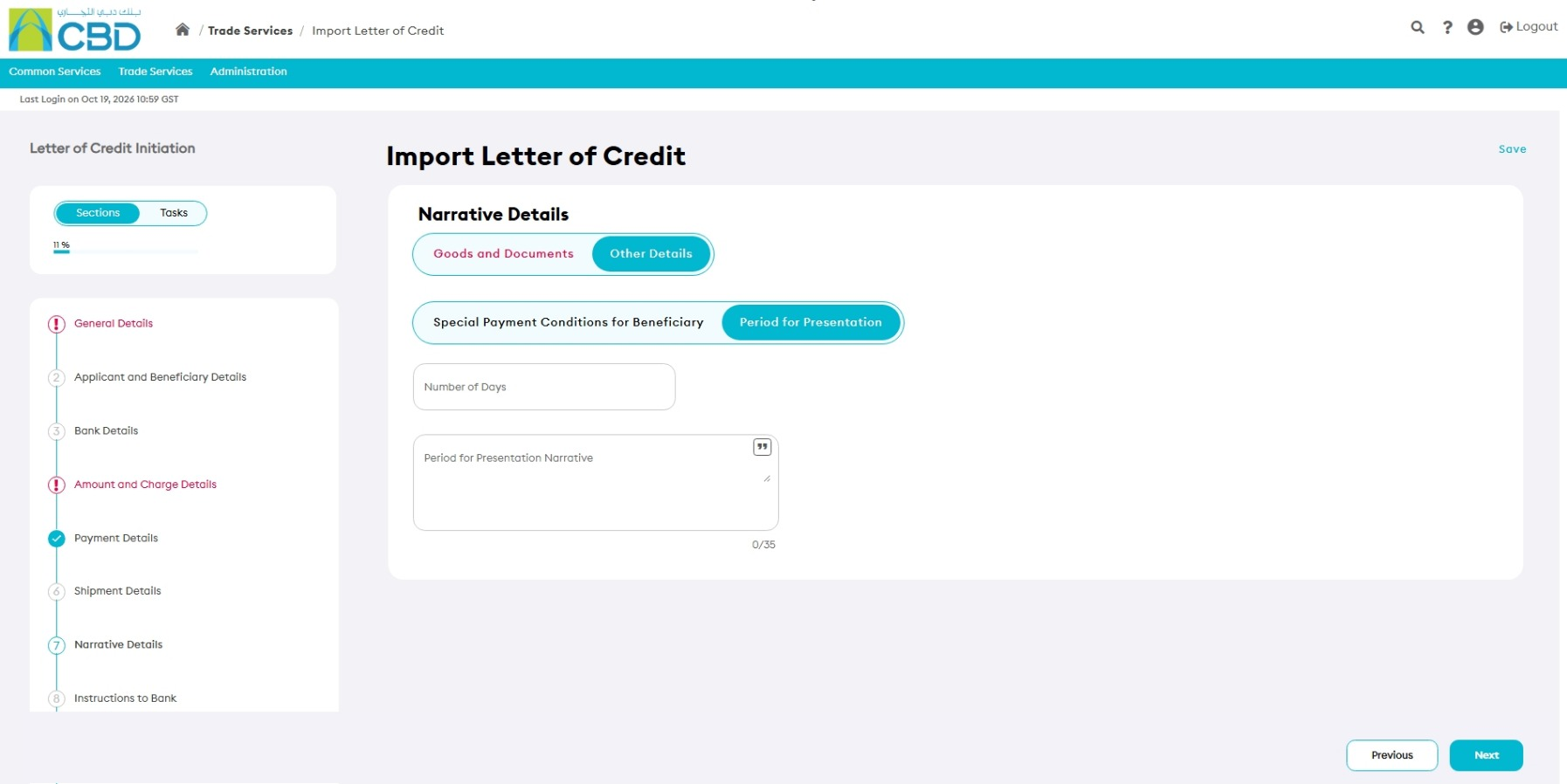
Step 10: Complete Instructions to Bank
Enter any additional instructions that should be provided to the bank for processing the Letter of Credit.
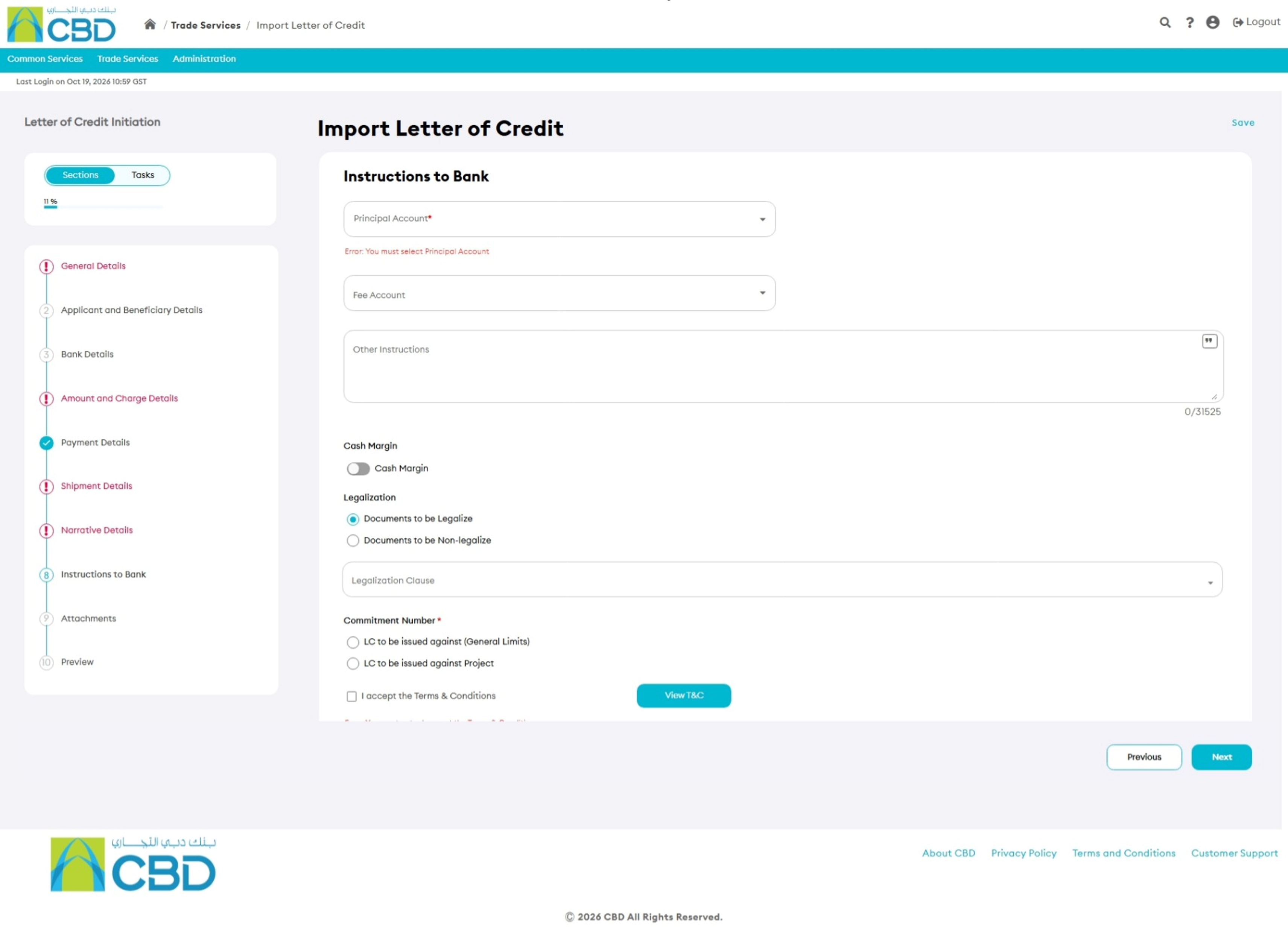
Documentation to be non-legalize

Step 11: Upload Supporting Documents
Attach supporting documentation where required.
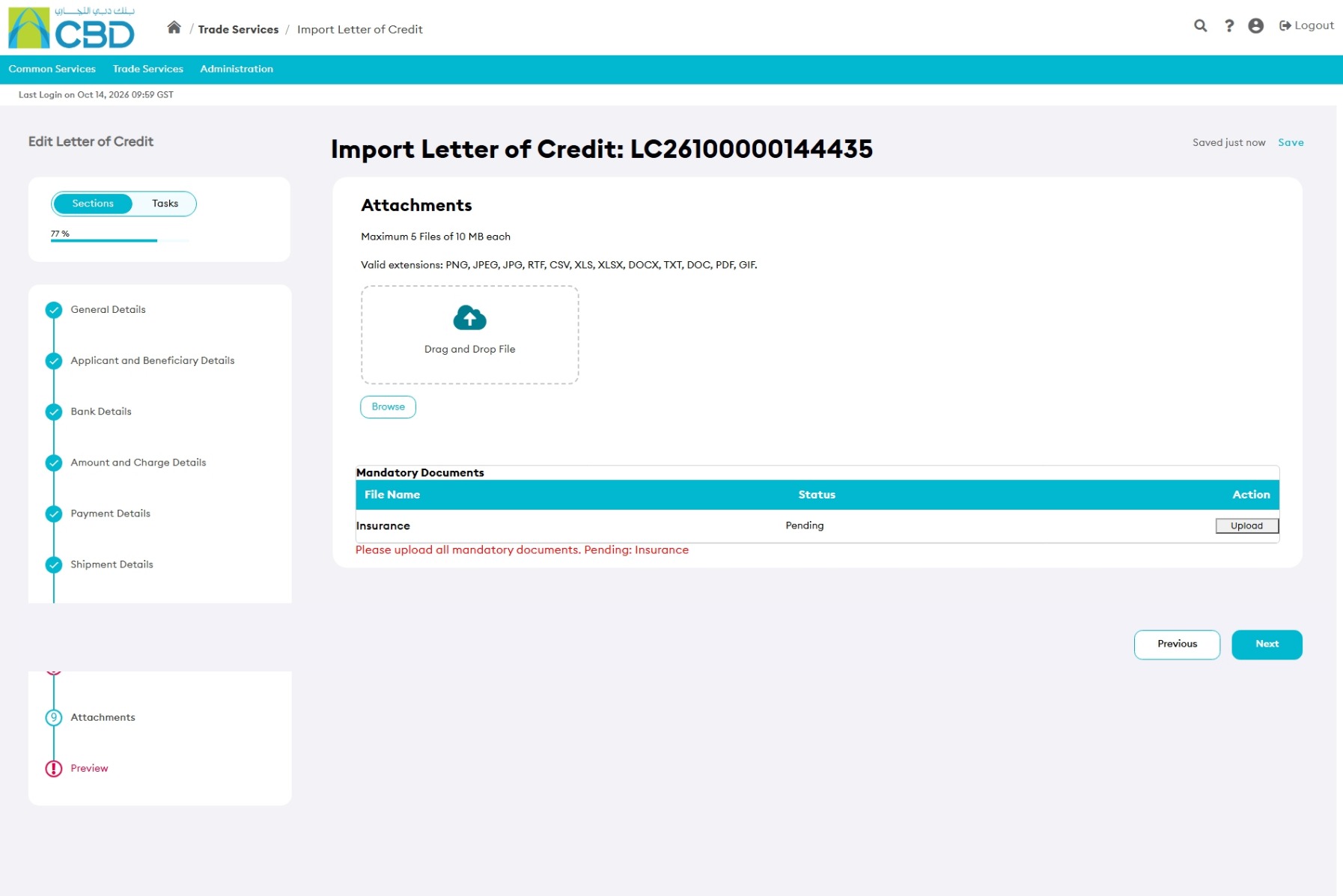
Supported Upload Methods
- Drag and Drop
- Browse
Attachment Limits
- Up to 5 documents
- Maximum file size: 5 MB per file
Supported File Types
|
|
|
Examples of supporting documents include:
- Proforma Invoice
- Specimen Signature
- Supporting Trade Documents
Step 12: Review the Application
Open the Preview section and review all information entered.
Verify:
|
|
|
If changes are required, return to the relevant section and update the information.
Step 13: Submit the Request
- Review all information carefully.
- Click Submit.
If the request is submitted successfully, an acknowledgment message will be displayed.