
Overview
This guide provides step-by-step instructions for submitting an Import Letter of Credit (LC) Amendment Request through iTrade.
An amendment request allows you to modify the details of an existing Import Letter of Credit that is currently active. Common amendments may include updates to amounts, shipment details, beneficiary information, payment terms, or supporting documents.
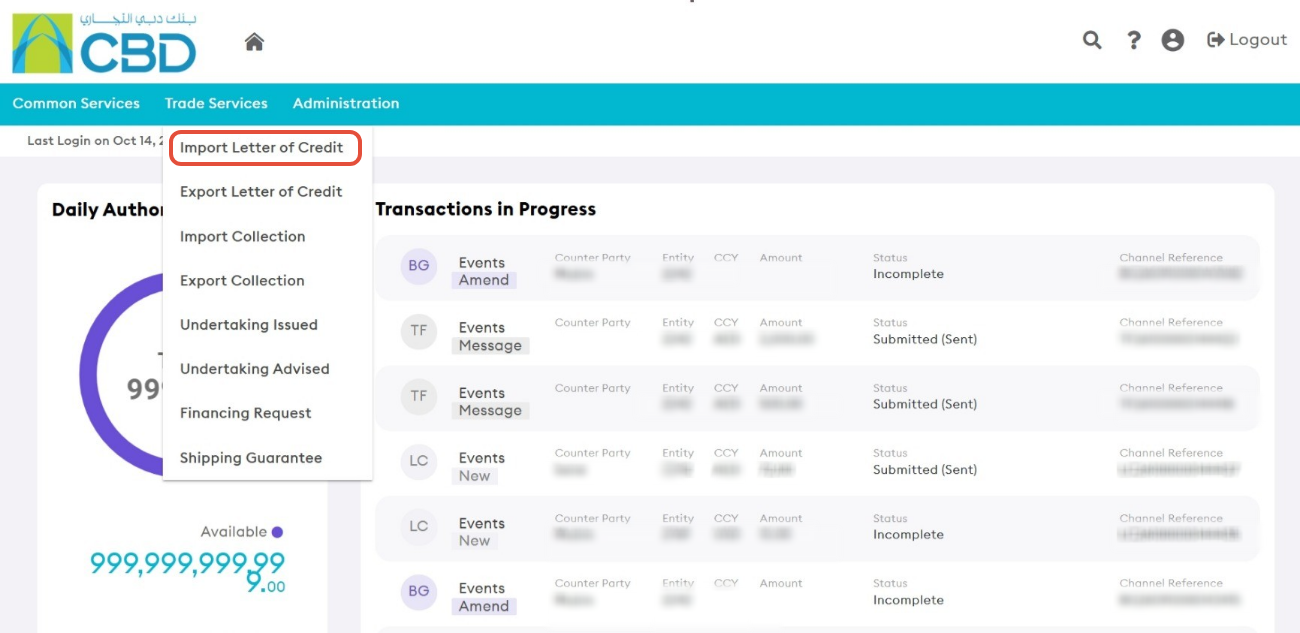
Step 1: Access Import Letter of Credit Services
- Open Trade Services from the main navigation menu.
- Select Import Letter of Credit.
Step 2: Open the Live Tab
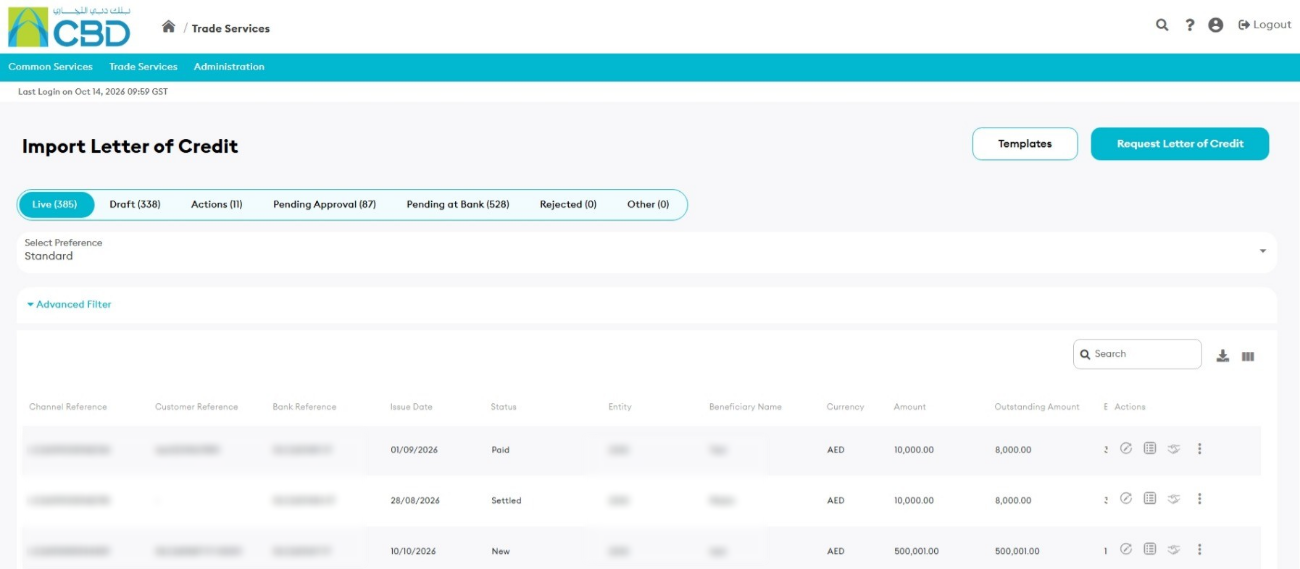
- Select the Live tab.
The Live tab displays all active Import Letters of Credit that are currently available for viewing and amendment.
Step 3: Select the Import Letter of Credit to Amend
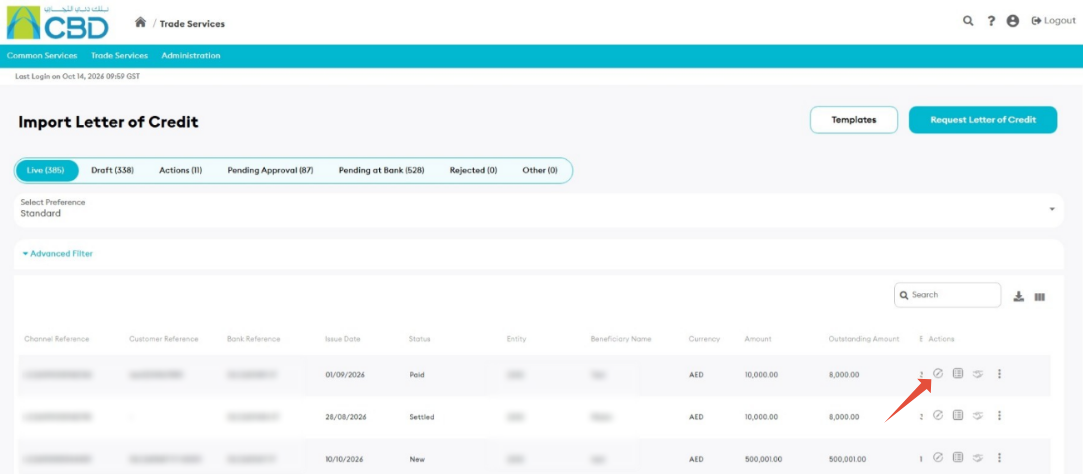
- Locate the Import Letter of Credit you want to amend.
- Click Amend next to the relevant transaction
 .
.
This will open the Import Letter of Credit Amendment application form.
Step 4: Update the Required Information
Review and update the appropriate sections of the amendment request form.
Available sections include:
- General Details
- Applicant and Beneficiary Details
- Bank Details
- Amount and Charge Details
- Payment Details
- Shipment Details
- Narrative Details
- Instructions to Bank
- Attachments
Navigation Tips
You can navigate through the form by:
- Clicking Next to move to the next section.
- Clicking Previous to return to the previous section.
- Selecting a section directly from the navigation panel on the left side of the screen.
Amended Fields
Any field that has been modified will be automatically marked as: Amended
This helps identify all changes included in the amendment request.
Step 5: Review the Amendment Request
Once all required changes have been completed:
- Open the Preview section.
- Review all updated transaction details carefully.
- Verify that all amendments are correct.
If further changes are required:
- Return to the relevant section.
- Update the required information.
- Return to the Preview screen to review the changes.
Important: Review all amended details carefully before submission, as they will form part of the amendment request sent to the bank.
Step 6: Submit the Amendment Request
- Click Submit.
- Wait for the confirmation message.
If the request is submitted successfully:
- An acknowledgment message will be displayed.
- A reference number may be generated for tracking purposes.