
Overview
This guide provides step-by-step instructions for submitting Settlement Instructions for an Import Letter of Credit through iTrade.
Settlement Instructions are submitted when a Letter of Credit transaction requires a Clean Response or a Request for Settlement before processing can continue.
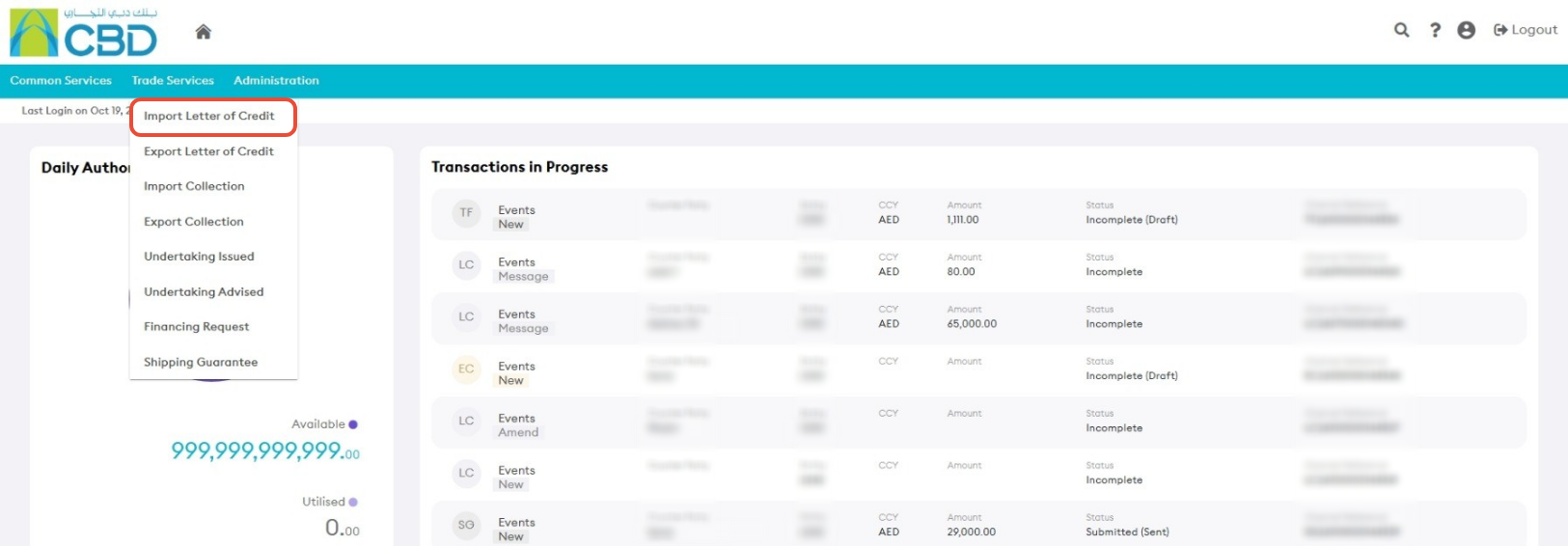
Step 1: Access Import Letter of Credit Services
- From the iTrade Dashboard, select Trade Services.
- Click Import Letter of Credit.
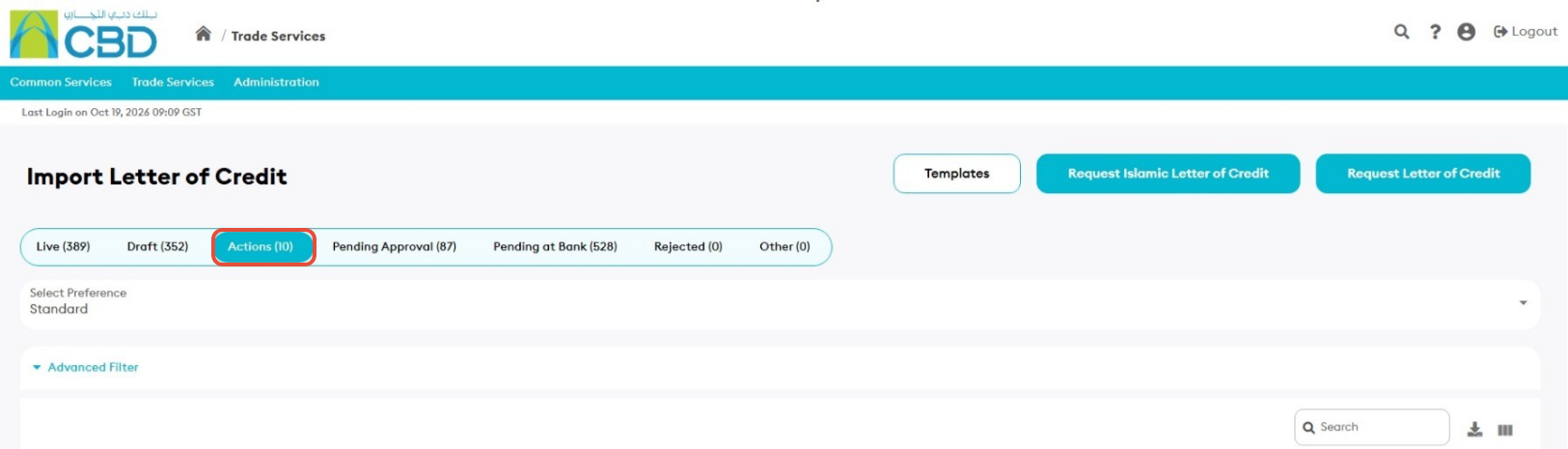
Step 2: Open the Actions Tab
- Select the Actions tab.
Step 3: Open the Settlement Request
- Locate the Import Letter of Credit that requires settlement instructions.
- Click Clean Response / Request for Settlement for the relevant transaction.
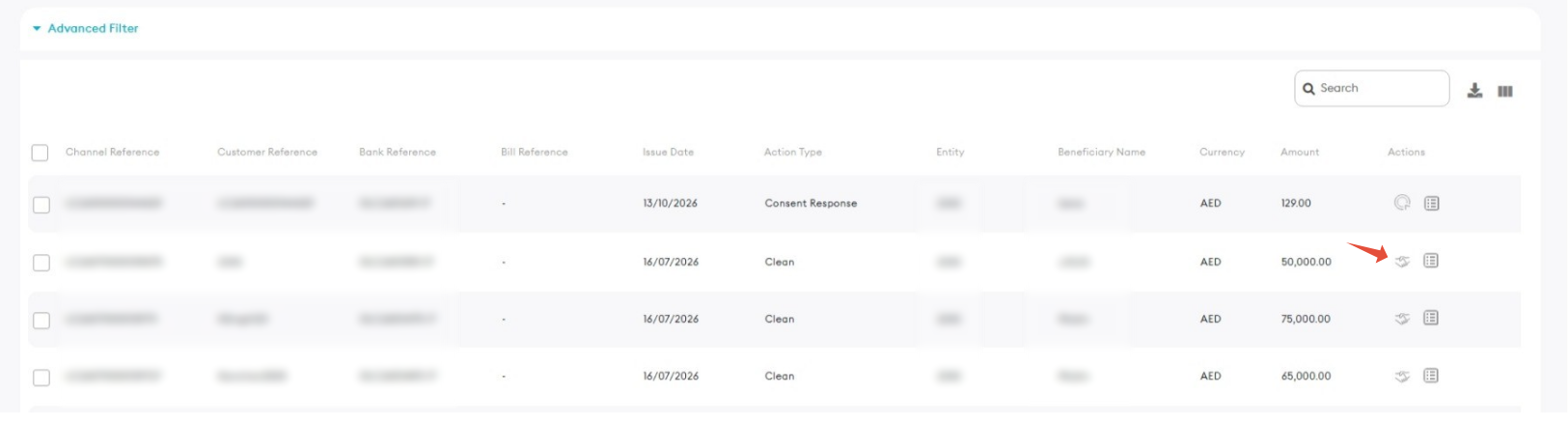
Clean Response / Request for Settlement icon:
Step 4: Complete the Settlement Instructions
Review the request and complete all required information.
- Fill in any mandatory fields that have not already been completed.
- Enter the required Customer Instructions.
- Review the settlement details carefully.
- Accept the Terms and Conditions.
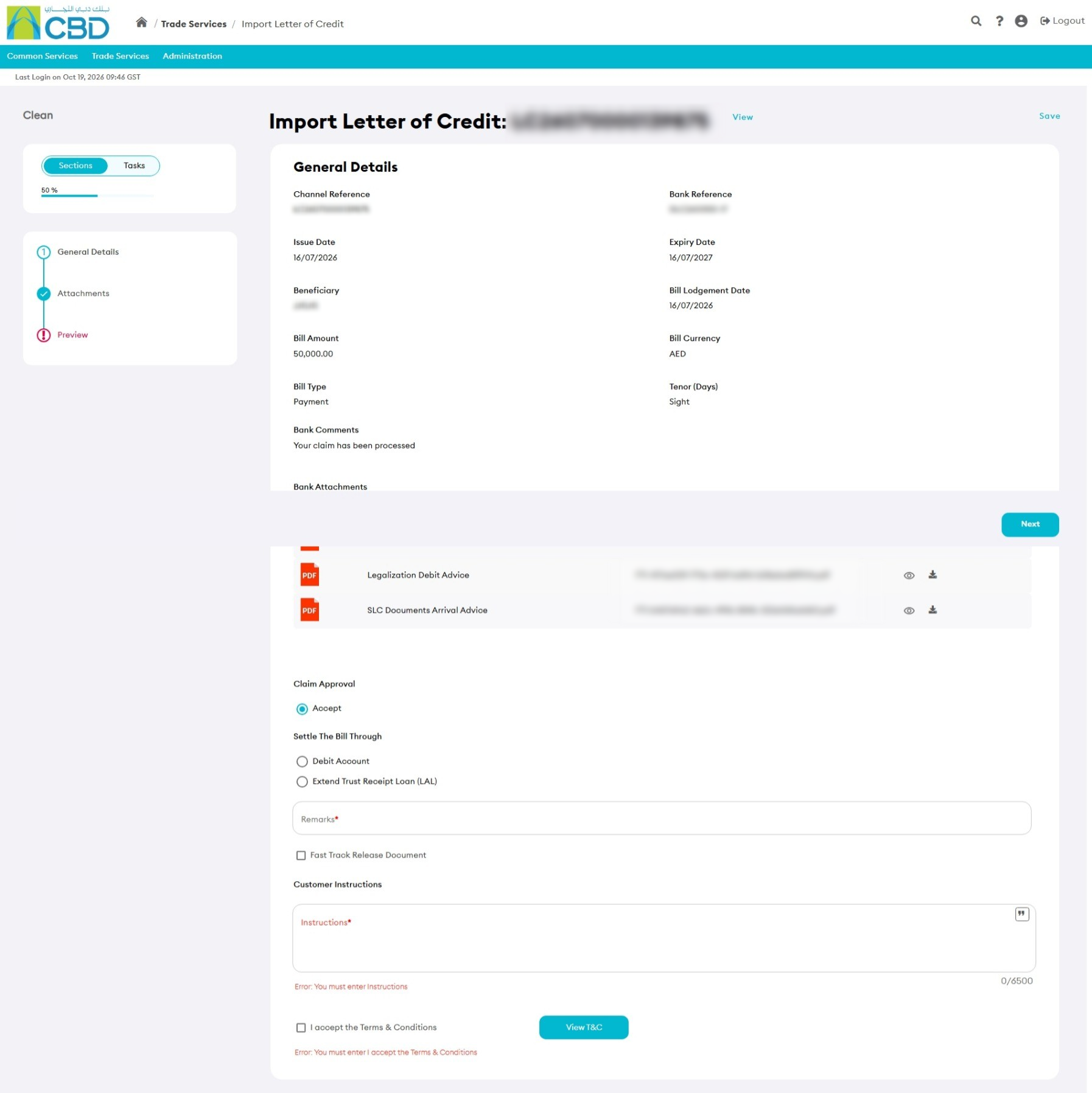 Important: Ensure that the Customer Instructions are accurate and complete before submitting the request.
Step 5: Review and Submit
- Review all settlement details and customer instructions.
- Verify that all required information has been completed.
- Click Submit.
Step 6: Confirmation
After successful submission:
- An acknowledgment message will be displayed.
- The request status will be updated.
- The settlement request will be forwarded for processing.