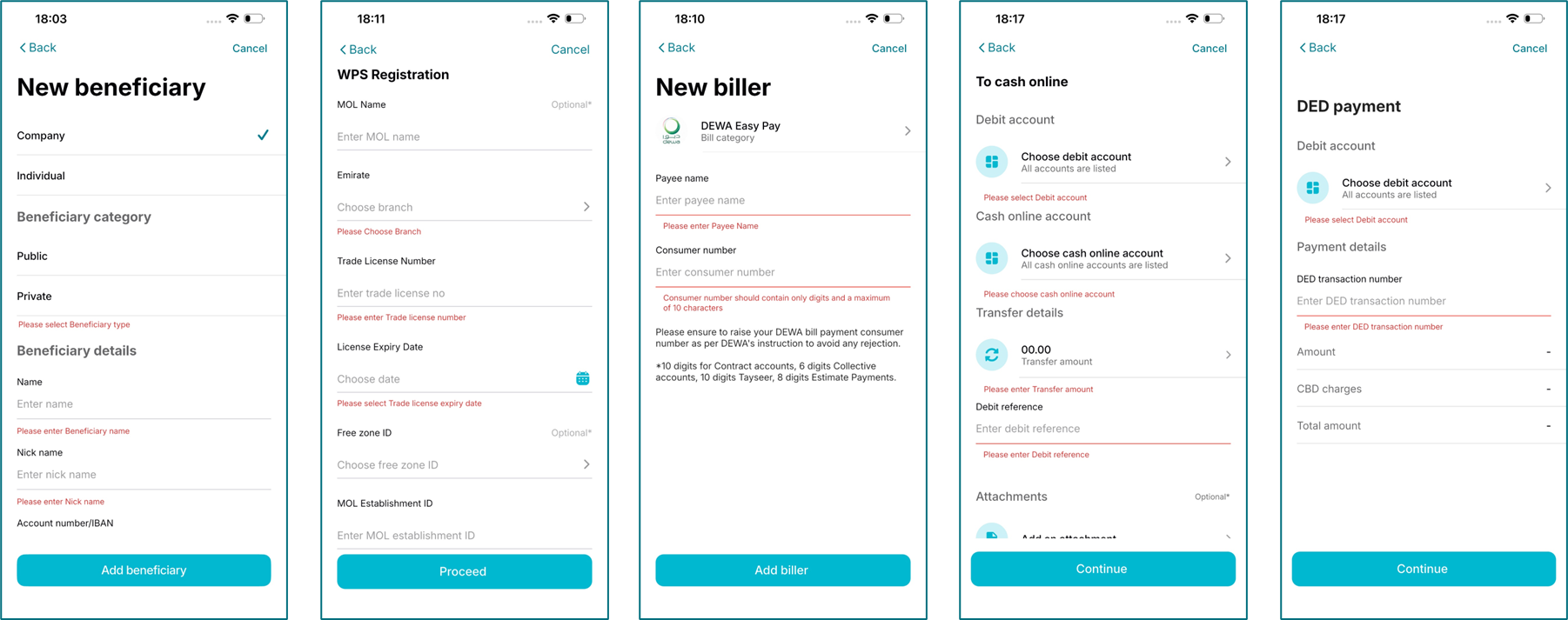
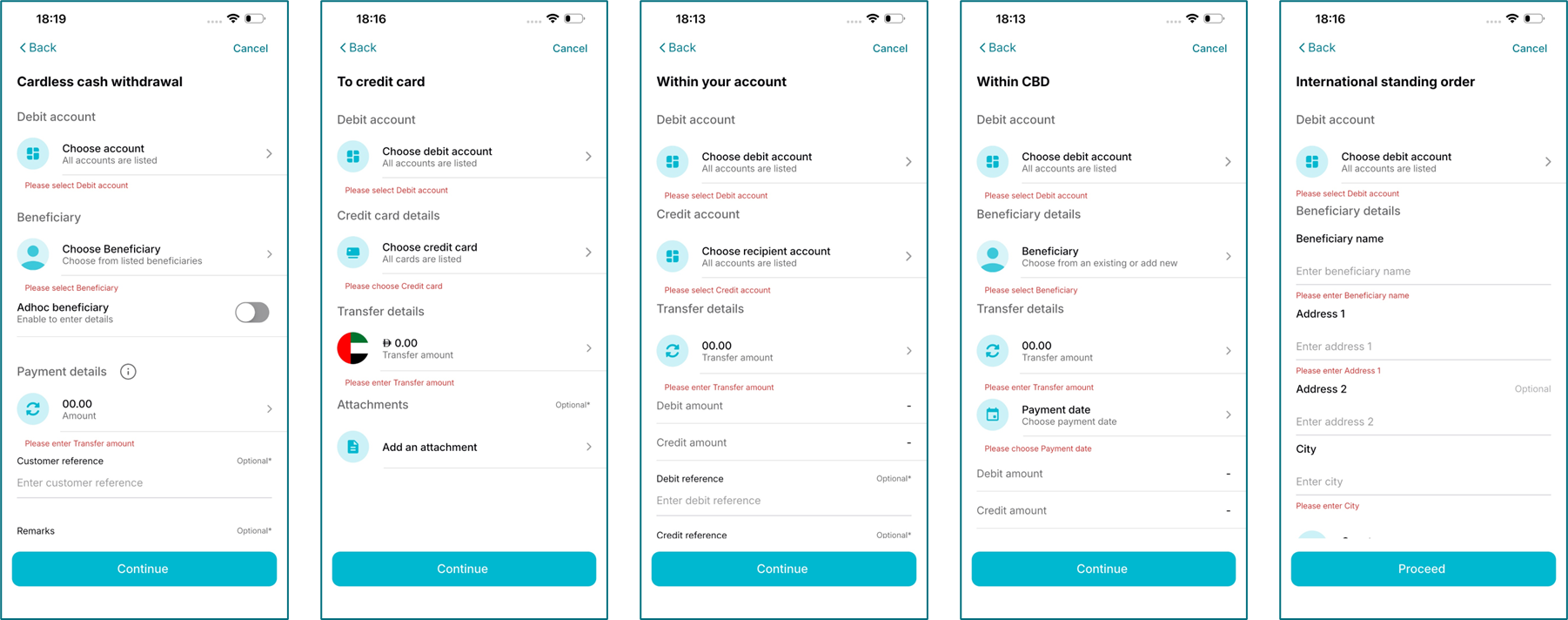
Feature 1: Payment Redesign (Simplifying access to payments)
Payment Redesign – focuses on consolidating multiple payment‑related menus into a single, unified menu to streamline and standardize customer journeys across payment types. This phase also includes targeted UI/UX enhancements aimed at improving navigation, reducing complexity, and ensuring a more intuitive and consistent user experience. In addition, minor UI refinements are being introduced based on user feedback and usability insights to further enhance overall customer satisfaction.
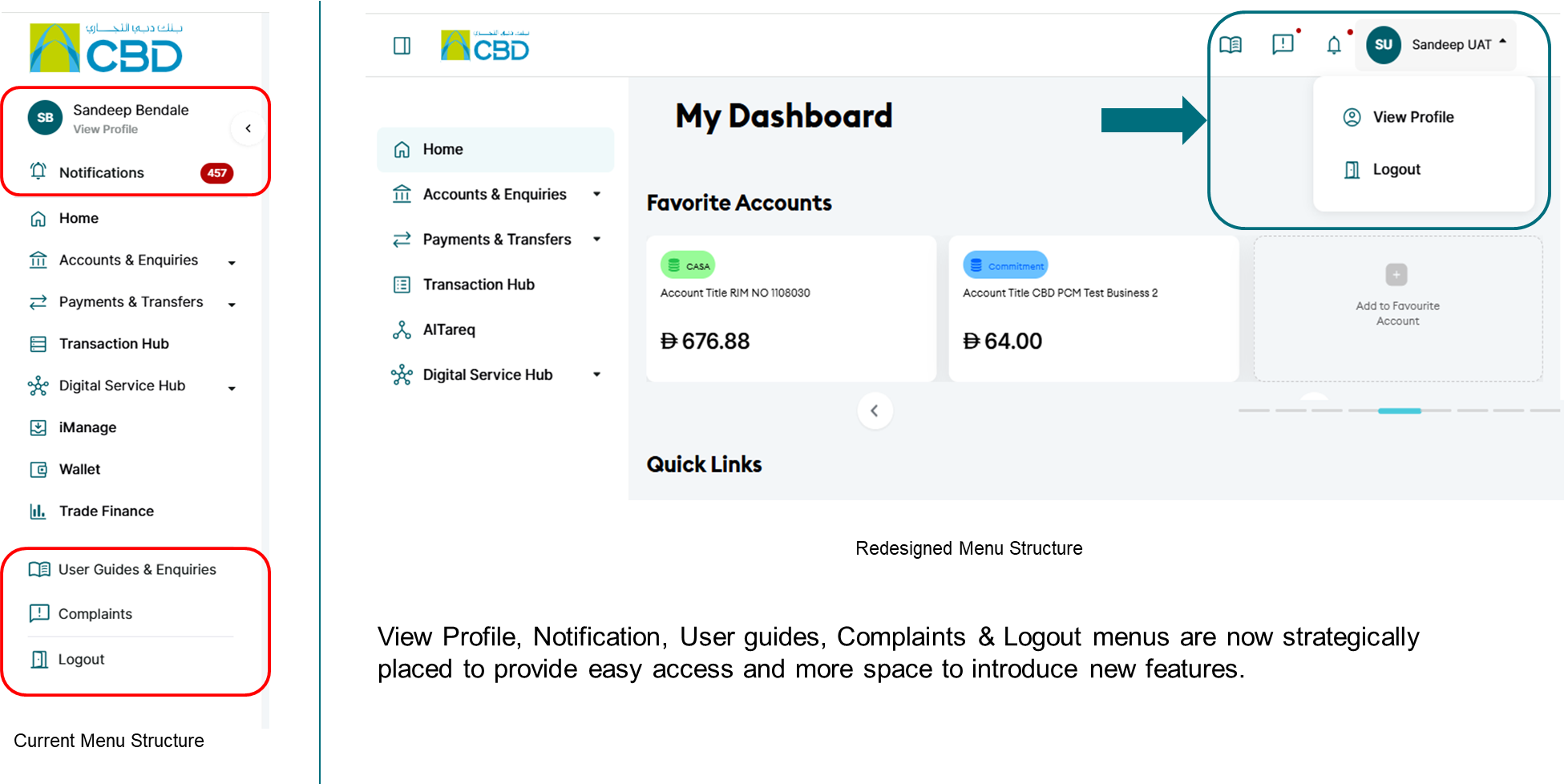
- Post Login Screens - View Profile, Notifications, Guides, Complaints & Logout
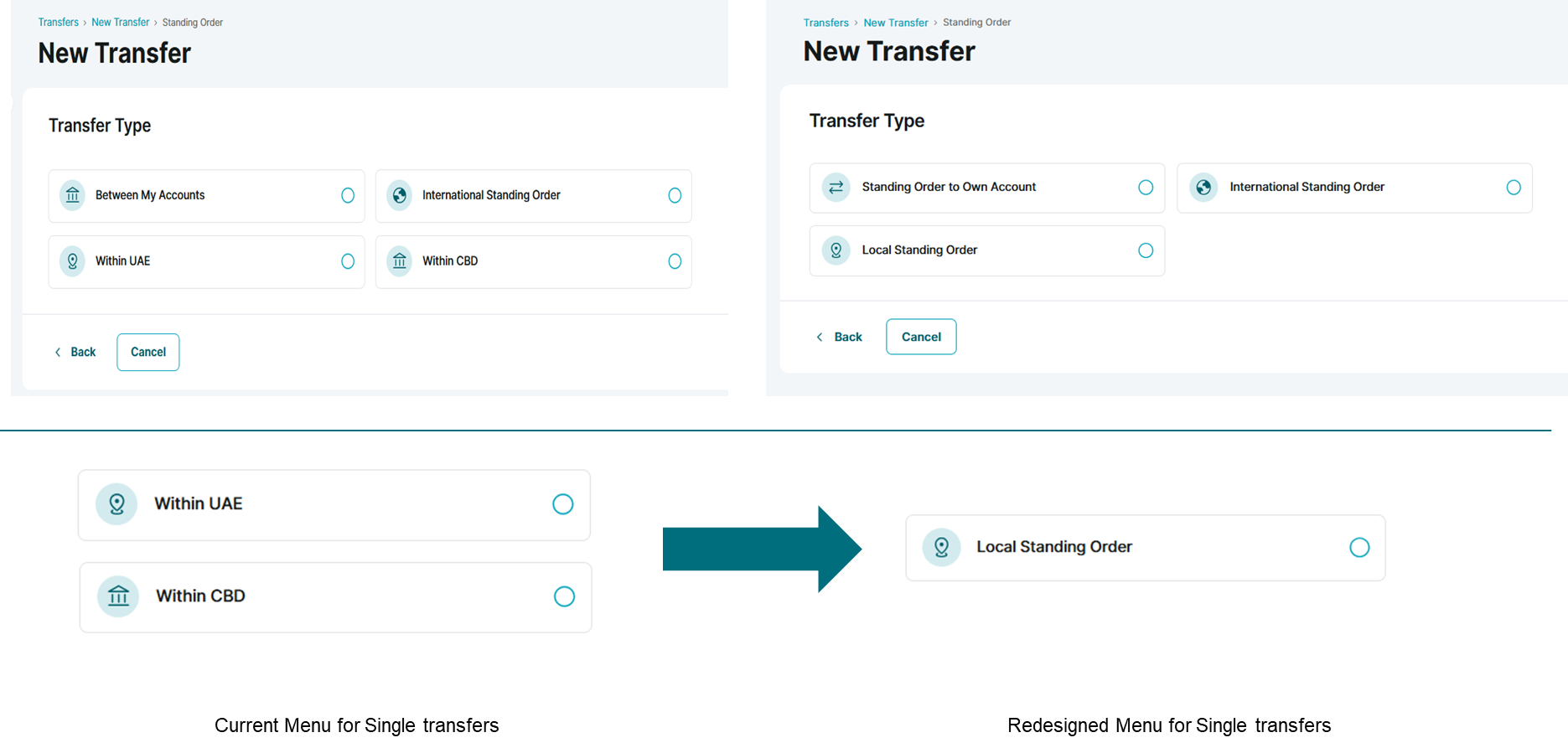
- Consolidation of Transfer Types
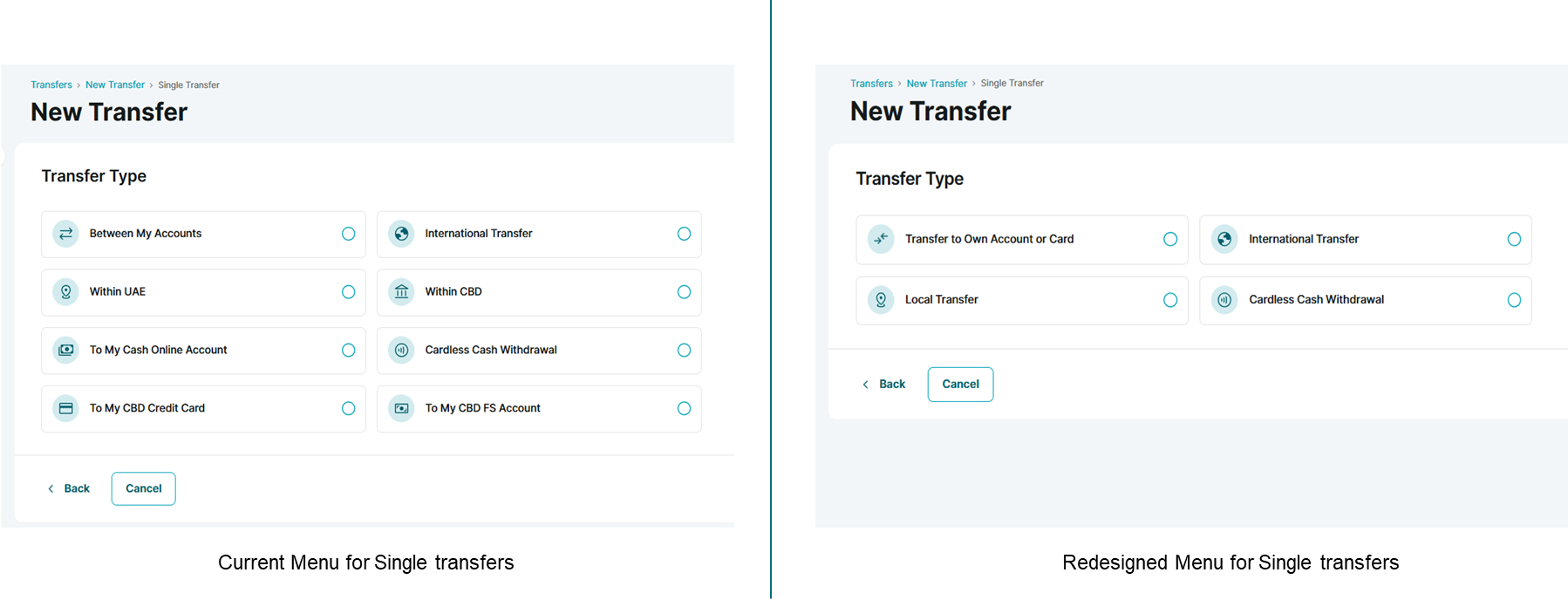
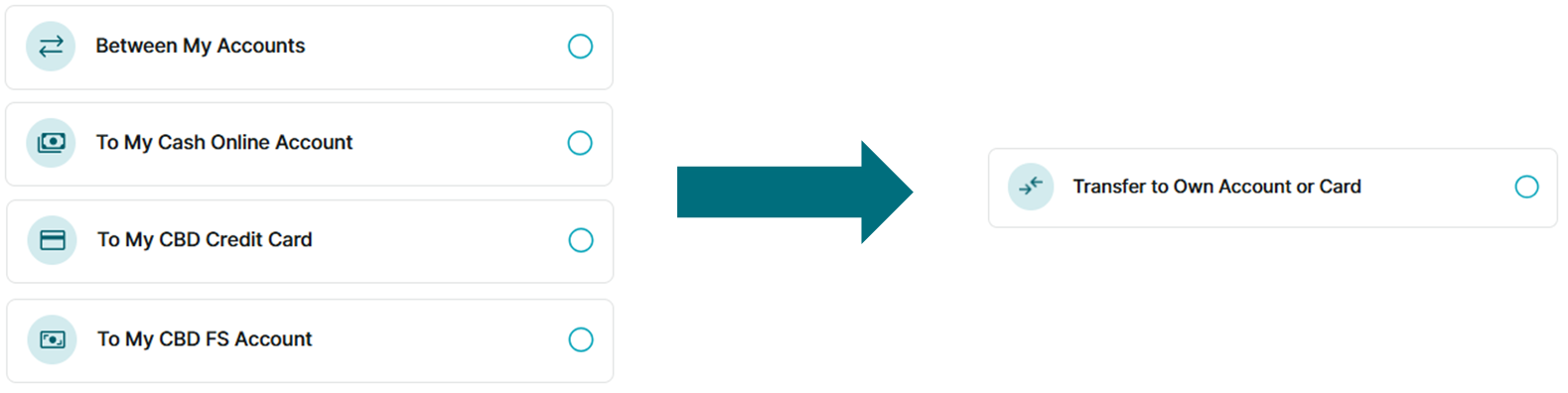
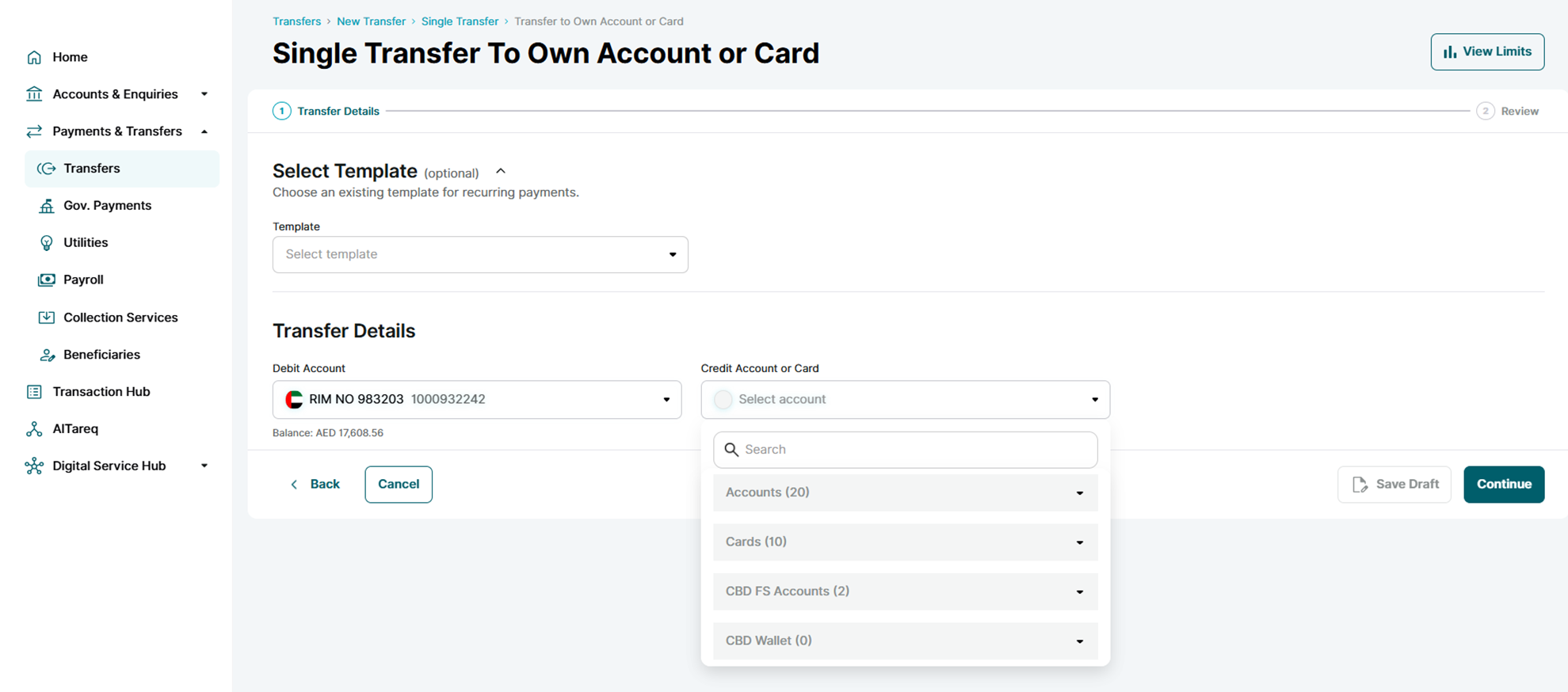
- Consolidation of transfer types (below) to 'Transfer to Own Account or Card'

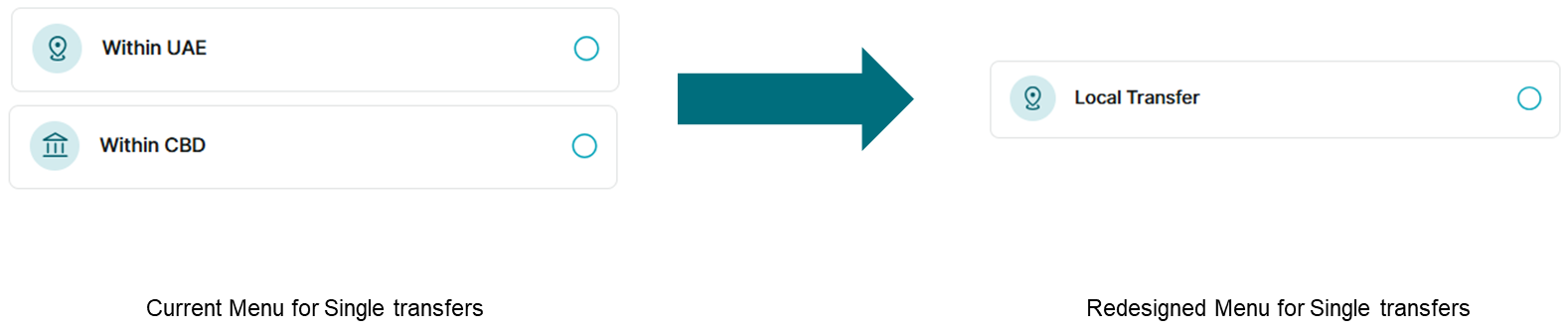
- Consolidation of transfer types (below) to 'Local Transfer'
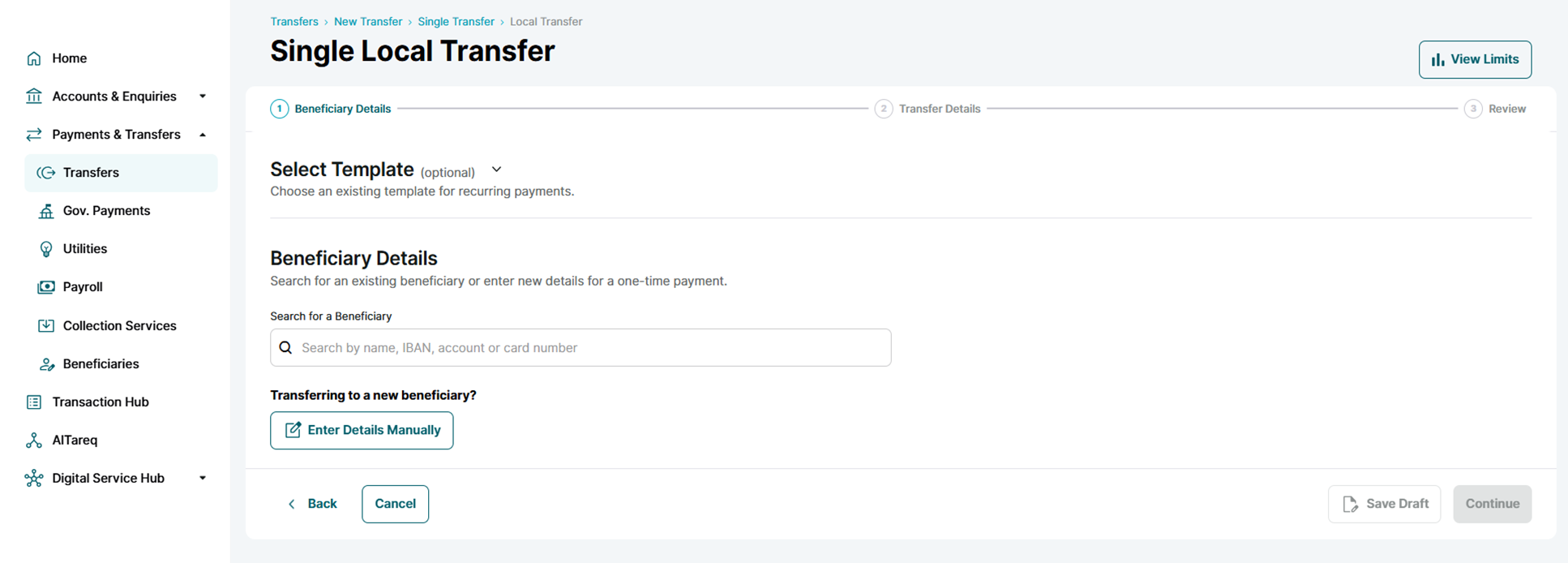
The user will be able to select an existing beneficiary (within CBD, within UAE, or a saved credit card) from the beneficiary list. Alternatively, the user may initiate a transfer to a new beneficiary (ad hoc) by providing the required beneficiary details, such as a CBD account number, local bank IBAN, or local bank credit card number.
- Consolidation of transfer types (Standing Orders) to 'Local Transfer' (Similar to Transfers)
Feature 2: Account balance validation for future dated payments (Single and payroll)
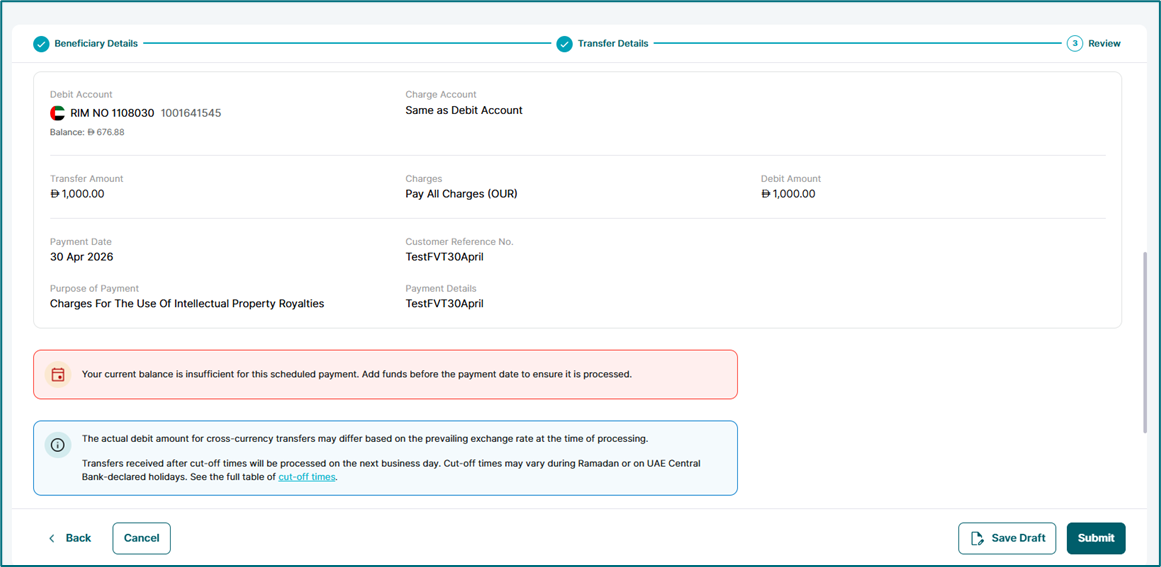
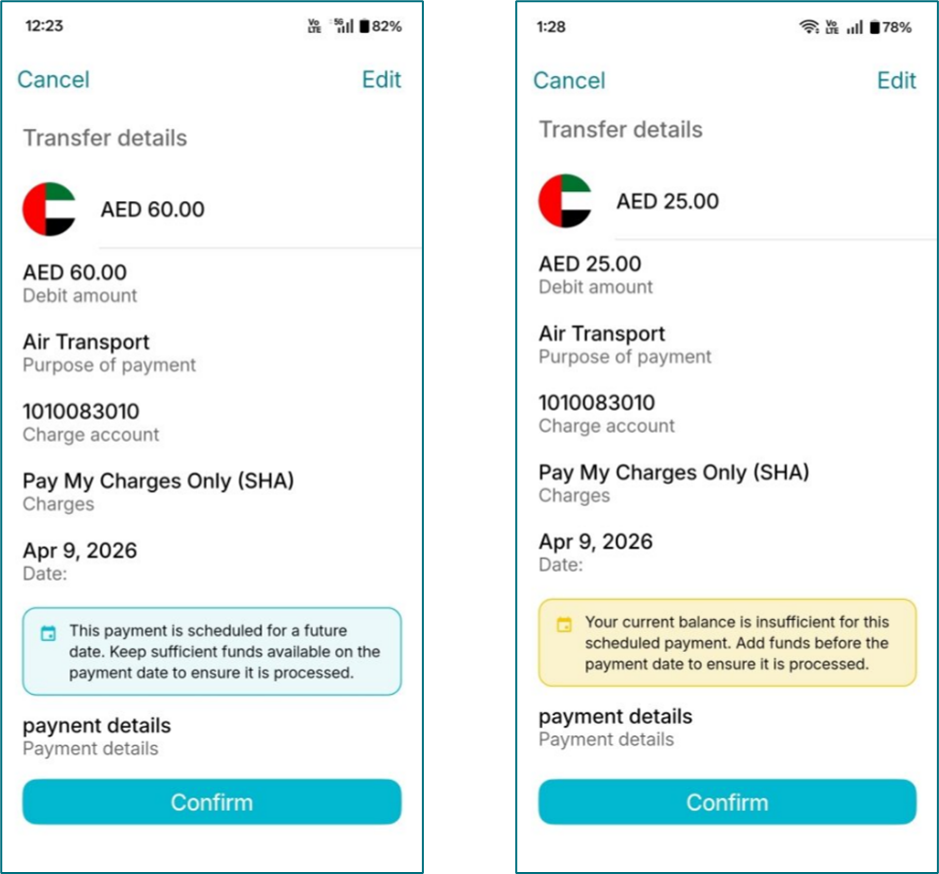
- The relaxation of account balance validation for future‑dated payments (Single and Payroll) has been identified and pursued based on repeated customer feedback. Customers have highlighted challenges where future‑dated payments cannot be scheduled unless sufficient balance is available at the time of initiation, leading to dissatisfaction and the need to maintain funds in advance. This enhancement directly addresses these customer pain points and aims to improve flexibility, reliability, trust, and the overall payment experience.
Single Transfers : | Payroll Transfers : |
|
|
- System will show a disclaimer if the customer do not have sufficient balance And is initiating a future dated payment
Feature 3: Mobile UX Updates (Error handling + In button loader)
- We have enabled the ‘Continue’ option by default. If a user clicks ‘Continue’ without filling the required field, the system will focus on the missing field, guiding them to complete the form. This aims to improve user experience and save time.